
Vexy16_ - Minecraft Skins & Skin History
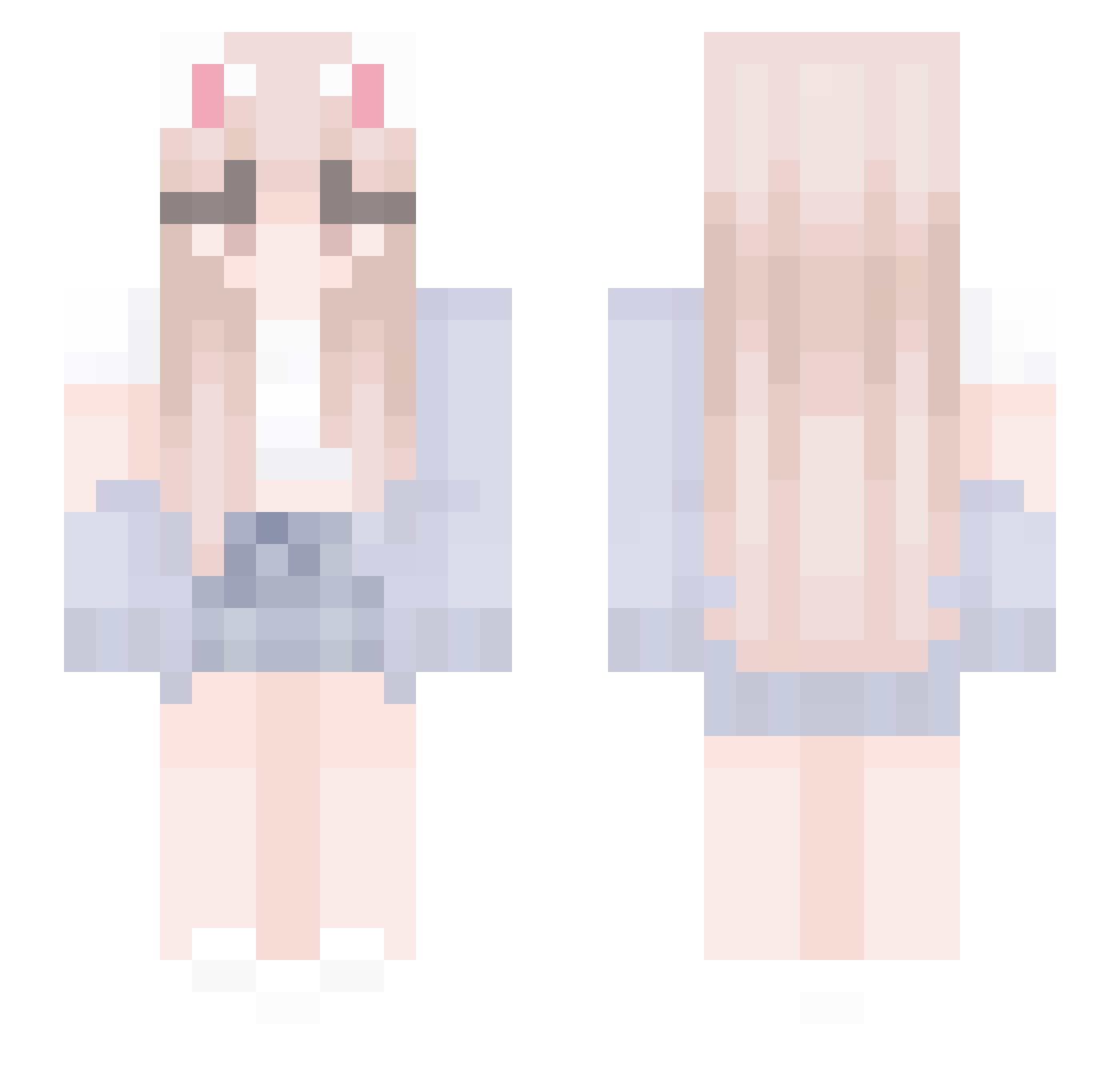
Current Minecraft skin of the player Vexy16_, loaded from the official Mojang API. Rotate the 3D model with your mouse or finger, then download the skin as a PNG file and use it in Minecraft: Bedrock Edition or Java Edition for free. When Vexy16_ changes their skin, this page updates automatically and the old skin stays in the history below.
Other players with this skin (436)
Vexy16_ was the 359th player we have seen with this skin, first spotted on 18.10.2026. The same skin was seen on these players. Open a nickname to see their current skin and skin history.
 BJS_Aegis irusyaprogamer Miiaauuw YM00TW xKxylee ChenHao10 kingkamagi LadyKayy h_neda SnowcaT125 Cysi Lady_Shea _ItzSofia_ JoSubi suyeon_090306 itMlCHl Ragazze LHTK PrimeOP20 Dym_Alexia Linawah Lin_lil iriscasanova BlobTheBlobGang ___Yui___ tsubamekawaichan Cc54877 NoGFLM COLEWAFFLE charlotte1040 xx00048000xx CheesyAvocados lidza_k Lordtraker navilaa ilkesu CAKELUVR83 tigrbiran oRadish Chayauwu moonsykk Soom97 SSA0513 Goonrat187 OutstnY 3941 Jangkaikai l_YQY_l WassabiPeas sh2ley Dibasic weiyotrash ReaIHimawari Suhet13 7tps ElSharpnessYT Superpiki07 Freesia0 mysky2022 jayzazagamer
More Cardigan Minecraft skins
How to install the Vexy16_ skin
- Press the Download button above to save the skin as a PNG file.
- Minecraft: Bedrock Edition (PE): open the Dressing Room from the main menu (or tap your character → Edit Character), go to Classic Skins → Owned, press the + (new skin) button, choose the downloaded PNG and pick the Slim (Alex) model. Works on PC and mobile; consoles cannot import custom skins.
- Minecraft: Java Edition: open the Minecraft Launcher, go to the Skins tab, click New Skin, load the PNG, pick the Slim (Alex) model and press Save & Use. You can also upload it at minecraft.net → Profile → Change Skin.
The skin does not show up after import - what should I do?
Restart Minecraft and open the Dressing Room again - imported skins sometimes appear only after a restart. Also make sure you selected the imported skin and picked the Slim (Alex) model.
Which model should I choose, Classic or Slim?
This skin is designed for the Slim (Alex) model. If you pick the wrong model, the arms of the skin will look stretched or squeezed.
Is the skin of Vexy16_ free to download?
Yes. Press Download, save the PNG file and use it in Minecraft: Bedrock Edition or Java Edition - no payment or registration needed. The skin also works on multiplayer servers and Realms.
More skins
Looking for more? Go back to all Minecraft skins and check the top skins of the week, month and all time, or find any player's skin by nickname.