
Vertuomilan - Minecraft Skins & Skin History
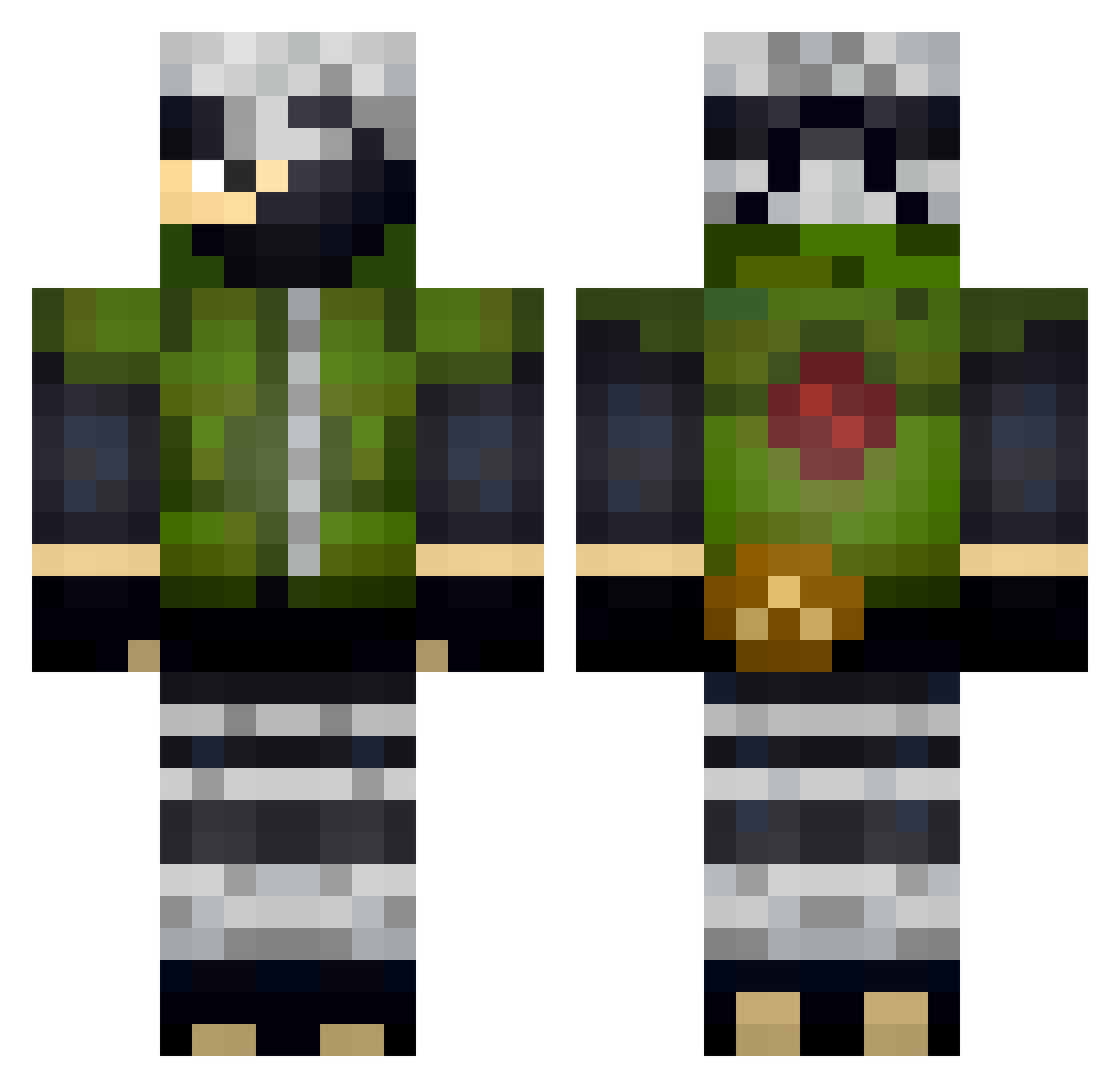
Current Minecraft skin of the player Vertuomilan, loaded from the official Mojang API. Rotate the 3D model with your mouse or finger, then download the skin as a PNG file and use it in Minecraft: Bedrock Edition or Java Edition for free. When Vertuomilan changes their skin, this page updates automatically and the old skin stays in the history below.
Other players with this skin (329)
Vertuomilan was the 277th player we have seen with this skin, first spotted on 19.10.2026. The same skin was seen on these players. Open a nickname to see their current skin and skin history.
 jeffyang8 Grabanc Katsuda Zira03 banza157 LoboPG FreynerG vVv_KaKashi RafaBRXD xKushimaru RoxenSg LKNwww FadedStormX5 _kon100_ thegamesina _RobMaz_ Valonleboss EwanEstFort jitjojo EuTenhoProblemas DropGo Cochiha iKara2 ponnetto Brachex EV4SIVEE Gabbothekid NoaBosman GoMoPlayer_TV Brezh0n vici141 Amnicator Neos28 Luvain9 uli345 Jperolo Mhepo Pelusa47 saharadieechte sdmjr Wcorporation UserNo420 Stanly_ qinolly1 Ainakwala Balasito narutosmom DipsyDTB tuat0g weijr Dada1337_ Lucica4k sunny_bananas QuinnsAdventure koala_hg maximusabius Witeno Wamm1234 yuhboychipsahoy BlackStorm965
More Kakashi Hatake Minecraft skins
See all 468 Kakashi Hatake skins
How to install the Vertuomilan skin
- Press the Download button above to save the skin as a PNG file.
- Minecraft: Bedrock Edition (PE): open the Dressing Room from the main menu (or tap your character → Edit Character), go to Classic Skins → Owned, press the + (new skin) button, choose the downloaded PNG and pick the Classic (Steve) model. Works on PC and mobile; consoles cannot import custom skins.
- Minecraft: Java Edition: open the Minecraft Launcher, go to the Skins tab, click New Skin, load the PNG, pick the Classic (Steve) model and press Save & Use. You can also upload it at minecraft.net → Profile → Change Skin.
The skin does not show up after import - what should I do?
Restart Minecraft and open the Dressing Room again - imported skins sometimes appear only after a restart. Also make sure you selected the imported skin and picked the Classic (Steve) model.
Which model should I choose, Classic or Slim?
This skin is designed for the Classic (Steve) model. If you pick the wrong model, the arms of the skin will look stretched or squeezed.
Is the skin of Vertuomilan free to download?
Yes. Press Download, save the PNG file and use it in Minecraft: Bedrock Edition or Java Edition - no payment or registration needed. The skin also works on multiplayer servers and Realms.
More skins
Looking for more? Go back to all Minecraft skins and check the top skins of the week, month and all time, or find any player's skin by nickname.