
Veqta - Minecraft Skins & Skin History
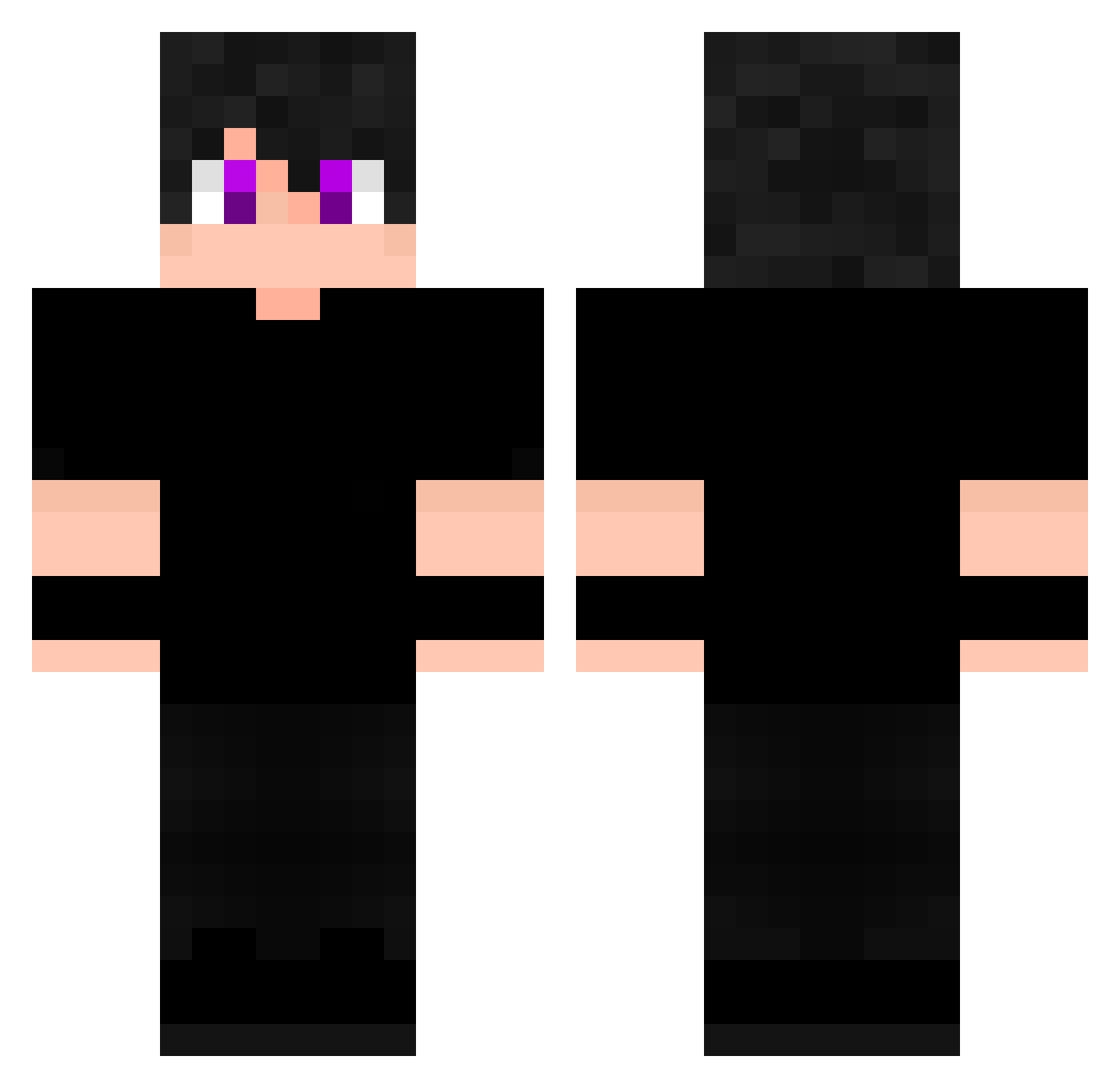
Current Minecraft skin of the player Veqta, loaded from the official Mojang API. Rotate the 3D model with your mouse or finger, then download the skin as a PNG file and use it in Minecraft: Bedrock Edition or Java Edition for free. When Veqta changes their skin, this page updates automatically and the old skin stays in the history below.
Other players with this skin (106)
Veqta was the 47th player we have seen with this skin, first spotted on 20.09.2026. The same skin was seen on these players. Open a nickname to see their current skin and skin history.
 never5amp1y Leoxyz__ G_TIM Redonw Domoper Fuerstenberg reuxy millie_502 ainmiajeregan luisprataZ HarDw luizgamer_100 veloxitey Luizeyy hitaaloxz TioMitsky Matthew_1124 Daekhan zennix000 Kim_Jun Mocaje adamrob ZenoHatake27 4y4_msmc_7bp Mandela011 Tz_Gustavin Zhacked1 bellygrim JoaoPalmerim ImKingxz bagaz_ DaddyKopz LKreg ogMairo znsF Alex8002111 VAIDARTELAPRETA RUAChaacMain YOUTACK ToeTickler3021 Femriir prtugal oChoki 0SenhorDasTrevas Devil_l Vazooca CandyToxic kingpumpkin0713 amorimzx_ AirtinX whiterx7 6cpsTunado2020 juannzinn hypeshow rxsx7 draazi_ MCF12138 qNalw12 Jade_1 pedrogoat7
How to install the Veqta skin
- Press the Download button above to save the skin as a PNG file.
- Minecraft: Bedrock Edition (PE): open the Dressing Room from the main menu (or tap your character → Edit Character), go to Classic Skins → Owned, press the + (new skin) button, choose the downloaded PNG and pick the Classic (Steve) model. Works on PC and mobile; consoles cannot import custom skins.
- Minecraft: Java Edition: open the Minecraft Launcher, go to the Skins tab, click New Skin, load the PNG, pick the Classic (Steve) model and press Save & Use. You can also upload it at minecraft.net → Profile → Change Skin.
The skin does not show up after import - what should I do?
Restart Minecraft and open the Dressing Room again - imported skins sometimes appear only after a restart. Also make sure you selected the imported skin and picked the Classic (Steve) model.
Which model should I choose, Classic or Slim?
This skin is designed for the Classic (Steve) model. If you pick the wrong model, the arms of the skin will look stretched or squeezed.
Is the skin of Veqta free to download?
Yes. Press Download, save the PNG file and use it in Minecraft: Bedrock Edition or Java Edition - no payment or registration needed. The skin also works on multiplayer servers and Realms.
More skins
Looking for more? Go back to all Minecraft skins and check the top skins of the week, month and all time, or find any player's skin by nickname.