
VepzGHG - Minecraft Skins & Skin History
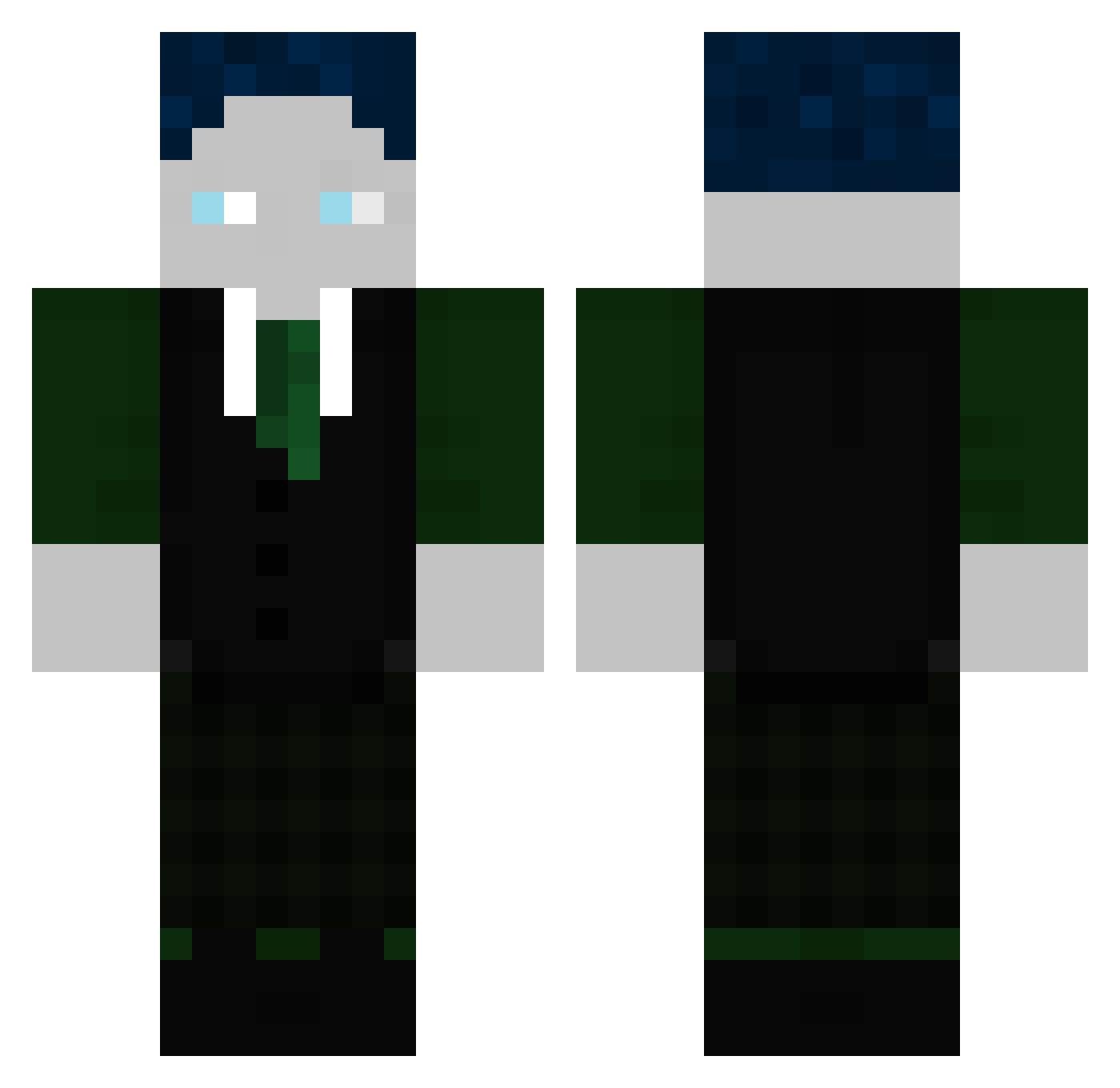
Current Minecraft skin of the player VepzGHG, loaded from the official Mojang API. Rotate the 3D model with your mouse or finger, then download the skin as a PNG file and use it in Minecraft: Bedrock Edition or Java Edition for free. When VepzGHG changes their skin, this page updates automatically and the old skin stays in the history below.
Other players with this skin (322)
VepzGHG was the 304th player we have seen with this skin, first spotted on 02.11.2026. The same skin was seen on these players. Open a nickname to see their current skin and skin history.
 KxMrX SouL_1106 Straix_vaisn 5erKette BlockheadRaphaHD Jakub_tr Prince_Lothric_ Gersti809 fllorrrii Luis47er N1C0_1506 Lasse_31 Matzem06 Zarkeks AdamDud19 ypadmserf Pclele RuBa58 ScariestSand382 jakieletsplay mertaibi mxserymax JoJoFi24 Laiwa_K30 Crackpfeife420 GarenOP Baumiiii RIANM4256 TSTPro24 y6v GwnMax2007 finnsch567 deryanni ZypTuz MaelXJulien Eleganz06 CapibaraGHG watnlosdikki SaibotKarl LegendofJP ZugBohne124 Ronny2356 Luca00989 ArifHund flosisim121 Noah102013 LupiHd TomN1609 _Sparky24 Blackspall86 PatriceHD Groesstesnapmap DerProu fabiboxedyou MikaelGHG Collin807 N1K745 burda1979 Lemmi123 2000tmax
More Ender Dragon Minecraft skins
See all 705 Ender Dragon skins
How to install the VepzGHG skin
- Press the Download button above to save the skin as a PNG file.
- Minecraft: Bedrock Edition (PE): open the Dressing Room from the main menu (or tap your character → Edit Character), go to Classic Skins → Owned, press the + (new skin) button, choose the downloaded PNG and pick the Classic (Steve) model. Works on PC and mobile; consoles cannot import custom skins.
- Minecraft: Java Edition: open the Minecraft Launcher, go to the Skins tab, click New Skin, load the PNG, pick the Classic (Steve) model and press Save & Use. You can also upload it at minecraft.net → Profile → Change Skin.
The skin does not show up after import - what should I do?
Restart Minecraft and open the Dressing Room again - imported skins sometimes appear only after a restart. Also make sure you selected the imported skin and picked the Classic (Steve) model.
Which model should I choose, Classic or Slim?
This skin is designed for the Classic (Steve) model. If you pick the wrong model, the arms of the skin will look stretched or squeezed.
Is the skin of VepzGHG free to download?
Yes. Press Download, save the PNG file and use it in Minecraft: Bedrock Edition or Java Edition - no payment or registration needed. The skin also works on multiplayer servers and Realms.
More skins
Looking for more? Go back to all Minecraft skins and check the top skins of the week, month and all time, or find any player's skin by nickname.