
VenialStream123 - Minecraft Skins & Skin History
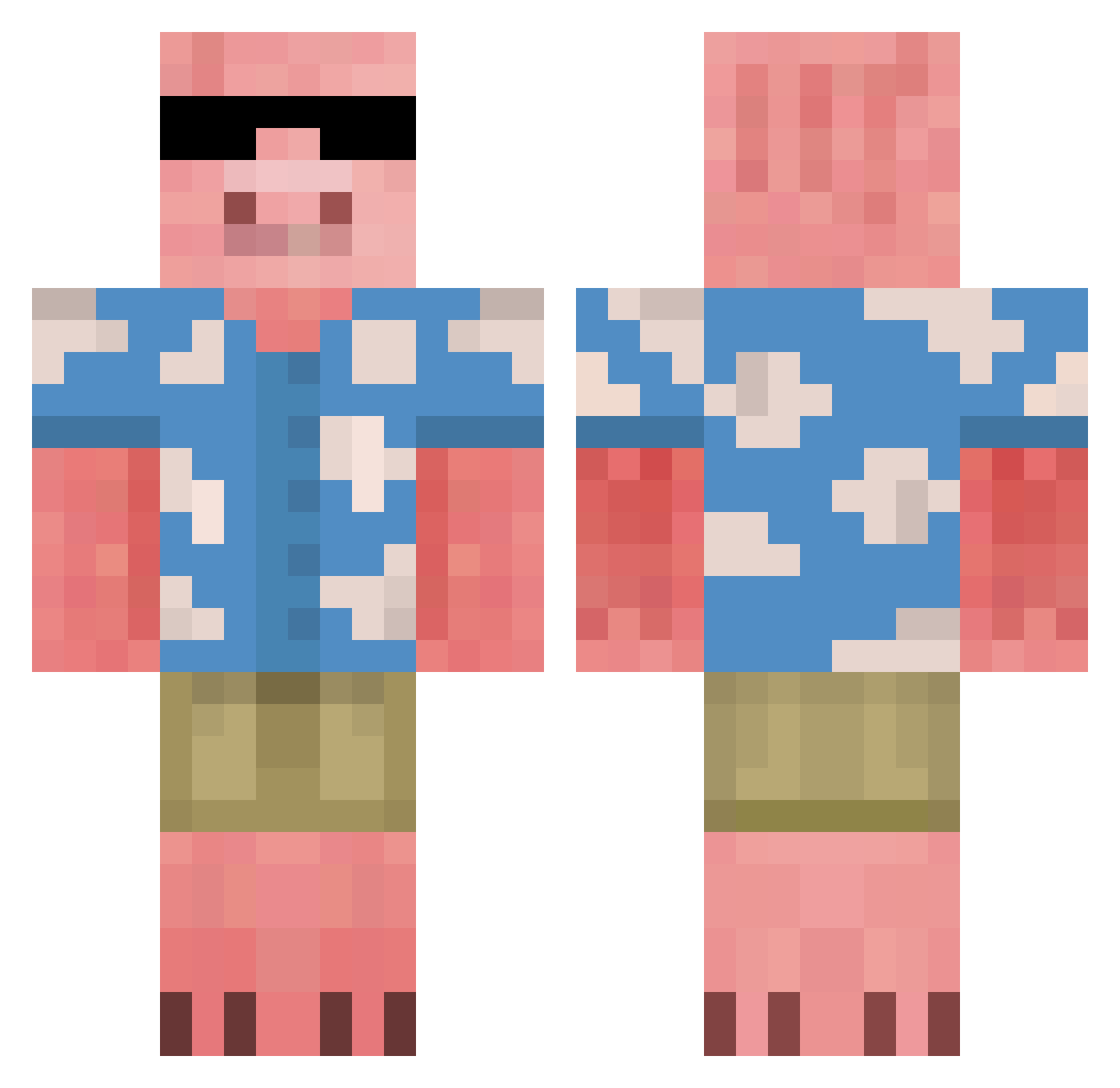
Current Minecraft skin of the player VenialStream123, loaded from the official Mojang API. Rotate the 3D model with your mouse or finger, then download the skin as a PNG file and use it in Minecraft: Bedrock Edition or Java Edition for free. When VenialStream123 changes their skin, this page updates automatically and the old skin stays in the history below.
Other players with this skin (676)
VenialStream123 was the 167th player we have seen with this skin, first spotted on 19.08.2026. The same skin was seen on these players. Open a nickname to see their current skin and skin history.
 Broski_Boats xHypKidx NotZachB MrKyle88 yesgosu Musliman urbiinaah BabyBeans8757 Rainbow_Broggy filipekann HumanBell SAVEDGEODUCK779 popeyeAZ Toxico_FR
 gegeg31 jeongbool YowelX Minion_Piggy CamoFFA ElPutexx Gpoq IAstell Steve030708 LeeYioNe DxT__ SearMRAleMan Noria6 Xdaunos Ladelate rogereatsdoritos tomokungas alessio3219 Gotogin Bergaren Pensrule8787
 Kni_ liljuste PretzelTwist alexdnn Lovid19 tinet1000 Fattypiglet9 DariusPham RORRO349 ggfafar theeaustinowens rabbitblack LDG1003 MJMoonGaming serzantukas Ethan1098 Groooth Chef_Clay bezreki_artur2 Arctum tinfoilhatsss StealYoTing5038 jacoobyboy the_diamond_boy4 hayato23
More Piglin Minecraft skins
How to install the VenialStream123 skin
- Press the Download button above to save the skin as a PNG file.
- Minecraft: Bedrock Edition (PE): open the Dressing Room from the main menu (or tap your character → Edit Character), go to Classic Skins → Owned, press the + (new skin) button, choose the downloaded PNG and pick the Classic (Steve) model. Works on PC and mobile; consoles cannot import custom skins.
- Minecraft: Java Edition: open the Minecraft Launcher, go to the Skins tab, click New Skin, load the PNG, pick the Classic (Steve) model and press Save & Use. You can also upload it at minecraft.net → Profile → Change Skin.
The skin does not show up after import - what should I do?
Restart Minecraft and open the Dressing Room again - imported skins sometimes appear only after a restart. Also make sure you selected the imported skin and picked the Classic (Steve) model.
Which model should I choose, Classic or Slim?
This skin is designed for the Classic (Steve) model. If you pick the wrong model, the arms of the skin will look stretched or squeezed.
Is the skin of VenialStream123 free to download?
Yes. Press Download, save the PNG file and use it in Minecraft: Bedrock Edition or Java Edition - no payment or registration needed. The skin also works on multiplayer servers and Realms.
More skins
Looking for more? Go back to all Minecraft skins and check the top skins of the week, month and all time, or find any player's skin by nickname.