
Veintel - Minecraft Skins & Skin History
Current Minecraft skin of the player Veintel, loaded from the official Mojang API. Rotate the 3D model with your mouse or finger, then download the skin as a PNG file and use it in Minecraft: Bedrock Edition or Java Edition for free. When Veintel changes their skin, this page updates automatically and the old skin stays in the history below.
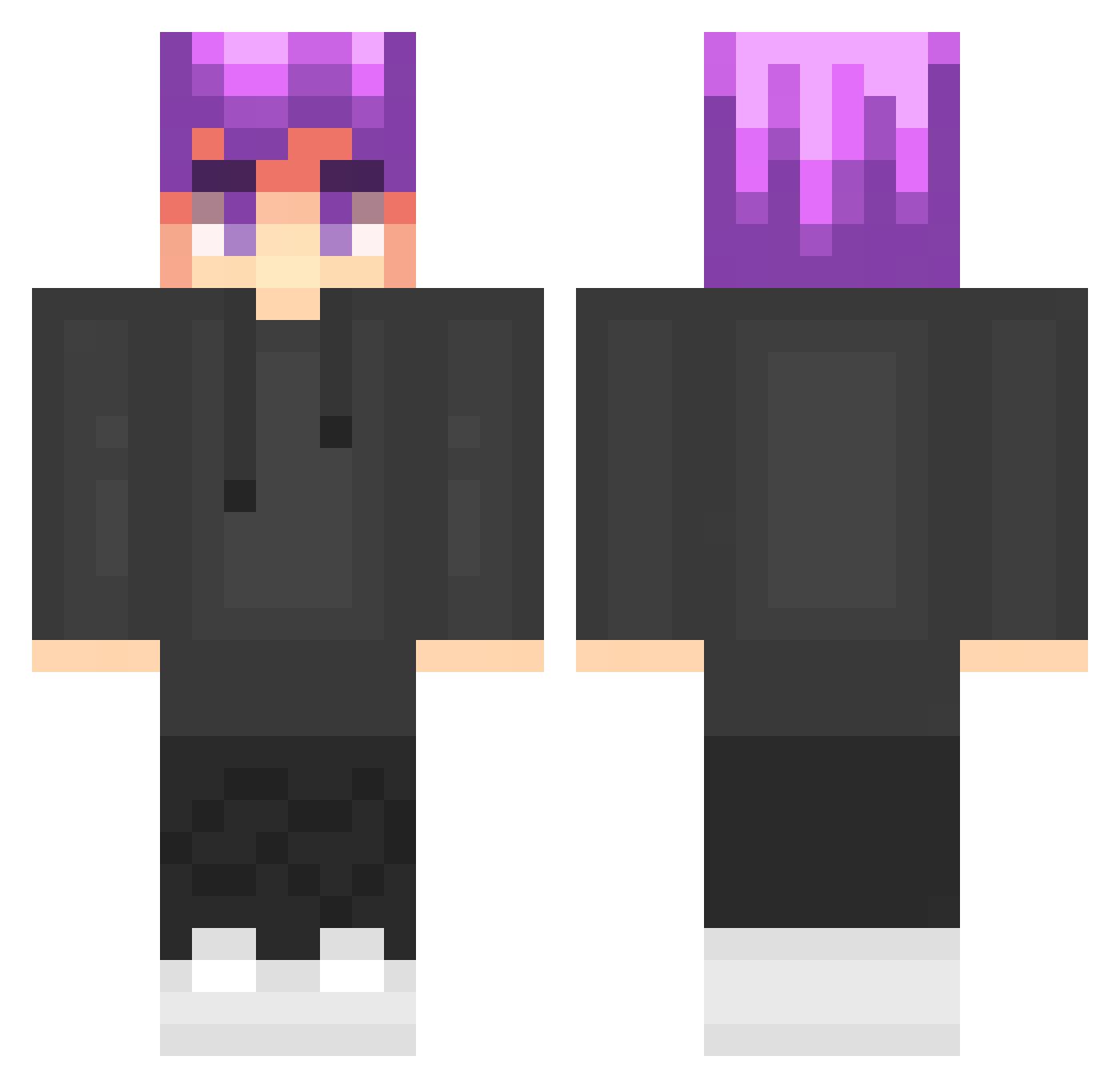
Other players with this skin (102)
Veintel was the 52nd player we have seen with this skin, first spotted on 29.08.2026. The same skin was seen on these players. Open a nickname to see their current skin and skin history.
 sagipl213 PROgames12 Pitercraft2016 wuoe3 FranekPr0 KingKris62007 Franek007Ant
 sagi_sagi Fabek9 MrSzymonek
 Kodo__ WujekMiaudolfpow ZiemniakLubieCie stinger1177
 MOREK_MARCEL1 T1000exe wojtek141214 cookmayer SmialyChaos marcin201408 Lubie_anarchiagg
 minegraczpl
 Olek1280 ninjaminecraftm Nel_swider2115 kapiczek98 Skibidibi3039 fajnyziomekyt424 Olek1126180
 Yeti427 ak47litwan
 _XTOMMY sofiiamaxim
 Adasiuuu Wojteek2015 QUELKU E__SE maciek8484 itzz_tobi_itzz
 Huberto0403 grskins mikson222 UlanyKoKlet MatiKom15 kabeleqPL CraftErraYT SuperMarcel8 Sagi901 tombub_ joannax10 nobbek1234 MisiekNBA SagiUK spocona_malpa03 oiuyir hyhyhyhyhyhy FizzyQ__ Erissaii nugetsy_2137 Maks008
How to install the Veintel skin
- Press the Download button above to save the skin as a PNG file.
- Minecraft: Bedrock Edition (PE): open the Dressing Room from the main menu (or tap your character → Edit Character), go to Classic Skins → Owned, press the + (new skin) button, choose the downloaded PNG and pick the Classic (Steve) model. Works on PC and mobile; consoles cannot import custom skins.
- Minecraft: Java Edition: open the Minecraft Launcher, go to the Skins tab, click New Skin, load the PNG, pick the Classic (Steve) model and press Save & Use. You can also upload it at minecraft.net → Profile → Change Skin.
The skin does not show up after import - what should I do?
Restart Minecraft and open the Dressing Room again - imported skins sometimes appear only after a restart. Also make sure you selected the imported skin and picked the Classic (Steve) model.
Which model should I choose, Classic or Slim?
This skin is designed for the Classic (Steve) model. If you pick the wrong model, the arms of the skin will look stretched or squeezed.
Is the skin of Veintel free to download?
Yes. Press Download, save the PNG file and use it in Minecraft: Bedrock Edition or Java Edition - no payment or registration needed. The skin also works on multiplayer servers and Realms.
More skins
Looking for more? Go back to all Minecraft skins and check the top skins of the week, month and all time, or find any player's skin by nickname.