
Vazim - Minecraft Skins & Skin History
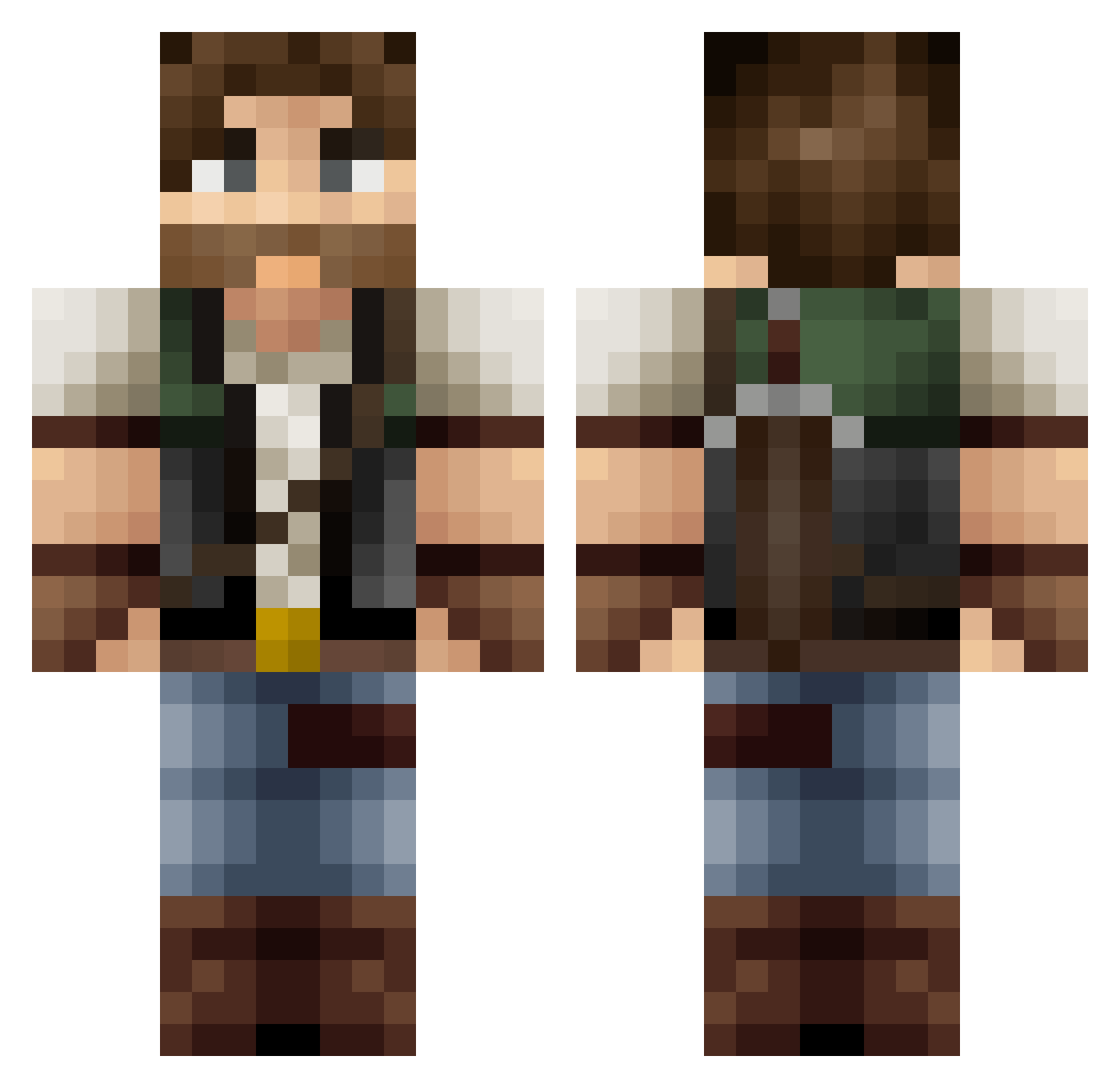
Current Minecraft skin of the player Vazim, loaded from the official Mojang API. Rotate the 3D model with your mouse or finger, then download the skin as a PNG file and use it in Minecraft: Bedrock Edition or Java Edition for free. When Vazim changes their skin, this page updates automatically and the old skin stays in the history below.
Other players with this skin (418)
Vazim was the 254th player we have seen with this skin, first spotted on 21.09.2026. The same skin was seen on these players. Open a nickname to see their current skin and skin history.
 Angrysmurrf Enzo_ElRey spoonman217 Kimpester _Shadowless_ One_shot2005 pennymountain LuK297 rekihaaku TyxsTV Fester642 ComputerSpartan nikjens Farmer_Nate RischadHD AutemSilentium Magnetrixx12 willguts1 MrXHudson dnutz123 bowlingfiretree selzweed stembeater Plendl Duke_ofChutney AngelCat2014 sireskey AlliRohls Arvirargus VauntedEchoes SolidView The_Taoster Rogodeonen Vahn_Dread DeciviousDan Rdwd1997 D_F_88 HandsomeMars TeddySwarley joshdapling ___Richi___ Steel_Squirrel ApacheTech Mallior Bitsheep nateio R3animate DizzySage Zubre Bednarski BigBatsees Broughyy Terragrim_456 ScrimpyData lee253 Fatzombiepig aphrogeo MidiMore Kartik Sloph__93
More Joel Miller Minecraft skins
How to install the Vazim skin
- Press the Download button above to save the skin as a PNG file.
- Minecraft: Bedrock Edition (PE): open the Dressing Room from the main menu (or tap your character → Edit Character), go to Classic Skins → Owned, press the + (new skin) button, choose the downloaded PNG and pick the Classic (Steve) model. Works on PC and mobile; consoles cannot import custom skins.
- Minecraft: Java Edition: open the Minecraft Launcher, go to the Skins tab, click New Skin, load the PNG, pick the Classic (Steve) model and press Save & Use. You can also upload it at minecraft.net → Profile → Change Skin.
The skin does not show up after import - what should I do?
Restart Minecraft and open the Dressing Room again - imported skins sometimes appear only after a restart. Also make sure you selected the imported skin and picked the Classic (Steve) model.
Which model should I choose, Classic or Slim?
This skin is designed for the Classic (Steve) model. If you pick the wrong model, the arms of the skin will look stretched or squeezed.
Is the skin of Vazim free to download?
Yes. Press Download, save the PNG file and use it in Minecraft: Bedrock Edition or Java Edition - no payment or registration needed. The skin also works on multiplayer servers and Realms.
More skins
Looking for more? Go back to all Minecraft skins and check the top skins of the week, month and all time, or find any player's skin by nickname.