
Varo021 - Minecraft Skins & Skin History
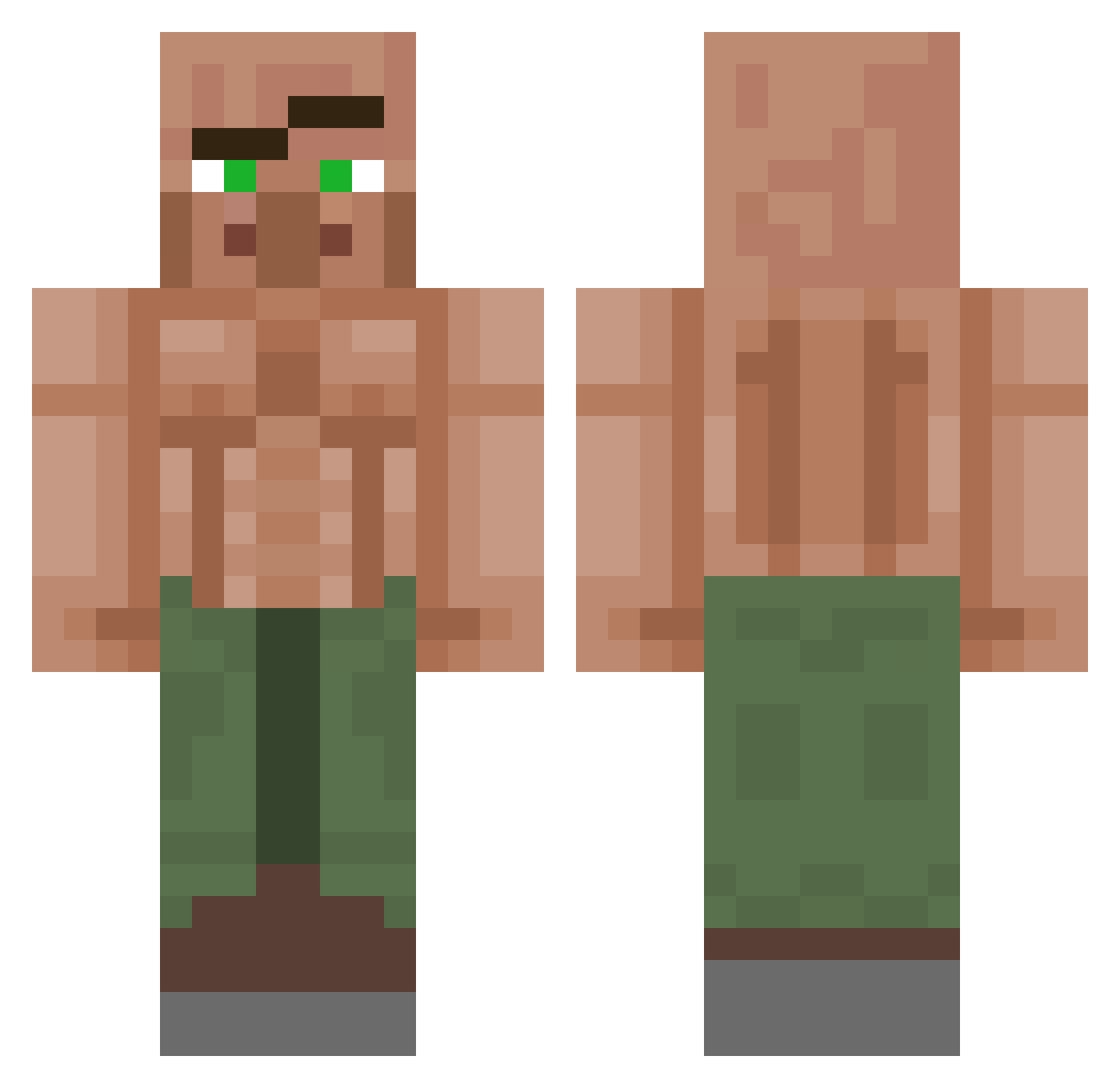
Current Minecraft skin of the player Varo021, loaded from the official Mojang API. Rotate the 3D model with your mouse or finger, then download the skin as a PNG file and use it in Minecraft: Bedrock Edition or Java Edition for free. When Varo021 changes their skin, this page updates automatically and the old skin stays in the history below.
Other players with this skin (1382)
Varo021 was the 1286th player we have seen with this skin, first spotted on 11.11.2026. The same skin was seen on these players. Open a nickname to see their current skin and skin history.
 rodan_1 m6ore THATFATFISH69 topgamer99 eliwf06 TVLcaptain cheetahman8989 Fktz Axentcirconflex Naoko12821 SiSeame Eminho_the1sigma cobyck Aspekt1128 DouglasFresh GodIsACatgirl rileyb_07 Yoyomegahare EssSeeAitch ian9706101 MichalDzban TW_wilson brandiLuiz Ikaminaril BolaLisa Lowca_Gremlinow Khemmer_CG WGJGamer Chad2498 FawnMercury Sharacann IamCooky S3rva1 Nephrys21 RUSTBOY_ASH RulitasJ 1xuan1 CedTheBoss20 BluuuueZ omega1912 New_Pro CAlTO_ seung_hoon r0pss Opi_c 1berto58 Breezzzzee Destroyer0418 MonsterLT Knoah831 MIYURURA TitoGod09 Bctaylor1524 JahD03 HideInGeneral RobertNope amdrg wienerbutt69 Danninator2008 2Her0
More Buff Villager Minecraft skins
See all 43 Buff Villager skins
How to install the Varo021 skin
- Press the Download button above to save the skin as a PNG file.
- Minecraft: Bedrock Edition (PE): open the Dressing Room from the main menu (or tap your character → Edit Character), go to Classic Skins → Owned, press the + (new skin) button, choose the downloaded PNG and pick the Classic (Steve) model. Works on PC and mobile; consoles cannot import custom skins.
- Minecraft: Java Edition: open the Minecraft Launcher, go to the Skins tab, click New Skin, load the PNG, pick the Classic (Steve) model and press Save & Use. You can also upload it at minecraft.net → Profile → Change Skin.
The skin does not show up after import - what should I do?
Restart Minecraft and open the Dressing Room again - imported skins sometimes appear only after a restart. Also make sure you selected the imported skin and picked the Classic (Steve) model.
Which model should I choose, Classic or Slim?
This skin is designed for the Classic (Steve) model. If you pick the wrong model, the arms of the skin will look stretched or squeezed.
Is the skin of Varo021 free to download?
Yes. Press Download, save the PNG file and use it in Minecraft: Bedrock Edition or Java Edition - no payment or registration needed. The skin also works on multiplayer servers and Realms.
More skins
Looking for more? Go back to all Minecraft skins and check the top skins of the week, month and all time, or find any player's skin by nickname.