
VariantL1130 - Minecraft Skins & Skin History
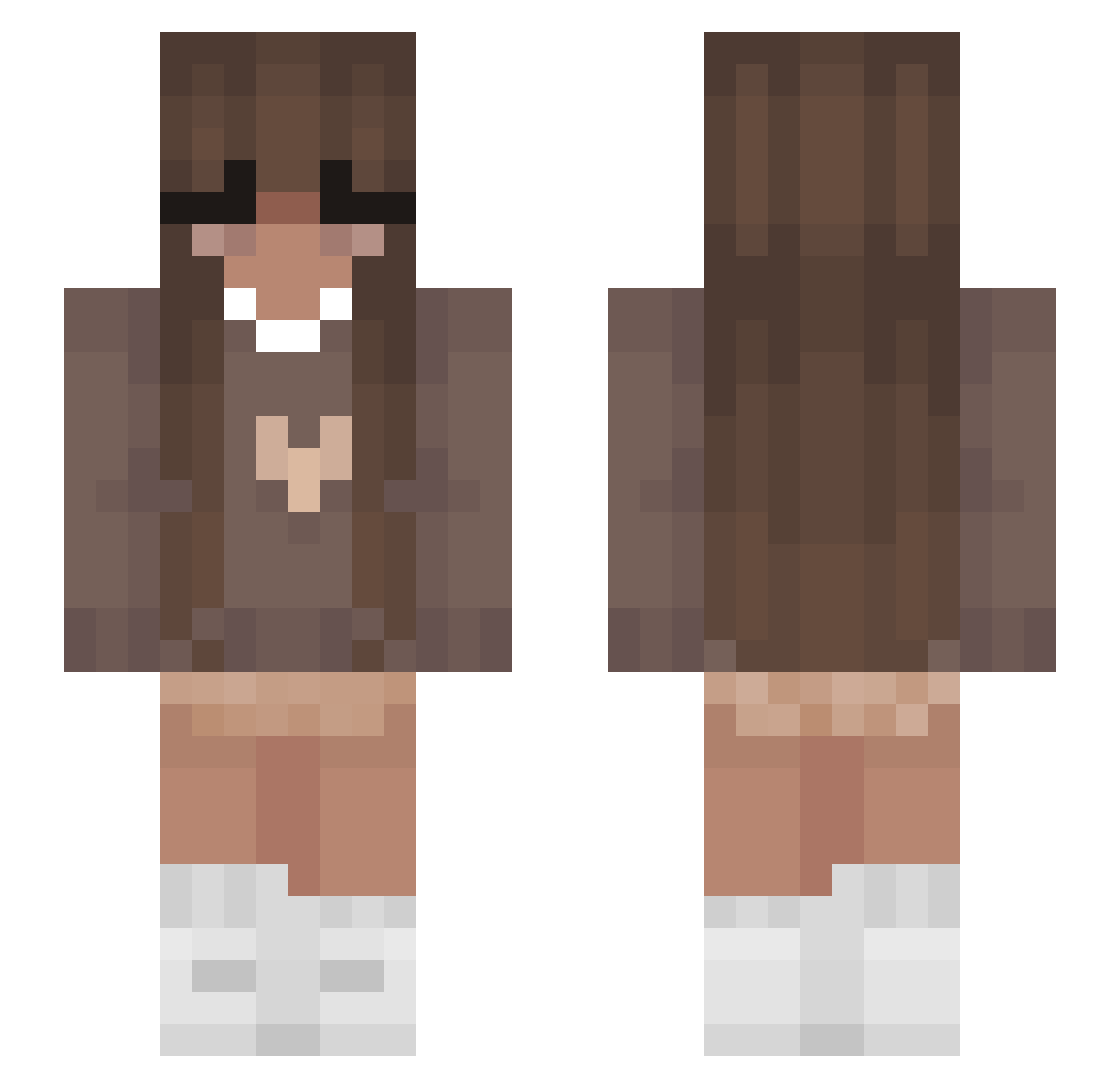
Current Minecraft skin of the player VariantL1130, loaded from the official Mojang API. Rotate the 3D model with your mouse or finger, then download the skin as a PNG file and use it in Minecraft: Bedrock Edition or Java Edition for free. When VariantL1130 changes their skin, this page updates automatically and the old skin stays in the history below.
Other players with this skin (355)
VariantL1130 was the 98th player we have seen with this skin, first spotted on 19.08.2026. The same skin was seen on these players. Open a nickname to see their current skin and skin history.
 PandaASMR genhq_ Evelynnis MC_Blossom RoyalMennah cxconut lotsis Patrycjaa__ c1n4_ Julix12 drxmrr Julcia321 AriDiBo sofiaskitten13 AngThePecan
 miamauselaus itzzzKASS LYL_Night_Sky Star_Peachy Alixxxxxxxxxxxxx eiisa0 KeyNoter Kira846721 oehxishot Asmazena Pegasuspugs divin3ed Zehra_mena beautylot SkyfallMC PillowCoco Lxssy415 Lina0611 CooleSocke6666 ElaSoccerStar31 AliceMarice KawaiiOkuni Dammos3 EmmaPanda lagiacrusz unconventionally TwentyTwoIQ tsica lil_nugget3272 Gierczakoczan123 daantje23 jazzYX7375 yeezes97 annaa9 emmawinger milo1411 bubblextea Antek23p Lenabiegnas_ Jellylolaz Sailormoon890 kcchrdumlao Milaa001 maatje013 Castowayd
More Cozy Minecraft skins
How to install the VariantL1130 skin
- Press the Download button above to save the skin as a PNG file.
- Minecraft: Bedrock Edition (PE): open the Dressing Room from the main menu (or tap your character → Edit Character), go to Classic Skins → Owned, press the + (new skin) button, choose the downloaded PNG and pick the Slim (Alex) model. Works on PC and mobile; consoles cannot import custom skins.
- Minecraft: Java Edition: open the Minecraft Launcher, go to the Skins tab, click New Skin, load the PNG, pick the Slim (Alex) model and press Save & Use. You can also upload it at minecraft.net → Profile → Change Skin.
The skin does not show up after import - what should I do?
Restart Minecraft and open the Dressing Room again - imported skins sometimes appear only after a restart. Also make sure you selected the imported skin and picked the Slim (Alex) model.
Which model should I choose, Classic or Slim?
This skin is designed for the Slim (Alex) model. If you pick the wrong model, the arms of the skin will look stretched or squeezed.
Is the skin of VariantL1130 free to download?
Yes. Press Download, save the PNG file and use it in Minecraft: Bedrock Edition or Java Edition - no payment or registration needed. The skin also works on multiplayer servers and Realms.
More skins
Looking for more? Go back to all Minecraft skins and check the top skins of the week, month and all time, or find any player's skin by nickname.