
Vampiressx - Minecraft Skins & Skin History
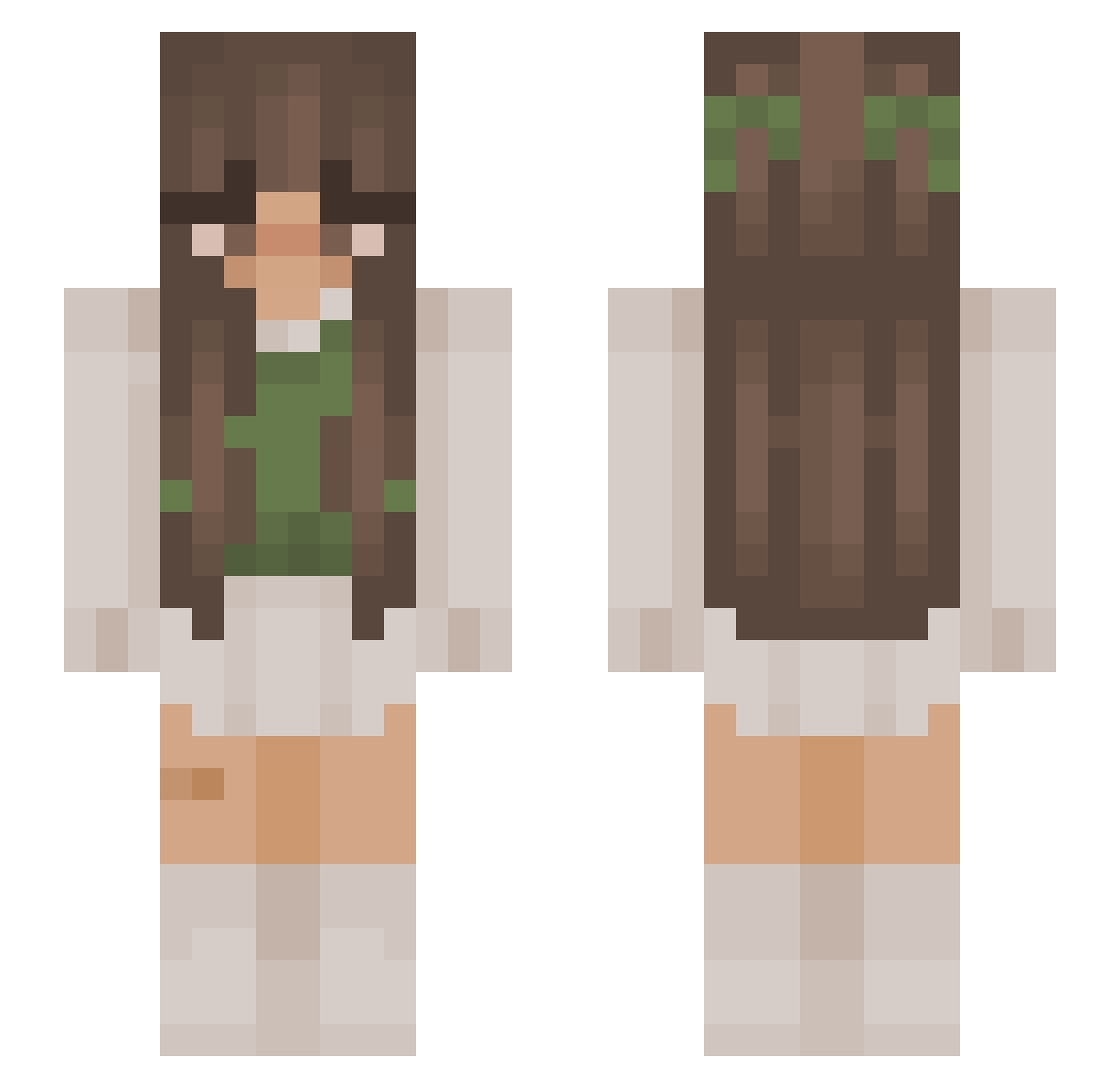
Current Minecraft skin of the player Vampiressx, loaded from the official Mojang API. Rotate the 3D model with your mouse or finger, then download the skin as a PNG file and use it in Minecraft: Bedrock Edition or Java Edition for free. When Vampiressx changes their skin, this page updates automatically and the old skin stays in the history below.
Other players with this skin (879)
Vampiressx was the 607th player we have seen with this skin, first spotted on 27.09.2026. The same skin was seen on these players. Open a nickname to see their current skin and skin history.
 voguecouture AxelLatte Clouttiaa666 granthorner lexiaaaa OkKiley Saba77 s1mply_andrea itchella HackedBroke Cahrm CeciLuvs Ghost_Bread_ LouiethePouie sephyreee evobeann MlMlZ Morningstarr666 Smaltsi cakedilimon Vansik_xd Bellz123 taoriiv sonifersbae TKINGGFX blanka6996 BonBon0751 Notaghost_14 ClaraLaine allyster__ Marshmelon2606 embroideryfloss qxc_marie Lazurowy Melg_26 ChiaraXX10 jessyolive123 scorpiom0 SolarHive Phantom_Creator Snowdrop3 pluviophileq Aimee776 ragso17 MissBell NINJATISHA88 jumpingegg456 eternalvenus justjules2000 CalicoUnicorn08 mollymcllstr kiimcam genericgoth YEEEEEON Asia0101 Juleshasocd ar1sv3t flamdawg senthari Handriuz
More Cottagecore Minecraft skins
See all 5832 Cottagecore skins
How to install the Vampiressx skin
- Press the Download button above to save the skin as a PNG file.
- Minecraft: Bedrock Edition (PE): open the Dressing Room from the main menu (or tap your character → Edit Character), go to Classic Skins → Owned, press the + (new skin) button, choose the downloaded PNG and pick the Slim (Alex) model. Works on PC and mobile; consoles cannot import custom skins.
- Minecraft: Java Edition: open the Minecraft Launcher, go to the Skins tab, click New Skin, load the PNG, pick the Slim (Alex) model and press Save & Use. You can also upload it at minecraft.net → Profile → Change Skin.
The skin does not show up after import - what should I do?
Restart Minecraft and open the Dressing Room again - imported skins sometimes appear only after a restart. Also make sure you selected the imported skin and picked the Slim (Alex) model.
Which model should I choose, Classic or Slim?
This skin is designed for the Slim (Alex) model. If you pick the wrong model, the arms of the skin will look stretched or squeezed.
Is the skin of Vampiressx free to download?
Yes. Press Download, save the PNG file and use it in Minecraft: Bedrock Edition or Java Edition - no payment or registration needed. The skin also works on multiplayer servers and Realms.
More skins
Looking for more? Go back to all Minecraft skins and check the top skins of the week, month and all time, or find any player's skin by nickname.