
VaiSafadation - Minecraft Skins & Skin History
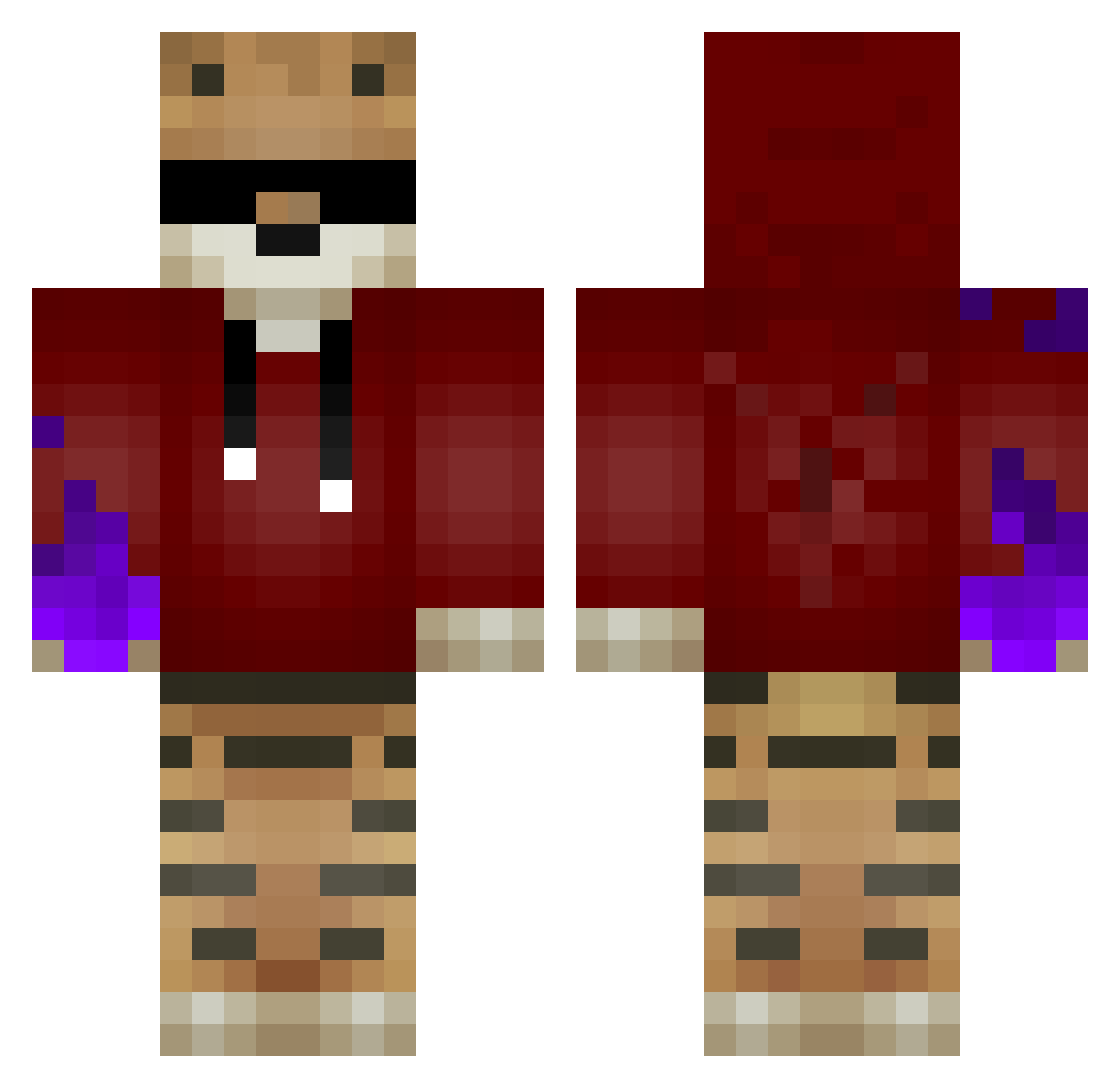
Current Minecraft skin of the player VaiSafadation, loaded from the official Mojang API. Rotate the 3D model with your mouse or finger, then download the skin as a PNG file and use it in Minecraft: Bedrock Edition or Java Edition for free. When VaiSafadation changes their skin, this page updates automatically and the old skin stays in the history below.
Other players with this skin (59)
VaiSafadation was the 46th player we have seen with this skin, first spotted on 01.10.2026. The same skin was seen on these players. Open a nickname to see their current skin and skin history.
 ilk00nn breezily_ rbnx3 ItzDomiNick iAlanPvP125 Simson2K iJoJoy Alrefaei Tertik JasperHaveSkills a510793 yAlemaozim Roasteq_ Crazy0Cookie fabioootje Aiko3792 MayoNesa7 SnickersQuiCourt TREFEKRAL aitin siggiBoy BrothersCrafts PixelCraftYT DemHanter LeafLord676 MindCraftPvPGod macchiaa Petit_Kebab QuibiZzs zDawas Red_Phase Shadowlancers GameZockerHD_YT Mehlrunken zNoobbs Bmwoost NervozniG AwllxHD Voltez TeeMitSchnitzel Davizinh d3pNys JaegermeisterJB FivesPR Twicksss lumix2000 SlowPT Tigershapemlg Ulleren Felix1646 pvpskillerover90 JackLepus AmedeoPreziosi Kub0_o KauloHuts123_ Onlineheld 007MB01 xSCHIAVONx TSV_Benno
More Tiger Minecraft skins
How to install the VaiSafadation skin
- Press the Download button above to save the skin as a PNG file.
- Minecraft: Bedrock Edition (PE): open the Dressing Room from the main menu (or tap your character → Edit Character), go to Classic Skins → Owned, press the + (new skin) button, choose the downloaded PNG and pick the Classic (Steve) model. Works on PC and mobile; consoles cannot import custom skins.
- Minecraft: Java Edition: open the Minecraft Launcher, go to the Skins tab, click New Skin, load the PNG, pick the Classic (Steve) model and press Save & Use. You can also upload it at minecraft.net → Profile → Change Skin.
The skin does not show up after import - what should I do?
Restart Minecraft and open the Dressing Room again - imported skins sometimes appear only after a restart. Also make sure you selected the imported skin and picked the Classic (Steve) model.
Which model should I choose, Classic or Slim?
This skin is designed for the Classic (Steve) model. If you pick the wrong model, the arms of the skin will look stretched or squeezed.
Is the skin of VaiSafadation free to download?
Yes. Press Download, save the PNG file and use it in Minecraft: Bedrock Edition or Java Edition - no payment or registration needed. The skin also works on multiplayer servers and Realms.
More skins
Looking for more? Go back to all Minecraft skins and check the top skins of the week, month and all time, or find any player's skin by nickname.