
VaL4K_ - Minecraft Skins & Skin History
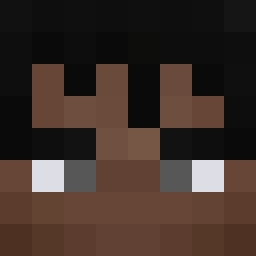
Current Minecraft skin of the player VaL4K_, loaded from the official Mojang API. Rotate the 3D model with your mouse or finger, then download the skin as a PNG file and use it in Minecraft: Bedrock Edition or Java Edition for free. When VaL4K_ changes their skin, this page updates automatically and the old skin stays in the history below.

Other players with this skin (289)
VaL4K_ was the 46th player we have seen with this skin, first spotted on 11.08.2026. The same skin was seen on these players. Open a nickname to see their current skin and skin history.
 Nat1Es Marc3ty BetaCruz FerB_12 yehudan01 am_pojar Ryder_Hastie smg11fein MARCELr4 ice798 sebmania BRUDI_18 MoriUndercover Farbod2897 FaZeKaYdEn orn1234 sulfurcubeyuso vvflash Bartek_sus1
 Shallabaiss TIME_FOOL H_CT
 Ben_GOLD Solo_Yuta Daquiavis
 mortartar SchellinatorX
 GabrielCamposh Alviincruise taim10000
 TreRulezTheEnder Antraxzxz ItzRealMeMC LOLI2014 Hanna62015 Alexbombo gmanov Kushal_143 SARTORRAUL erenjagerdu13 AhenGuy1 frigatefurious meme_2711 _Kryptojajek_ Frederiklet Nikodem6394 Bart3kKox minecraft2016jp Gamersheep03 jimmy2753 DaquaviseMC Rexstuntman66 AAMCX1 mongral10 Conner3562897 skeppy1697 CandyskyMC
 Entity604
 daquavisdreem KasimD
More Missing Texture Minecraft skins
See all 26 Missing Texture skins
How to install the VaL4K_ skin
- Press the Download button above to save the skin as a PNG file.
- Minecraft: Bedrock Edition (PE): open the Dressing Room from the main menu (or tap your character → Edit Character), go to Classic Skins → Owned, press the + (new skin) button, choose the downloaded PNG and pick the Classic (Steve) model. Works on PC and mobile; consoles cannot import custom skins.
- Minecraft: Java Edition: open the Minecraft Launcher, go to the Skins tab, click New Skin, load the PNG, pick the Classic (Steve) model and press Save & Use. You can also upload it at minecraft.net → Profile → Change Skin.
The skin does not show up after import - what should I do?
Restart Minecraft and open the Dressing Room again - imported skins sometimes appear only after a restart. Also make sure you selected the imported skin and picked the Classic (Steve) model.
Which model should I choose, Classic or Slim?
This skin is designed for the Classic (Steve) model. If you pick the wrong model, the arms of the skin will look stretched or squeezed.
Is the skin of VaL4K_ free to download?
Yes. Press Download, save the PNG file and use it in Minecraft: Bedrock Edition or Java Edition - no payment or registration needed. The skin also works on multiplayer servers and Realms.
More skins
Looking for more? Go back to all Minecraft skins and check the top skins of the week, month and all time, or find any player's skin by nickname.