
UwU_Slurpee - Minecraft Skins & Skin History
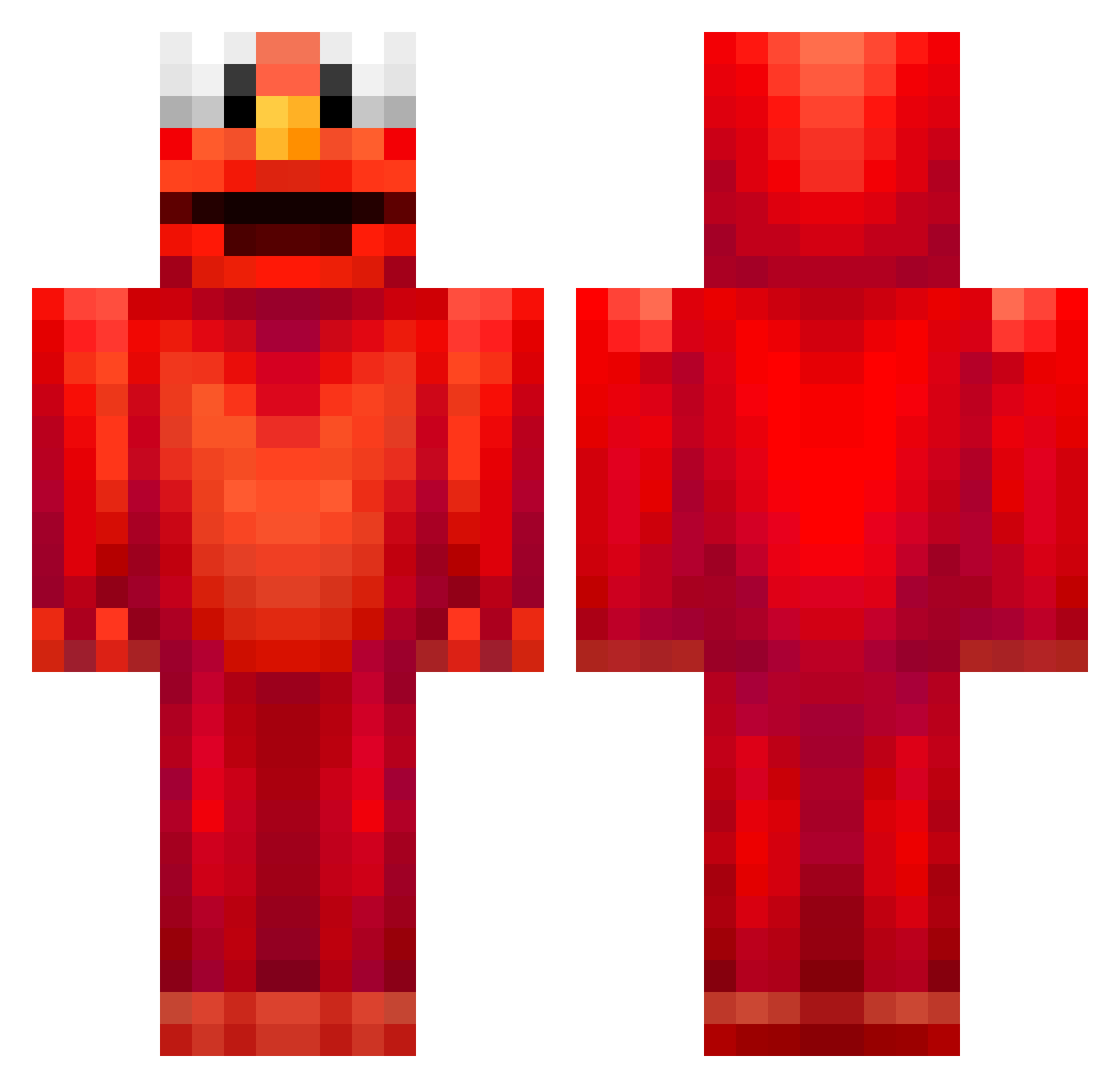
Current Minecraft skin of the player UwU_Slurpee, loaded from the official Mojang API. Rotate the 3D model with your mouse or finger, then download the skin as a PNG file and use it in Minecraft: Bedrock Edition or Java Edition for free. When UwU_Slurpee changes their skin, this page updates automatically and the old skin stays in the history below.
Other players with this skin (678)
UwU_Slurpee was the 602nd player we have seen with this skin, first spotted on 22.10.2026. The same skin was seen on these players. Open a nickname to see their current skin and skin history.
 ccb7415 count_krabs DlXiT HelloFrendo Sharkylake GassyKirk WhiteClaw61 fionser GodlyGoose Muggzz ELMOZWORLD rzri Ev31 Pacman1022 aduballer barbiebleu_ CloutMango TheFakeCeouf Tuna_F1shy TheRonDAB Rand0mst1cky ZonaXzz_YT Kas_30 Mixhsz PhospA0722 _TheMorrigan_ halflying DaddyWoolen holyman6141 Oscrubzy HumongousPat blankabird HillyCord116 Jerzii BnG21205 CHR1SCHAN BamBam_2012 Rikvdg_o33 Stijnj2050 teqzz Qt_Nutty Rosmaas L4sz10_ Hizer1126 Nikoo_420 NOAH_9996 sleavee psher _Kumora_ FABCIOR the_clammer ministrant_tymus Mugenink mattiat09 Leofm09 BananaJoink C4mC3m WhaleBones115 Kraigerex1 Annaverhoeven
More Elmo Minecraft skins
How to install the UwU_Slurpee skin
- Press the Download button above to save the skin as a PNG file.
- Minecraft: Bedrock Edition (PE): open the Dressing Room from the main menu (or tap your character → Edit Character), go to Classic Skins → Owned, press the + (new skin) button, choose the downloaded PNG and pick the Classic (Steve) model. Works on PC and mobile; consoles cannot import custom skins.
- Minecraft: Java Edition: open the Minecraft Launcher, go to the Skins tab, click New Skin, load the PNG, pick the Classic (Steve) model and press Save & Use. You can also upload it at minecraft.net → Profile → Change Skin.
The skin does not show up after import - what should I do?
Restart Minecraft and open the Dressing Room again - imported skins sometimes appear only after a restart. Also make sure you selected the imported skin and picked the Classic (Steve) model.
Which model should I choose, Classic or Slim?
This skin is designed for the Classic (Steve) model. If you pick the wrong model, the arms of the skin will look stretched or squeezed.
Is the skin of UwU_Slurpee free to download?
Yes. Press Download, save the PNG file and use it in Minecraft: Bedrock Edition or Java Edition - no payment or registration needed. The skin also works on multiplayer servers and Realms.
More skins
Looking for more? Go back to all Minecraft skins and check the top skins of the week, month and all time, or find any player's skin by nickname.