
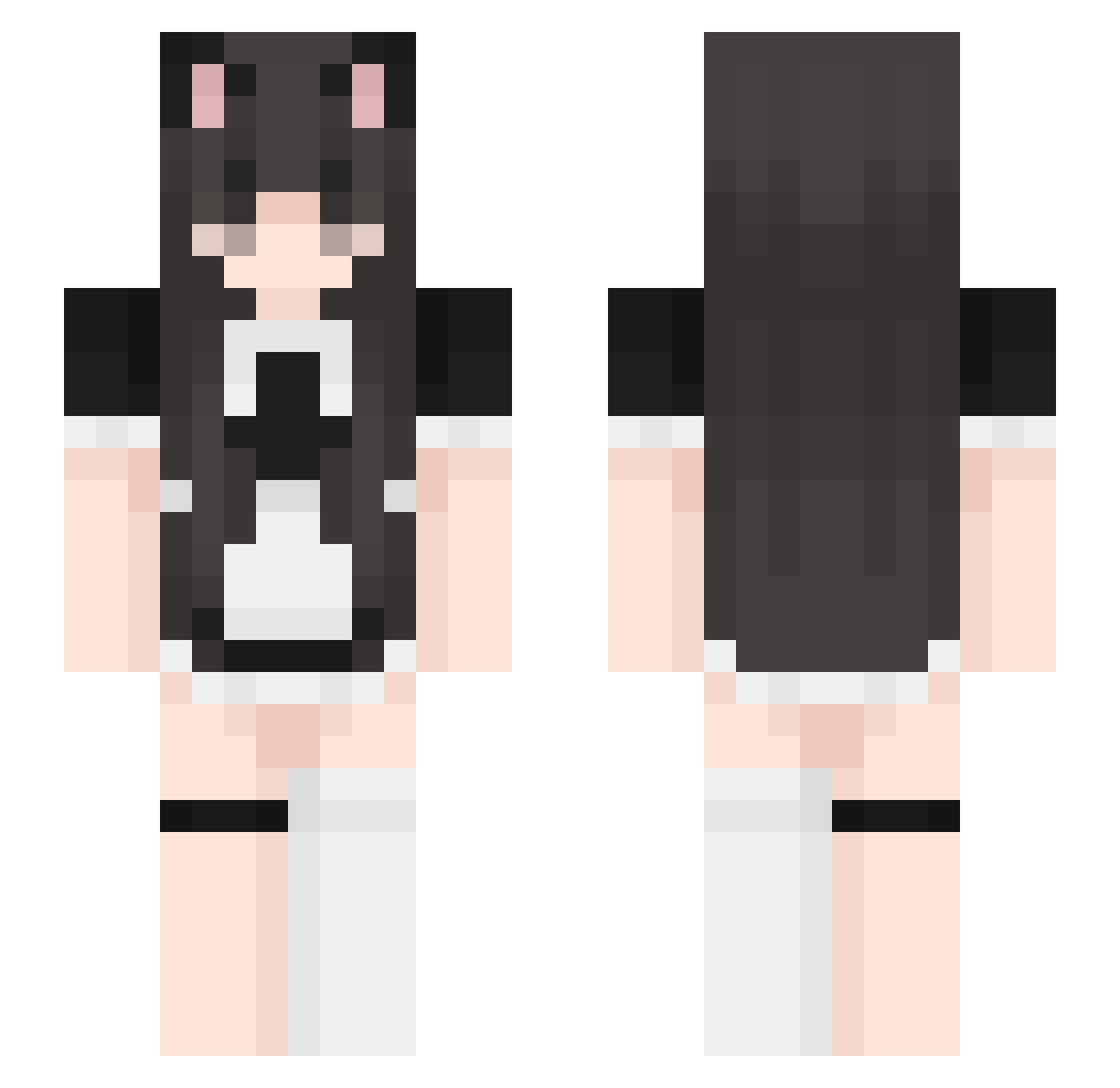
Current Minecraft skin of the player UwU_Master3000, loaded from the official Mojang API. Rotate the 3D model with your mouse or finger, then download the skin as a PNG file and use it in Minecraft: Bedrock Edition or Java Edition for free. When UwU_Master3000 changes their skin, this page updates automatically and the old skin stays in the history below.
Other players with this skin (370)
UwU_Master3000 was the 357th player we have seen with this skin, first spotted on 13.10.2026. The same skin was seen on these players. Open a nickname to see their current skin and skin history.
 Kariring Nikuta1109 nyaasi HilaryBisquit MetinCerchez RompeCatre32 Sxty9 ssun041 Yatesie21 hi32381 SavingClips Hokimii kodyman80 thegodofslinky KoReAn69 Em0Girlfriend Box_Of_Monkeys Admin_XiaoRui_ Hydess k1ttez se0ung_xun Zyziorro Seisooo Ztrawberry_ milukei Lepotichat69 Vheric Ferxxd Aikahh Nisinka michelle0314 cherryyhearts ItzMarie_ haimariaa OFFICIALPi55Baby C_B_T kittykatluvr333 Nejitaa moyyya IndySZ datums AllLisa7799 _Endspace_ Aizi Tinky_Winky_18 anglsznss xXBabyMochiXx Chonq1 P2trappy777 SpiralShot7430 GlobeIsMySon __k_l_ TRUEDATMANN tutorship Jake3cm iiMartyna jenny2459 Juizuu fairybaby000 kittykisser3000
More Maid Minecraft skins
How to install the UwU_Master3000 skin
- Press the Download button above to save the skin as a PNG file.
- Minecraft: Bedrock Edition (PE): open the Dressing Room from the main menu (or tap your character → Edit Character), go to Classic Skins → Owned, press the + (new skin) button, choose the downloaded PNG and pick the Slim (Alex) model. Works on PC and mobile; consoles cannot import custom skins.
- Minecraft: Java Edition: open the Minecraft Launcher, go to the Skins tab, click New Skin, load the PNG, pick the Slim (Alex) model and press Save & Use. You can also upload it at minecraft.net → Profile → Change Skin.
The skin does not show up after import - what should I do?
Restart Minecraft and open the Dressing Room again - imported skins sometimes appear only after a restart. Also make sure you selected the imported skin and picked the Slim (Alex) model.
Which model should I choose, Classic or Slim?
This skin is designed for the Slim (Alex) model. If you pick the wrong model, the arms of the skin will look stretched or squeezed.
Is the skin of UwU_Master3000 free to download?
Yes. Press Download, save the PNG file and use it in Minecraft: Bedrock Edition or Java Edition - no payment or registration needed. The skin also works on multiplayer servers and Realms.
More skins
Looking for more? Go back to all Minecraft skins and check the top skins of the week, month and all time, or find any player's skin by nickname.