
Ushira12 - Minecraft Skins & Skin History
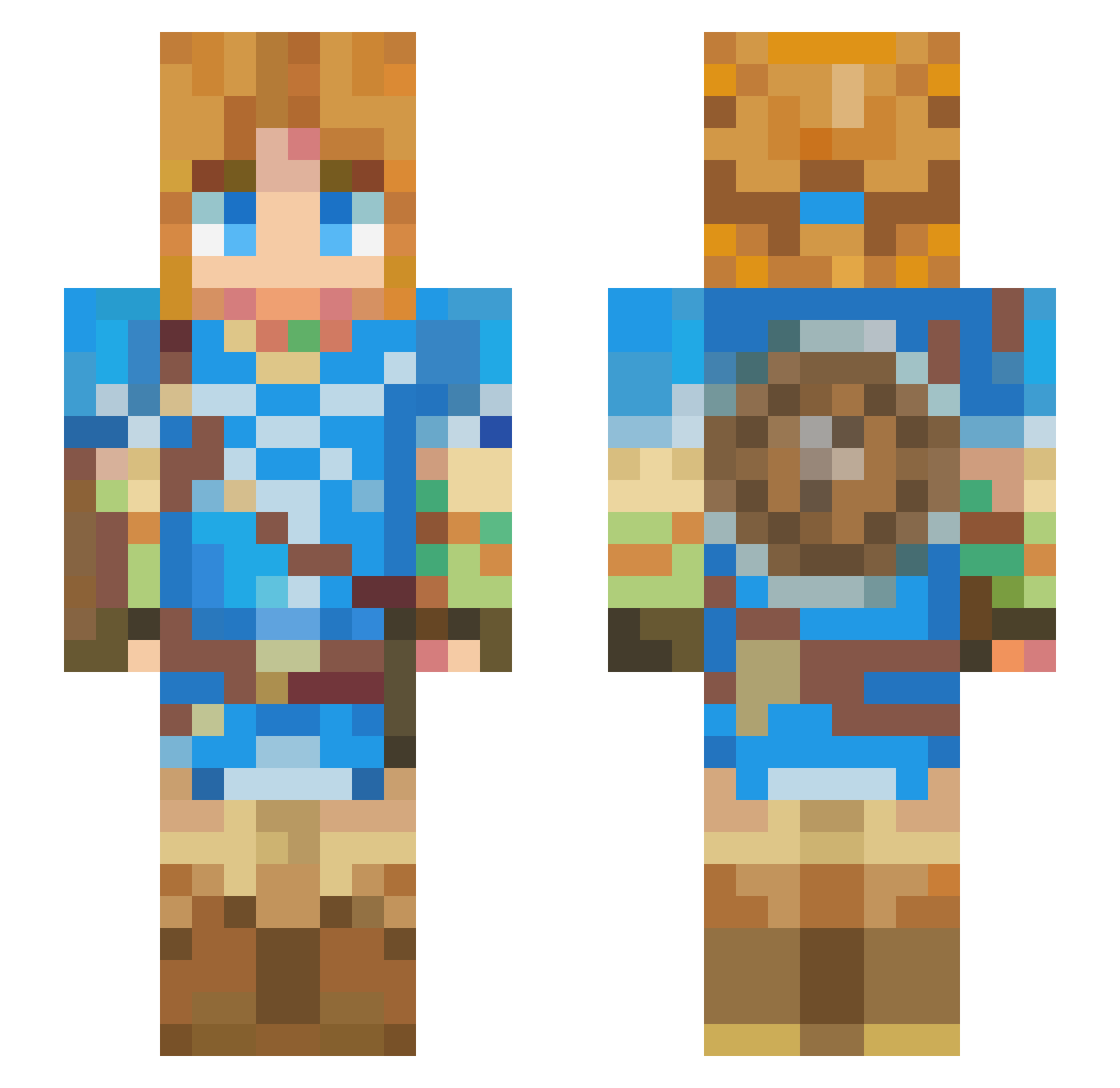
Current Minecraft skin of the player Ushira12, loaded from the official Mojang API. Rotate the 3D model with your mouse or finger, then download the skin as a PNG file and use it in Minecraft: Bedrock Edition or Java Edition for free. When Ushira12 changes their skin, this page updates automatically and the old skin stays in the history below.
Other players with this skin (497)
Ushira12 was the 436th player we have seen with this skin, first spotted on 03.11.2026. The same skin was seen on these players. Open a nickname to see their current skin and skin history.
 LINK643 ChaehwanShin PepePigG25 jamal_is_Indian naxojorro Gedref Link754 amofayucos DarkKnight_5 Xinthia87 Sayuri2509 Kiwako_chan yanyizi PhantomLink11 max220502 Hiruvi Matharmen1 nightbane30 Lima_Xv2 MrSuperSonic1108 IrisaxeALT robertt23 Streiker95 masayuki1102 Snoober51 l27v RASASS12 hukun33 AnkerHamasaki donburi_0000 Artharry meatvp telekn tatatatatanaka SergioMG1212 Ruggeroo Zach123098 Danel03 Serenity_0205 TianXiaoDe Ct_edd Ugli_bo1 cue1224 carvalhoo__ Yangku1 antoniodelapc Alvasmash Lcuk Lmfdt_ Pyrobyte95 Mrzoezz eggy__pocket OreoerO funwone22 Its_Classy HazardousIsaac bernd_dasLeben Edz87 harpersad JINM02
More Breath Of The Wild Minecraft skins
See all 170 Breath Of The Wild skins
How to install the Ushira12 skin
- Press the Download button above to save the skin as a PNG file.
- Minecraft: Bedrock Edition (PE): open the Dressing Room from the main menu (or tap your character → Edit Character), go to Classic Skins → Owned, press the + (new skin) button, choose the downloaded PNG and pick the Slim (Alex) model. Works on PC and mobile; consoles cannot import custom skins.
- Minecraft: Java Edition: open the Minecraft Launcher, go to the Skins tab, click New Skin, load the PNG, pick the Slim (Alex) model and press Save & Use. You can also upload it at minecraft.net → Profile → Change Skin.
The skin does not show up after import - what should I do?
Restart Minecraft and open the Dressing Room again - imported skins sometimes appear only after a restart. Also make sure you selected the imported skin and picked the Slim (Alex) model.
Which model should I choose, Classic or Slim?
This skin is designed for the Slim (Alex) model. If you pick the wrong model, the arms of the skin will look stretched or squeezed.
Is the skin of Ushira12 free to download?
Yes. Press Download, save the PNG file and use it in Minecraft: Bedrock Edition or Java Edition - no payment or registration needed. The skin also works on multiplayer servers and Realms.
More skins
Looking for more? Go back to all Minecraft skins and check the top skins of the week, month and all time, or find any player's skin by nickname.