
Ushi1_ - Minecraft Skins & Skin History
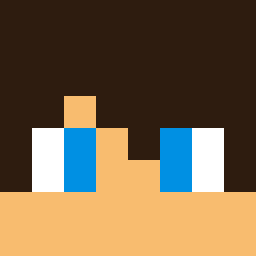
Current Minecraft skin of the player Ushi1_, loaded from the official Mojang API. Rotate the 3D model with your mouse or finger, then download the skin as a PNG file and use it in Minecraft: Bedrock Edition or Java Edition for free. When Ushi1_ changes their skin, this page updates automatically and the old skin stays in the history below.

Other players with this skin (4107)
Ushi1_ was the 1880th player we have seen with this skin, first spotted on 07.09.2026. The same skin was seen on these players. Open a nickname to see their current skin and skin history.
 9kob Stevodays ohGamers Langley bigbiglanjiaoppl xaynszef Coulation BaconPUS DockEr_Br all_over_me_nuts SPIKE6310 Euxine gjfa Cerfago IM3_HP7 thalwslowato ENDOW_ Ilovehell cakedude2 HugZGoofy snakeeyes5002 cbqss soccerdude45 aircry255356 maclord1025 Huzuo1 tiagovizk Ariszen Heftiness yerawuhs Tuneaple iefkuh Nathakit X1arthur1xX AA4A Spiegel Fahrox nerdyboy Bussed Ege_LP Anish30 Tadpoler Troia_Amsi
 floorsucculent Moklem yeezy009 besieges JohnDavisPlaysYT
 SmallSummit Matthew444 MrFusionHD MichUSSS Rabarabbit jakepzx Bruno_Henrique FoidsAreInferior roweboy06 jollyjoker94 Adaamczz Bjorn4
How to install the Ushi1_ skin
- Press the Download button above to save the skin as a PNG file.
- Minecraft: Bedrock Edition (PE): open the Dressing Room from the main menu (or tap your character → Edit Character), go to Classic Skins → Owned, press the + (new skin) button, choose the downloaded PNG and pick the Classic (Steve) model. Works on PC and mobile; consoles cannot import custom skins.
- Minecraft: Java Edition: open the Minecraft Launcher, go to the Skins tab, click New Skin, load the PNG, pick the Classic (Steve) model and press Save & Use. You can also upload it at minecraft.net → Profile → Change Skin.
The skin does not show up after import - what should I do?
Restart Minecraft and open the Dressing Room again - imported skins sometimes appear only after a restart. Also make sure you selected the imported skin and picked the Classic (Steve) model.
Which model should I choose, Classic or Slim?
This skin is designed for the Classic (Steve) model. If you pick the wrong model, the arms of the skin will look stretched or squeezed.
Is the skin of Ushi1_ free to download?
Yes. Press Download, save the PNG file and use it in Minecraft: Bedrock Edition or Java Edition - no payment or registration needed. The skin also works on multiplayer servers and Realms.
More skins
Looking for more? Go back to all Minecraft skins and check the top skins of the week, month and all time, or find any player's skin by nickname.