
Ur1zen - Minecraft Skins & Skin History
Current Minecraft skin of the player Ur1zen, loaded from the official Mojang API. Rotate the 3D model with your mouse or finger, then download the skin as a PNG file and use it in Minecraft: Bedrock Edition or Java Edition for free. When Ur1zen changes their skin, this page updates automatically and the old skin stays in the history below.
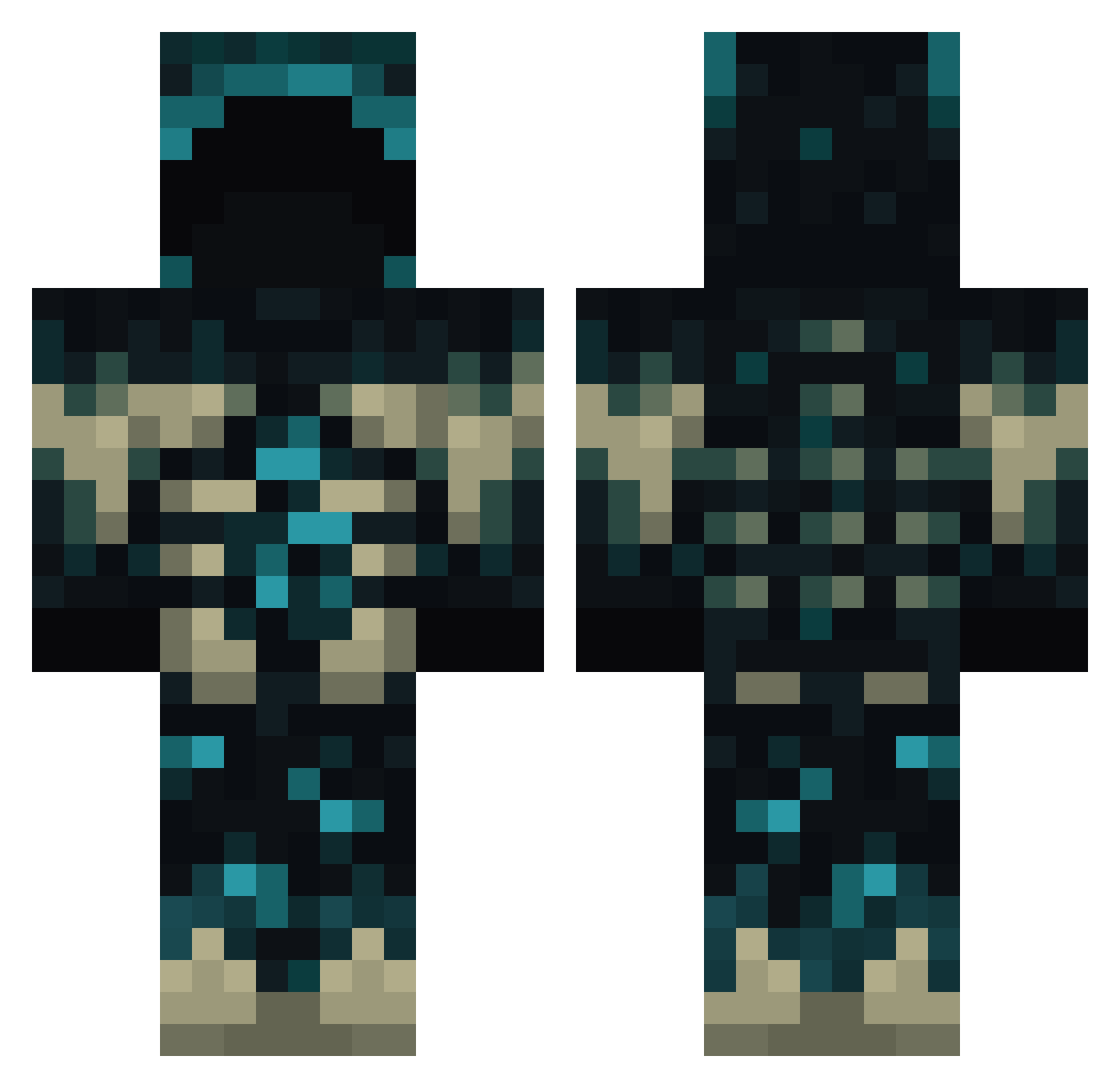
Other players with this skin (771)
Ur1zen was the 154th player we have seen with this skin, first spotted on 15.08.2026. The same skin was seen on these players. Open a nickname to see their current skin and skin history.
 Holinda20
 ThePoisonIV steelmogu Deninky Aguxe3 master434511 SleepRossi Madrozias Flamme543 WarNoPeace ChiefComplex 003854 Loyalyak_ Fosco__ cariusmx Pinocolla Zomber9234 xBlazen lXXXl ShadowHunter235 lanabobananas ASTRALL26 noSnek Espi28ourense Dead3eye FamilieHapich DeadlyVision qweewqrQ HelalPhantom Rafhael_332 jaekook99 MRomus narpnarp alav559 THEULTIMATEONE Tony_27tm Tigey5000 iMAXIMUS99 CorruptFight Welks_wes ItzYazann1 Exotic_TK Tonggrim THDYuto HamzaWarrior Vrescent DonnyD06 MrShovl Sergio099 diosimerz Pixels88888 Cukulapraline S_EMiR_F Lyeechenutter
 noel2043 AnuarAsis UrielGGmx Seb_BW HDShark Baki_213
More Sculk Minecraft skins
How to install the Ur1zen skin
- Press the Download button above to save the skin as a PNG file.
- Minecraft: Bedrock Edition (PE): open the Dressing Room from the main menu (or tap your character → Edit Character), go to Classic Skins → Owned, press the + (new skin) button, choose the downloaded PNG and pick the Classic (Steve) model. Works on PC and mobile; consoles cannot import custom skins.
- Minecraft: Java Edition: open the Minecraft Launcher, go to the Skins tab, click New Skin, load the PNG, pick the Classic (Steve) model and press Save & Use. You can also upload it at minecraft.net → Profile → Change Skin.
The skin does not show up after import - what should I do?
Restart Minecraft and open the Dressing Room again - imported skins sometimes appear only after a restart. Also make sure you selected the imported skin and picked the Classic (Steve) model.
Which model should I choose, Classic or Slim?
This skin is designed for the Classic (Steve) model. If you pick the wrong model, the arms of the skin will look stretched or squeezed.
Is the skin of Ur1zen free to download?
Yes. Press Download, save the PNG file and use it in Minecraft: Bedrock Edition or Java Edition - no payment or registration needed. The skin also works on multiplayer servers and Realms.
More skins
Looking for more? Go back to all Minecraft skins and check the top skins of the week, month and all time, or find any player's skin by nickname.