
Undermine_ - Minecraft Skins & Skin History
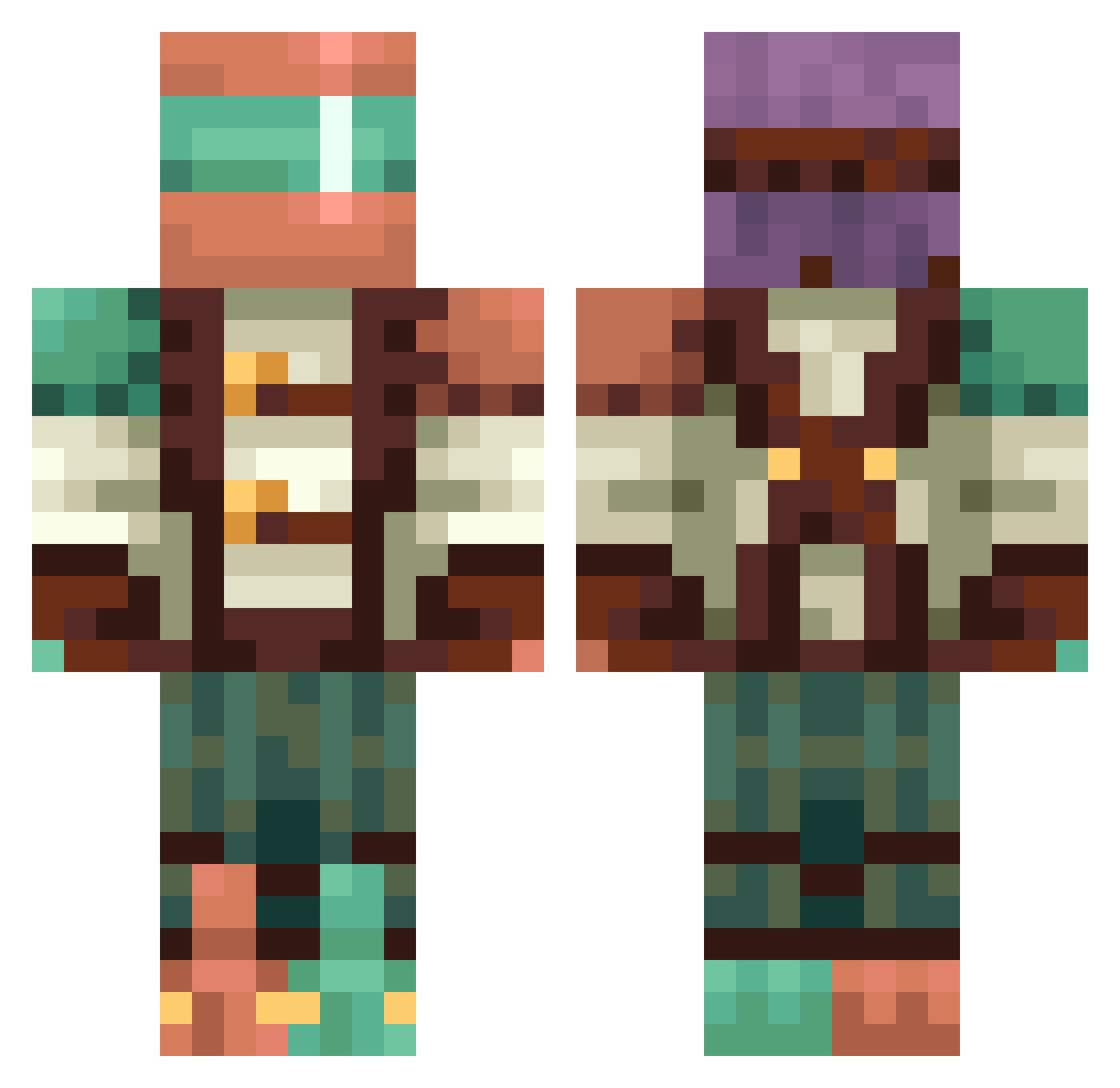
Current Minecraft skin of the player Undermine_, loaded from the official Mojang API. Rotate the 3D model with your mouse or finger, then download the skin as a PNG file and use it in Minecraft: Bedrock Edition or Java Edition for free. When Undermine_ changes their skin, this page updates automatically and the old skin stays in the history below.
Other players with this skin (422)
Undermine_ was the 221st player we have seen with this skin, first spotted on 19.09.2026. The same skin was seen on these players. Open a nickname to see their current skin and skin history.
 designedflame96 Frabona Centrix360 CommanderSave kdoek Yisusminecraft3 mattling101 HOHPYM Derpichon gxsr110 TrashShark999 PdnPmknPie nonoeeell fgPumkinguy xCharlieTheBoldx _xXMCSM2026Xx_ sjkad AlexGoat6969 _luvi1 JiaoJiao1452 DuranIdol Stxkhouse greywolf070 MulchedBliss SUPERDRAGON12 SUMMERTIDAL Smurfyiooo SaeMayy KZ_Nao spaze69_ Bakd_potato EAAAAAAY Teao CadieWithi Jesco76 RadioactivumGMD oneandonlytk24 msoen Copper_Daragon slixiox Wrift22 MotherKitty LoganDaNinja AsoxGS Jothebrofeddy Barbatos373 Great_One Lavagooner9_11 Yohendry xwirk MrSadDude JoshLin SplashyCasper Kaelibb MANO102 zuna176 Sweeeden33 bigkahuna77 Minos_Praim TreckeryOfficial
More Explorer Minecraft skins
How to install the Undermine_ skin
- Press the Download button above to save the skin as a PNG file.
- Minecraft: Bedrock Edition (PE): open the Dressing Room from the main menu (or tap your character → Edit Character), go to Classic Skins → Owned, press the + (new skin) button, choose the downloaded PNG and pick the Classic (Steve) model. Works on PC and mobile; consoles cannot import custom skins.
- Minecraft: Java Edition: open the Minecraft Launcher, go to the Skins tab, click New Skin, load the PNG, pick the Classic (Steve) model and press Save & Use. You can also upload it at minecraft.net → Profile → Change Skin.
The skin does not show up after import - what should I do?
Restart Minecraft and open the Dressing Room again - imported skins sometimes appear only after a restart. Also make sure you selected the imported skin and picked the Classic (Steve) model.
Which model should I choose, Classic or Slim?
This skin is designed for the Classic (Steve) model. If you pick the wrong model, the arms of the skin will look stretched or squeezed.
Is the skin of Undermine_ free to download?
Yes. Press Download, save the PNG file and use it in Minecraft: Bedrock Edition or Java Edition - no payment or registration needed. The skin also works on multiplayer servers and Realms.
More skins
Looking for more? Go back to all Minecraft skins and check the top skins of the week, month and all time, or find any player's skin by nickname.