
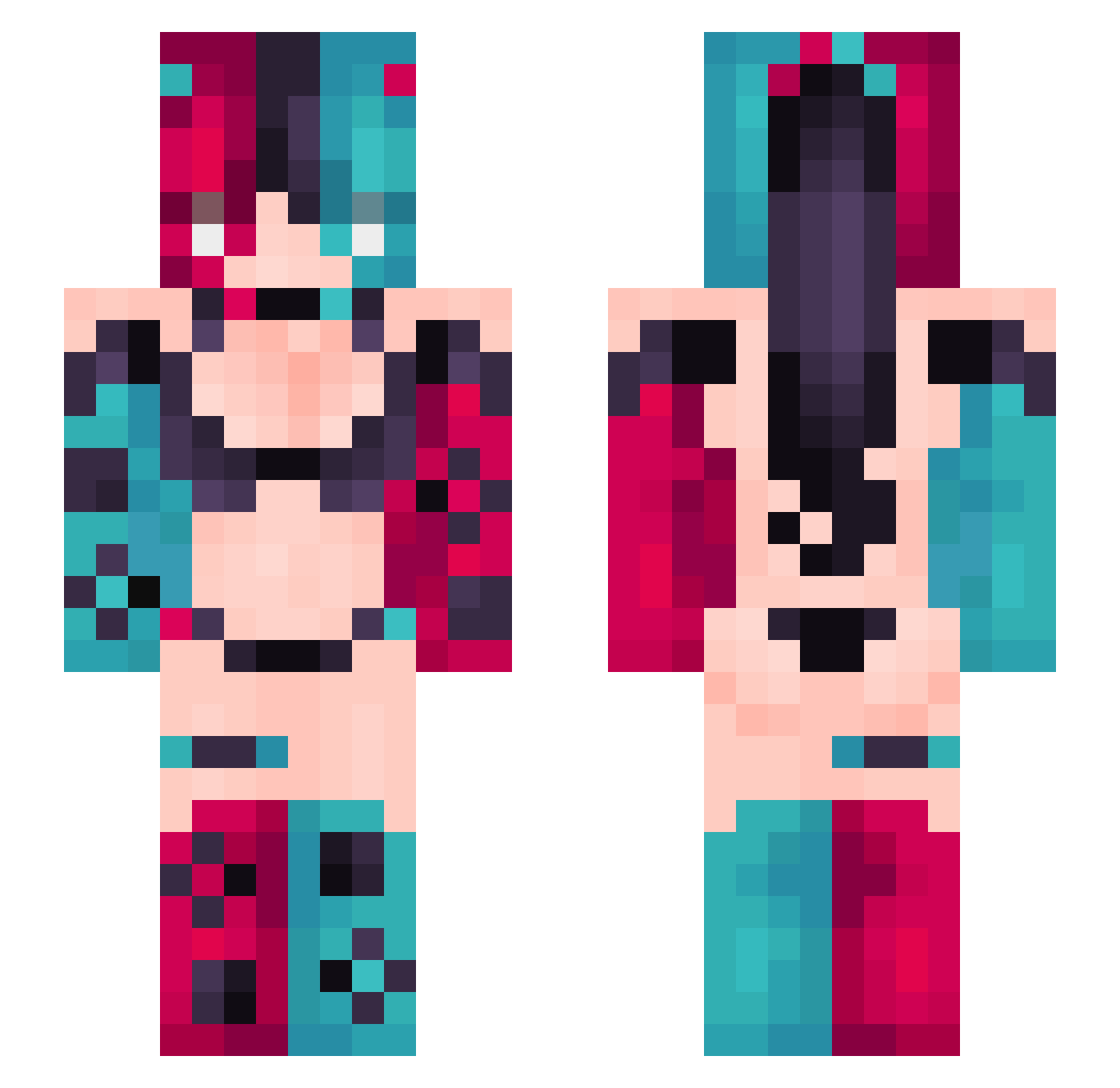
Current Minecraft skin of the player UnderDogOne, loaded from the official Mojang API. Rotate the 3D model with your mouse or finger, then download the skin as a PNG file and use it in Minecraft: Bedrock Edition or Java Edition for free. When UnderDogOne changes their skin, this page updates automatically and the old skin stays in the history below.
Other players with this skin (311)
UnderDogOne was the 172nd player we have seen with this skin, first spotted on 12.09.2026. The same skin was seen on these players. Open a nickname to see their current skin and skin history.
 yingni7 Akiko_Kawa camandrula Satori_Kaisen Nobody0612 kimmunan Flanxxx JkunCXK Mangalovely Orden_Ogan QZX521 krosss01 qierling ako_popo Eatbread123 touchedbydiddy1 Kaibinga ozerplace Madoxbb Hellrasser Musol_XH Axcel2415 shaz2080 gale233 MaldykuroiNight lyqwert Seji_Gripollas zoopy311 ezwin374 Maksi0l yujuexxx 3akyckaa BellaSoul xxMARY3xx jiinxin HouYJ Zarloche spookyvvs WaluigiMangione goldenpower55 Fourjhin4 BroownSugarr Proje_Lilywhite_ FAQUERETERMAX Qalls0 ashantiabbey sbop233 MissOwl04 thicboimek YAZIGAGA hayamiao poophooch PhantomIngot57X Sania696 Glitchwolfy VIPlikesUwU lulu0725 Luuyuu Princess_Puddles Dada3896
More Nintendo Switch Minecraft skins
See all 18 Nintendo Switch skins
How to install the UnderDogOne skin
- Press the Download button above to save the skin as a PNG file.
- Minecraft: Bedrock Edition (PE): open the Dressing Room from the main menu (or tap your character → Edit Character), go to Classic Skins → Owned, press the + (new skin) button, choose the downloaded PNG and pick the Slim (Alex) model. Works on PC and mobile; consoles cannot import custom skins.
- Minecraft: Java Edition: open the Minecraft Launcher, go to the Skins tab, click New Skin, load the PNG, pick the Slim (Alex) model and press Save & Use. You can also upload it at minecraft.net → Profile → Change Skin.
The skin does not show up after import - what should I do?
Restart Minecraft and open the Dressing Room again - imported skins sometimes appear only after a restart. Also make sure you selected the imported skin and picked the Slim (Alex) model.
Which model should I choose, Classic or Slim?
This skin is designed for the Slim (Alex) model. If you pick the wrong model, the arms of the skin will look stretched or squeezed.
Is the skin of UnderDogOne free to download?
Yes. Press Download, save the PNG file and use it in Minecraft: Bedrock Edition or Java Edition - no payment or registration needed. The skin also works on multiplayer servers and Realms.
More skins
Looking for more? Go back to all Minecraft skins and check the top skins of the week, month and all time, or find any player's skin by nickname.