
Undefeated123 - Minecraft Skins & Skin History
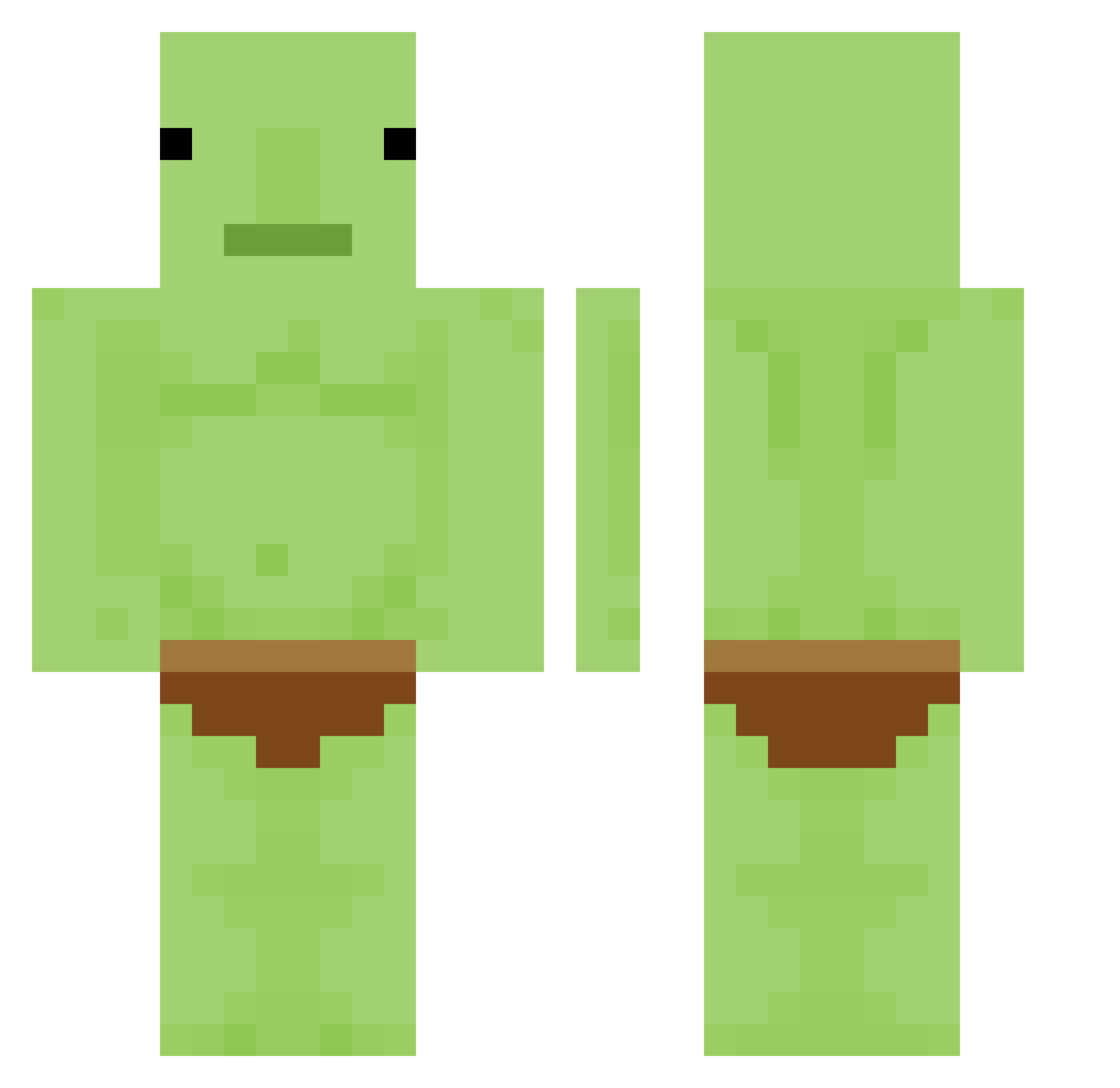
Current Minecraft skin of the player Undefeated123, loaded from the official Mojang API. Rotate the 3D model with your mouse or finger, then download the skin as a PNG file and use it in Minecraft: Bedrock Edition or Java Edition for free. When Undefeated123 changes their skin, this page updates automatically and the old skin stays in the history below.
Other players with this skin (424)
Undefeated123 was the 382nd player we have seen with this skin, first spotted on 09.11.2026. The same skin was seen on these players. Open a nickname to see their current skin and skin history.
 forge_d adeimy CBrennan57 ashleigh2051 Hiropink Kennaj8078 Goblieeny MOTHERVHUNTER Gorda82 Matthewwwp KLAXPHNL 9_Kyo ChouBi_CaoNiMa Mparabol Dolken200 DudeKrisco Yatsuu_ kishi09 PrayIsBot CallMeAden kiimoso Sh0en lIchigo GoblinCraft99 TsimiklThePickle GokuDanyonYT TorNoot iSw3T4U Ho33ckey Rodopoulaki raidud popolumecan31 Furphy__ jsr1016 Quangflow yur_senpai Aeryonyx GoopySpice sao_gang1012 Kilsol xczxvzx bili_xmz oNly1dna vekkye CacaRigolo teas3r alcohol_lover Lion1715 tvpotato wonjunking Kimjiwoo_ Grayson_Fett CreamyHobo BogRatt CrumpledGoblin SUGARED17 Dahrabossen112 RlCEONRlCE Lockejmc plergoose
More Blobfish Minecraft skins
How to install the Undefeated123 skin
- Press the Download button above to save the skin as a PNG file.
- Minecraft: Bedrock Edition (PE): open the Dressing Room from the main menu (or tap your character → Edit Character), go to Classic Skins → Owned, press the + (new skin) button, choose the downloaded PNG and pick the Classic (Steve) model. Works on PC and mobile; consoles cannot import custom skins.
- Minecraft: Java Edition: open the Minecraft Launcher, go to the Skins tab, click New Skin, load the PNG, pick the Classic (Steve) model and press Save & Use. You can also upload it at minecraft.net → Profile → Change Skin.
The skin does not show up after import - what should I do?
Restart Minecraft and open the Dressing Room again - imported skins sometimes appear only after a restart. Also make sure you selected the imported skin and picked the Classic (Steve) model.
Which model should I choose, Classic or Slim?
This skin is designed for the Classic (Steve) model. If you pick the wrong model, the arms of the skin will look stretched or squeezed.
Is the skin of Undefeated123 free to download?
Yes. Press Download, save the PNG file and use it in Minecraft: Bedrock Edition or Java Edition - no payment or registration needed. The skin also works on multiplayer servers and Realms.
More skins
Looking for more? Go back to all Minecraft skins and check the top skins of the week, month and all time, or find any player's skin by nickname.