
UncleManwich - Minecraft Skins & Skin History
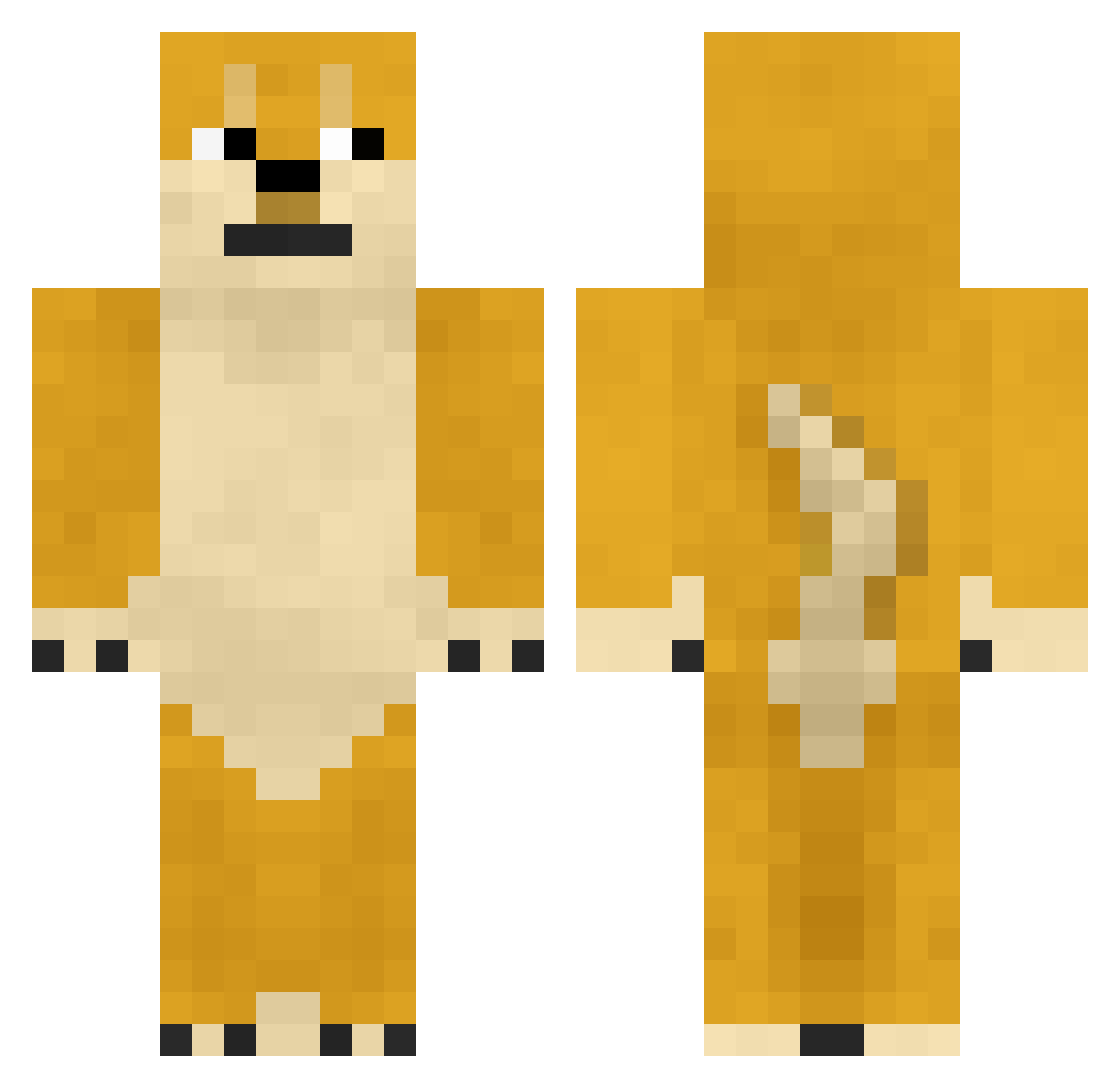
Current Minecraft skin of the player UncleManwich, loaded from the official Mojang API. Rotate the 3D model with your mouse or finger, then download the skin as a PNG file and use it in Minecraft: Bedrock Edition or Java Edition for free. When UncleManwich changes their skin, this page updates automatically and the old skin stays in the history below.
Other players with this skin (361)
UncleManwich was the 41st player we have seen with this skin, first spotted on 31.07.2026. The same skin was seen on these players. Open a nickname to see their current skin and skin history.
 Dogetastic Rupel nirob Diinawa sammel99 CaptainFridge SuperNyanNyan TheBloooDevils christyjackson onyx19 renluo MC_ACE Butan_ Knight_Dog phils4life47 winterjaa JustADoge Robdouble0 Keenan_11 LeedleTroll DogeMiner321 IveGotLazorz Manu_David Not_GunsanRoses ByProclaxBEAST TylerMeeusen SevenKi Doge067 doge555 jc___3 ElTaPiE STARSKY1 Chances MoonShadow00 GomaTheShiba CaboosetheApple LegendaryDoge CholoKid jet26 Doge_ DoYouSeaDolphins yotako_710 sonic1fandres OgeThaDoge Gasila yan__yu Allizonx Dialone ultra71014 BoguePRIME Adji1997 callofduti2 gadfeb Jackrone lachlankowplos8 Miimmsss dAN_OLO Goomps _emilyyyj_ john926
More Internet Meme Minecraft skins
See all 117 Internet Meme skins
How to install the UncleManwich skin
- Press the Download button above to save the skin as a PNG file.
- Minecraft: Bedrock Edition (PE): open the Dressing Room from the main menu (or tap your character → Edit Character), go to Classic Skins → Owned, press the + (new skin) button, choose the downloaded PNG and pick the Classic (Steve) model. Works on PC and mobile; consoles cannot import custom skins.
- Minecraft: Java Edition: open the Minecraft Launcher, go to the Skins tab, click New Skin, load the PNG, pick the Classic (Steve) model and press Save & Use. You can also upload it at minecraft.net → Profile → Change Skin.
The skin does not show up after import - what should I do?
Restart Minecraft and open the Dressing Room again - imported skins sometimes appear only after a restart. Also make sure you selected the imported skin and picked the Classic (Steve) model.
Which model should I choose, Classic or Slim?
This skin is designed for the Classic (Steve) model. If you pick the wrong model, the arms of the skin will look stretched or squeezed.
Is the skin of UncleManwich free to download?
Yes. Press Download, save the PNG file and use it in Minecraft: Bedrock Edition or Java Edition - no payment or registration needed. The skin also works on multiplayer servers and Realms.
More skins
Looking for more? Go back to all Minecraft skins and check the top skins of the week, month and all time, or find any player's skin by nickname.