
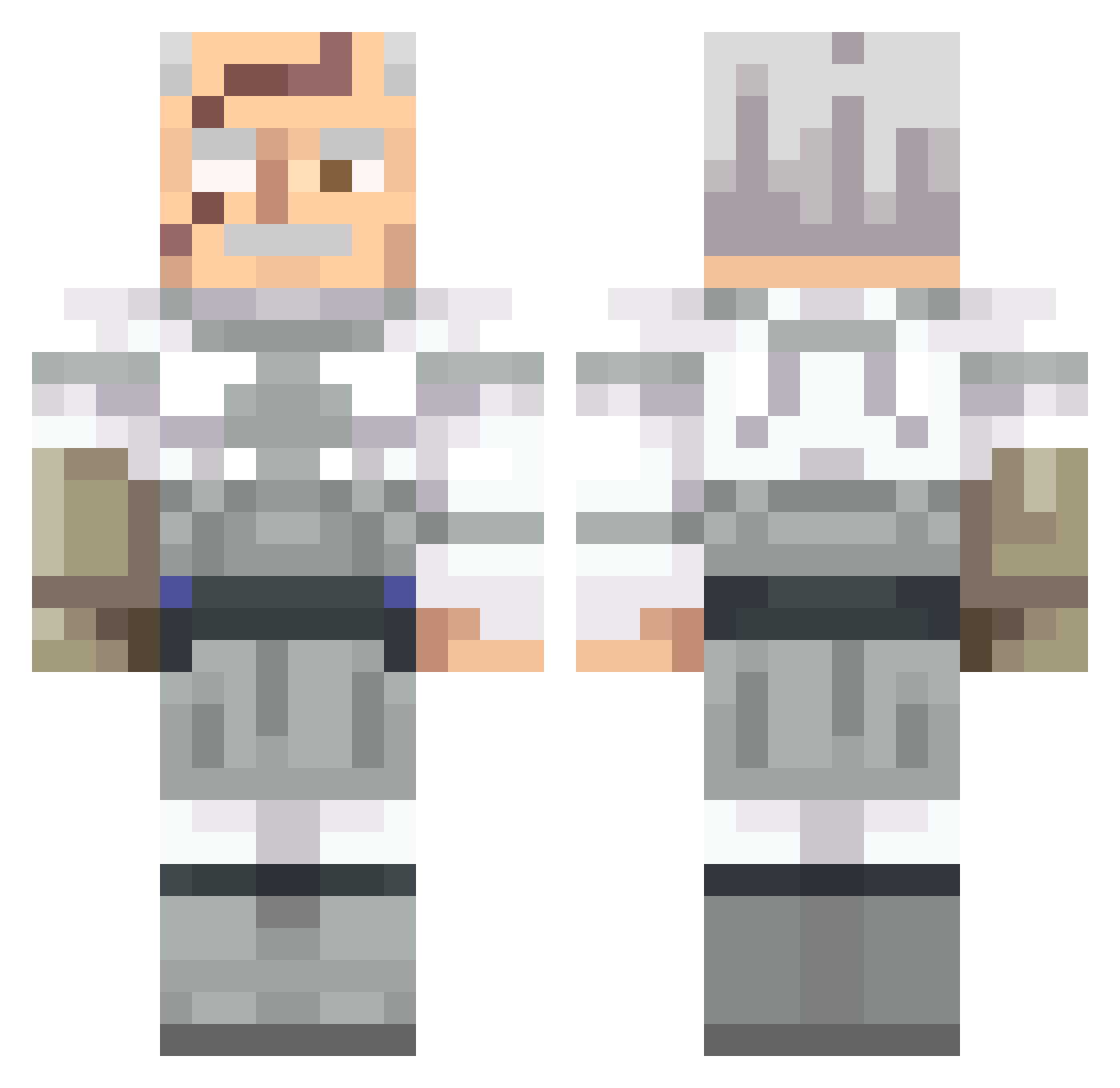
Current Minecraft skin of the player UncLeT0DD, loaded from the official Mojang API. Rotate the 3D model with your mouse or finger, then download the skin as a PNG file and use it in Minecraft: Bedrock Edition or Java Edition for free. When UncLeT0DD changes their skin, this page updates automatically and the old skin stays in the history below.
Other players with this skin (451)
UncLeT0DD was the 290th player we have seen with this skin, first spotted on 19.09.2026. The same skin was seen on these players. Open a nickname to see their current skin and skin history.
 Law____________ LAS3RZ Haxatrox diddyliciousBush bazookabee elteo2121 ragout_in_blik Tito_001 Helloum_ Coridium Tematama ZDZakk2 TheKetchupp Lakiter Nerf12 CarnoFratNib BizzleMyPickle Valentiii Hxpefu1 BlearBeatle7788 Tuffburrito09 SrMaster69 RobinAlgroy Meowscles9585 superkendog Ripopic Abuelita43 Asache SpoonierSpoon orangejuice44 TEXOSNOW360 Tiiggles Nextrixity Ross557258 Ladysman2170 LLyrics coflita69 Degdegatron Halkuros FarmingYordles TheRanchGuy09 Jbeneduci thatoneitalian44 llClateenill gravewalker682 UltimateDave jimblers Spongy7427 DrStrange0 Killox33 Purplepople chiggnjockey crfrf santino1616 JacobyVenoms FrostLogie Critadex Kuzzo404 DOCTOR_FISHY_ DarkThing
More Commander Pyxis Minecraft skins
See all 3 Commander Pyxis skins
How to install the UncLeT0DD skin
- Press the Download button above to save the skin as a PNG file.
- Minecraft: Bedrock Edition (PE): open the Dressing Room from the main menu (or tap your character → Edit Character), go to Classic Skins → Owned, press the + (new skin) button, choose the downloaded PNG and pick the Classic (Steve) model. Works on PC and mobile; consoles cannot import custom skins.
- Minecraft: Java Edition: open the Minecraft Launcher, go to the Skins tab, click New Skin, load the PNG, pick the Classic (Steve) model and press Save & Use. You can also upload it at minecraft.net → Profile → Change Skin.
The skin does not show up after import - what should I do?
Restart Minecraft and open the Dressing Room again - imported skins sometimes appear only after a restart. Also make sure you selected the imported skin and picked the Classic (Steve) model.
Which model should I choose, Classic or Slim?
This skin is designed for the Classic (Steve) model. If you pick the wrong model, the arms of the skin will look stretched or squeezed.
Is the skin of UncLeT0DD free to download?
Yes. Press Download, save the PNG file and use it in Minecraft: Bedrock Edition or Java Edition - no payment or registration needed. The skin also works on multiplayer servers and Realms.
More skins
Looking for more? Go back to all Minecraft skins and check the top skins of the week, month and all time, or find any player's skin by nickname.