
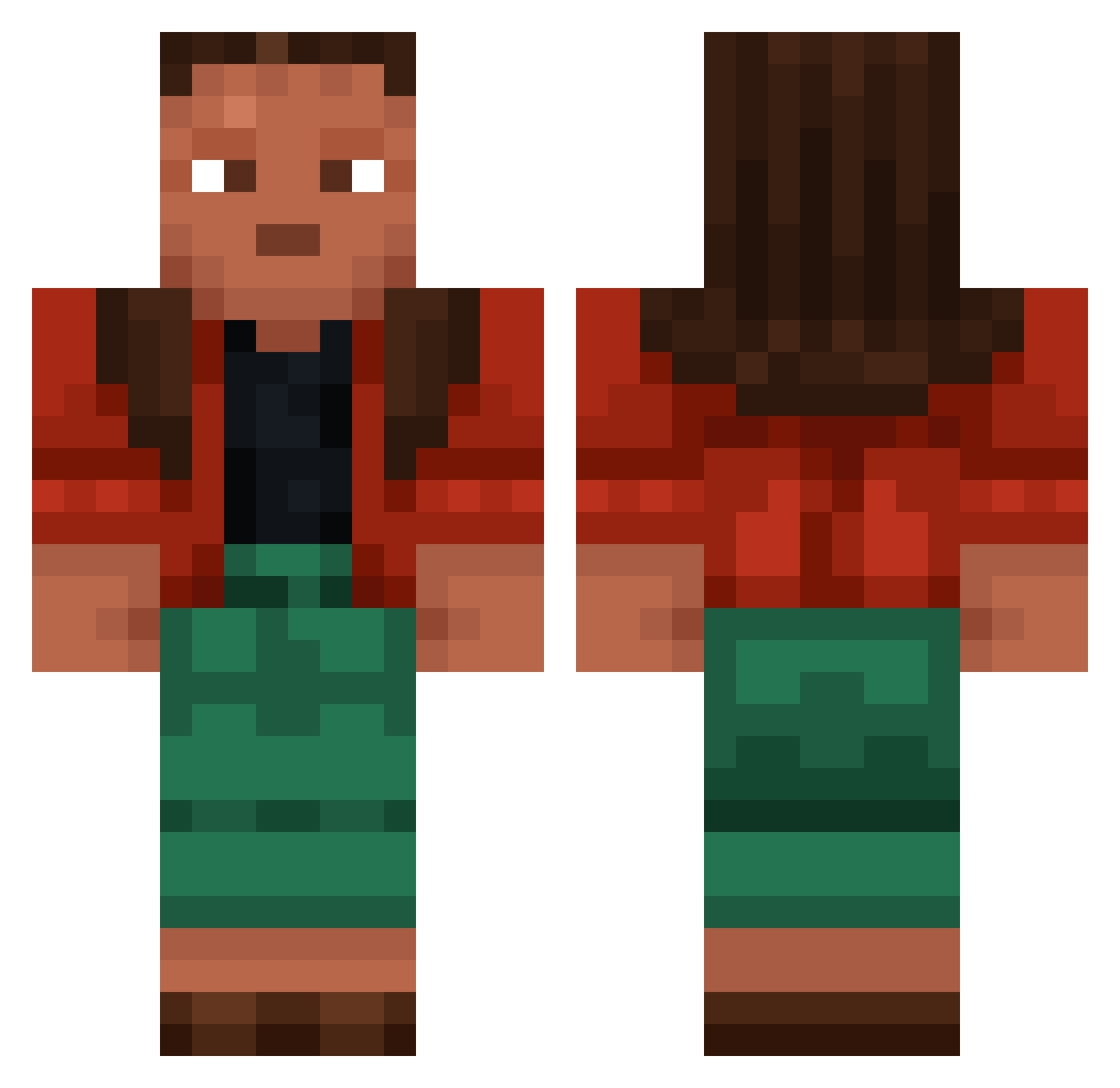
Current Minecraft skin of the player Umbo, loaded from the official Mojang API. Rotate the 3D model with your mouse or finger, then download the skin as a PNG file and use it in Minecraft: Bedrock Edition or Java Edition for free. When Umbo changes their skin, this page updates automatically and the old skin stays in the history below.
Other players with this skin (765)
Umbo was the 448th player we have seen with this skin, first spotted on 19.09.2026. The same skin was seen on these players. Open a nickname to see their current skin and skin history.
 stoper Kyyrr Brambled XernesSniper Brody8456 DreamyPrinz r0bin303 clownprincee JamaalWilliams GUIGUIMIAU Corach esquisse sofgmz fantailed _Fail_ illude LMH12138 FlintOmega holophotal Exsolution FrameBewerker14 dmaster1 zed_is_dead Waterworm Souters Tumescence Cannonade Liibschke Militancy 6xsinns CateNate Groupthink peposi Bechtler Sausce Filelesss Songy Autoette BWIAS JasonJmx Sawn76 ImSuch4Bot Nannies WorstPlayerWW Pinic Fingal slayinnn Gamelion Surfcasting eljavigdy hermodact 3Corkey1 Shinj1k kqvster ArgentineLegend1 Rifter Enderman81 oscarmoon09_ Suppletion Alsatian
More Moana Minecraft skins
How to install the Umbo skin
- Press the Download button above to save the skin as a PNG file.
- Minecraft: Bedrock Edition (PE): open the Dressing Room from the main menu (or tap your character → Edit Character), go to Classic Skins → Owned, press the + (new skin) button, choose the downloaded PNG and pick the Classic (Steve) model. Works on PC and mobile; consoles cannot import custom skins.
- Minecraft: Java Edition: open the Minecraft Launcher, go to the Skins tab, click New Skin, load the PNG, pick the Classic (Steve) model and press Save & Use. You can also upload it at minecraft.net → Profile → Change Skin.
The skin does not show up after import - what should I do?
Restart Minecraft and open the Dressing Room again - imported skins sometimes appear only after a restart. Also make sure you selected the imported skin and picked the Classic (Steve) model.
Which model should I choose, Classic or Slim?
This skin is designed for the Classic (Steve) model. If you pick the wrong model, the arms of the skin will look stretched or squeezed.
Is the skin of Umbo free to download?
Yes. Press Download, save the PNG file and use it in Minecraft: Bedrock Edition or Java Edition - no payment or registration needed. The skin also works on multiplayer servers and Realms.
More skins
Looking for more? Go back to all Minecraft skins and check the top skins of the week, month and all time, or find any player's skin by nickname.