
UgurBabaTR - Minecraft Skins & Skin History
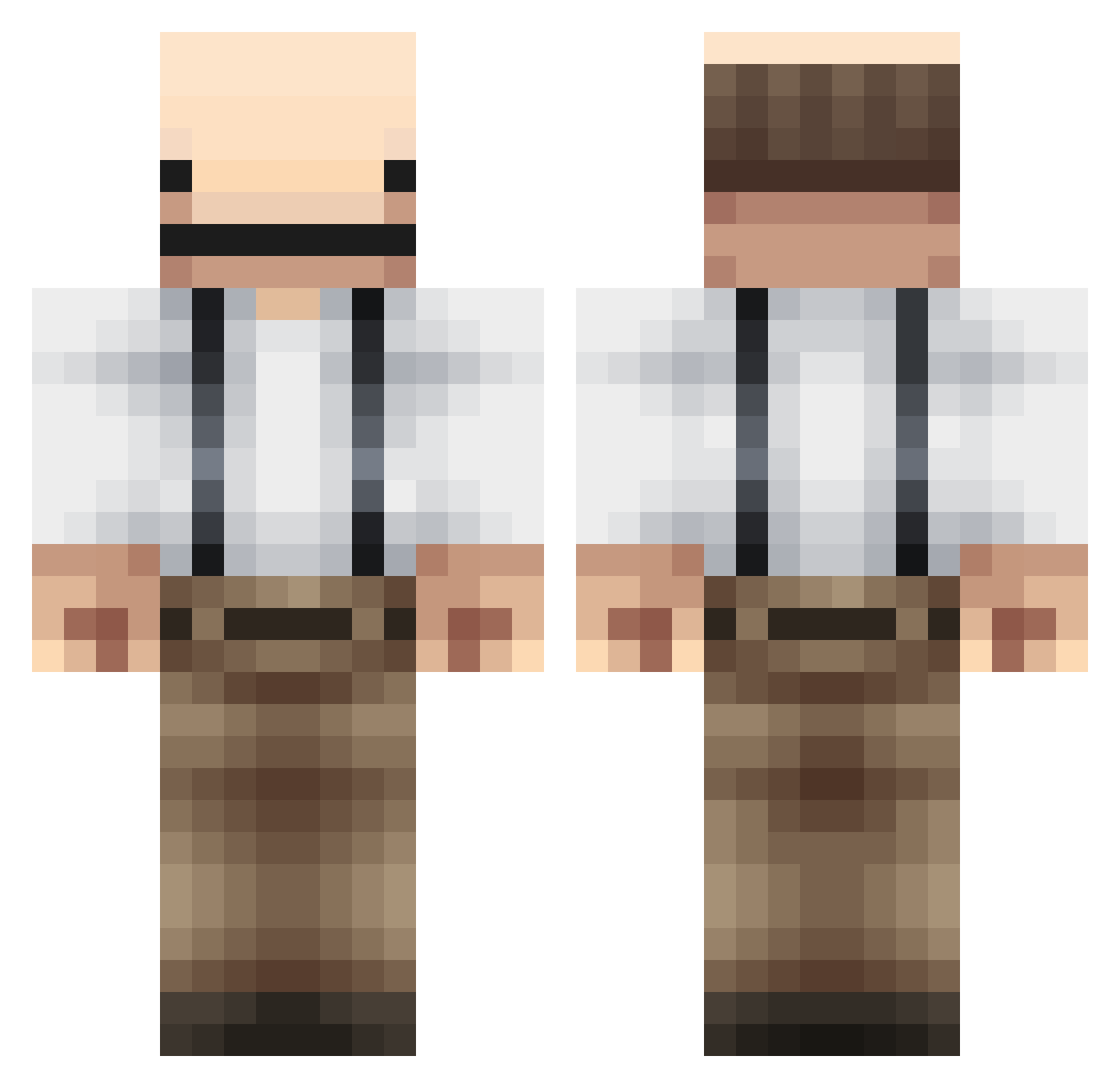
Current Minecraft skin of the player UgurBabaTR, loaded from the official Mojang API. Rotate the 3D model with your mouse or finger, then download the skin as a PNG file and use it in Minecraft: Bedrock Edition or Java Edition for free. When UgurBabaTR changes their skin, this page updates automatically and the old skin stays in the history below.
Other players with this skin (51)
UgurBabaTR was the 22nd player we have seen with this skin, first spotted on 11.09.2026. The same skin was seen on these players. Open a nickname to see their current skin and skin history.
 rzuf_ Better81 clapzRR AzCrosstyle pikaxxo SharkeyMC Radatavi _LeEisbaer daddypatricia Mrlopi elvistec007 Tommen69 Matadoerk veryimpressive kirchhoo Gamerr_Mayo Jauque raiin135 HomeImprovement Dointed bigdaddyjovey Go_7 Shawverfan21 oDustin_ sticklad12 KisSaglopk on_godmode_exe giam_chai Kind__
 ShiftyYew ChileClient_ NextFuture OysteinLipe umjinsu Tahusui Jeuhe Kiemona GROGGR ltchy RearcarDestroyer P90xROOSTA ArticFox367 ItzLau Butt_Cheek Meloun09 joey_1793 vetterr AurelienCoganrd Berdy3 dixmonds yujacha99ul
More Hero Minecraft skins
How to install the UgurBabaTR skin
- Press the Download button above to save the skin as a PNG file.
- Minecraft: Bedrock Edition (PE): open the Dressing Room from the main menu (or tap your character → Edit Character), go to Classic Skins → Owned, press the + (new skin) button, choose the downloaded PNG and pick the Classic (Steve) model. Works on PC and mobile; consoles cannot import custom skins.
- Minecraft: Java Edition: open the Minecraft Launcher, go to the Skins tab, click New Skin, load the PNG, pick the Classic (Steve) model and press Save & Use. You can also upload it at minecraft.net → Profile → Change Skin.
The skin does not show up after import - what should I do?
Restart Minecraft and open the Dressing Room again - imported skins sometimes appear only after a restart. Also make sure you selected the imported skin and picked the Classic (Steve) model.
Which model should I choose, Classic or Slim?
This skin is designed for the Classic (Steve) model. If you pick the wrong model, the arms of the skin will look stretched or squeezed.
Is the skin of UgurBabaTR free to download?
Yes. Press Download, save the PNG file and use it in Minecraft: Bedrock Edition or Java Edition - no payment or registration needed. The skin also works on multiplayer servers and Realms.
More skins
Looking for more? Go back to all Minecraft skins and check the top skins of the week, month and all time, or find any player's skin by nickname.