
UN_1 - Minecraft Skins & Skin History
Current Minecraft skin of the player UN_1, loaded from the official Mojang API. Rotate the 3D model with your mouse or finger, then download the skin as a PNG file and use it in Minecraft: Bedrock Edition or Java Edition for free. When UN_1 changes their skin, this page updates automatically and the old skin stays in the history below.
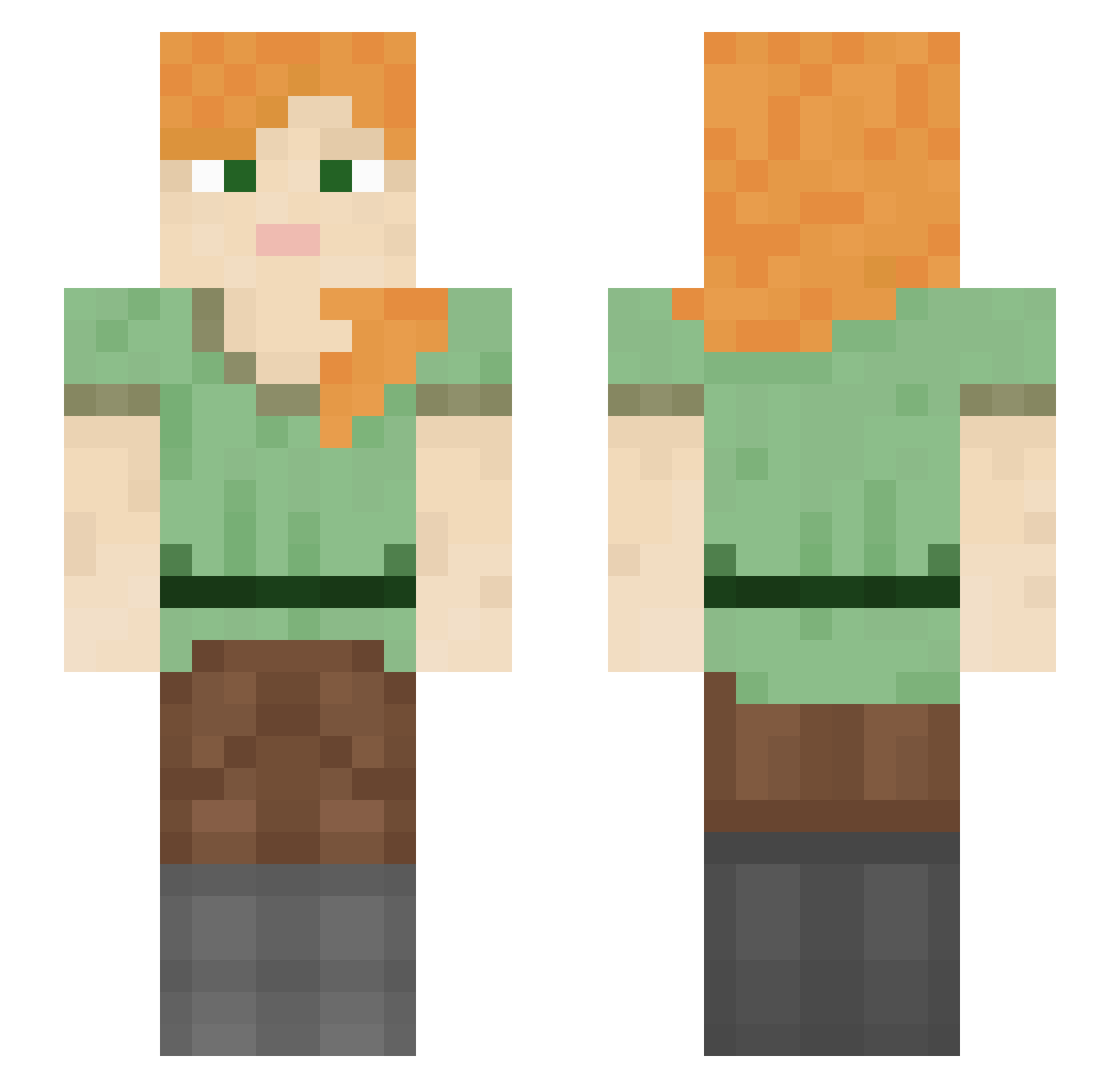
Other players with this skin (1051)
UN_1 was the 477th player we have seen with this skin, first spotted on 07.09.2026. The same skin was seen on these players. Open a nickname to see their current skin and skin history.
 Zestrioss RugbyT1ger Snowbie1 Robin312111 jokesome BruderJak0b joonjun zytonah HallowHitboxer SimplySunday Catydid
 Quacked___ supplyside_jesus hornie Delinquencyy Discommodity Doc_Fungi rearms MrNoTalent Maskine666 p4trykkkk Z18Aplha imjustseojunking Lebanna_1709 DaddyCordonn Phecda FeyFrost Lautanen aicomiao tejon Xerophthalmic maych Viral_Filth fenestration DonutlordJr kamgamer_YT Swaksel yoyoshin1 jwwwe11 NaveW bv3sh ZipZapZooop OrphanBeeter oSpiteful LaddyBugg Jonne thubert Muihay thdwlgn agenting akira2049 CheeseWhizzle KPKate sjtkoala CED10 Hamza_Dz Roland__ Tigons _SneG_Melderis_ milkmilktea
How to install the UN_1 skin
- Press the Download button above to save the skin as a PNG file.
- Minecraft: Bedrock Edition (PE): open the Dressing Room from the main menu (or tap your character → Edit Character), go to Classic Skins → Owned, press the + (new skin) button, choose the downloaded PNG and pick the Slim (Alex) model. Works on PC and mobile; consoles cannot import custom skins.
- Minecraft: Java Edition: open the Minecraft Launcher, go to the Skins tab, click New Skin, load the PNG, pick the Slim (Alex) model and press Save & Use. You can also upload it at minecraft.net → Profile → Change Skin.
The skin does not show up after import - what should I do?
Restart Minecraft and open the Dressing Room again - imported skins sometimes appear only after a restart. Also make sure you selected the imported skin and picked the Slim (Alex) model.
Which model should I choose, Classic or Slim?
This skin is designed for the Slim (Alex) model. If you pick the wrong model, the arms of the skin will look stretched or squeezed.
Is the skin of UN_1 free to download?
Yes. Press Download, save the PNG file and use it in Minecraft: Bedrock Edition or Java Edition - no payment or registration needed. The skin also works on multiplayer servers and Realms.
More skins
Looking for more? Go back to all Minecraft skins and check the top skins of the week, month and all time, or find any player's skin by nickname.