
Tzi_vSz2KB - Minecraft Skins & Skin History
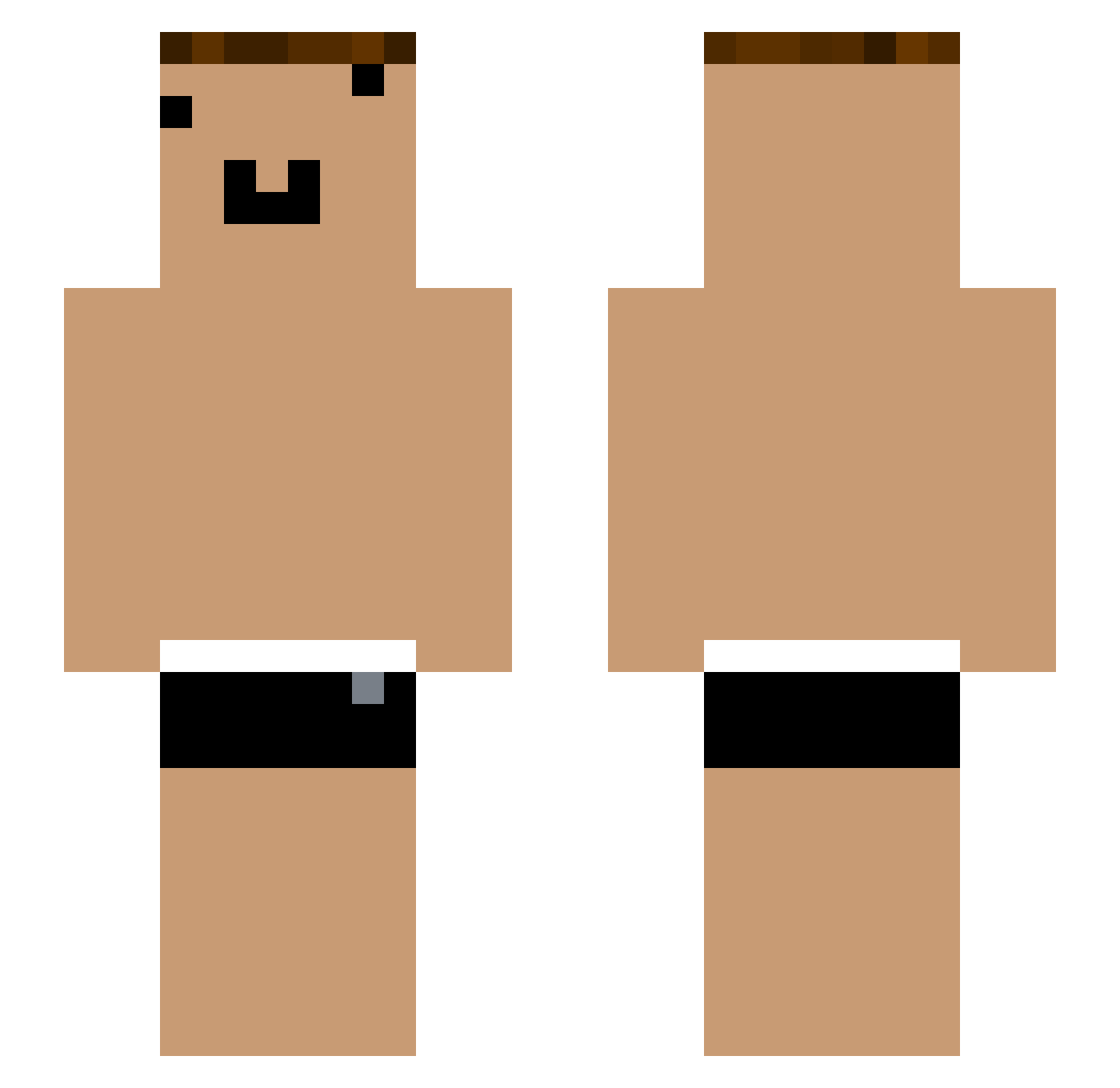
Current Minecraft skin of the player Tzi_vSz2KB, loaded from the official Mojang API. Rotate the 3D model with your mouse or finger, then download the skin as a PNG file and use it in Minecraft: Bedrock Edition or Java Edition for free. When Tzi_vSz2KB changes their skin, this page updates automatically and the old skin stays in the history below.
Other players with this skin (1138)
Tzi_vSz2KB was the 567th player we have seen with this skin, first spotted on 23.09.2026. The same skin was seen on these players. Open a nickname to see their current skin and skin history.
 Tzi_EXUIEA_07_31 majeed234 Tzi_8wSA1X_04_23 _KwRPQI GLD_J8uT6S_07_09 DuXiu_qC5Etr yYa_uhpaGQ_05_18 et_hkm341 Pvd424 SN0PIxJoelxTOTO yYa_i89Qtp_04_14 yYa_NY1SWo_05_27 hi_eiq438 yYa_Mum03y_05_01 yYa_eeFUtL_05_02 YouTouBe__7e0C9g ch_tui907 DuXiu_cf3edn Tzi_SqrCwL_05_21 ONE_8wSA1X_06_26 qwq_zhVOJw yYa_oLOluk_05_16 Xmhk_dDW6lC ij_lvy538 DuXiu_kkZIhT yYa_bSCn21_05_09 Tzi_AeRaNg_06_13 VadrikAng GLD_FRaqbC_07_10 Tzi_95HfqR_05_10 Tzi_02H67y_07_10 Tzi_uuJYnL_06_06 yYa_FRaqbC_06_28 Koverl_4967976 yYa_rPrvCW_04_27 yYa_jYm4bi_04_27 po_Y4kJSF WGG_7R9Qz9 YouTouBe__yWhgxv yYa_wrblZz_05_04 yYa_zdKAt4_05_08 yYa_i89Qtp_06_21 Tzi_Phg8VM_07_14 hk_8wSA1X_06_25 YouTouBe__nnNhx0 che_uJh63o_04_30 zzxgp_ yYa_GKThp9_04_28 yYa_o3DjFb_05_02 Tzi_8wSA1X_07_11 YouTouBe__vpFVjC YouTouBe__Xee4fD yz_vso901 Leonardopz_ yYa_JhKPc9_05_22 Campesinouu eze_alco yYa_MwVN7m_06_13 hp_fcl754 huozhecwq
More Funny Face Minecraft skins
How to install the Tzi_vSz2KB skin
- Press the Download button above to save the skin as a PNG file.
- Minecraft: Bedrock Edition (PE): open the Dressing Room from the main menu (or tap your character → Edit Character), go to Classic Skins → Owned, press the + (new skin) button, choose the downloaded PNG and pick the Slim (Alex) model. Works on PC and mobile; consoles cannot import custom skins.
- Minecraft: Java Edition: open the Minecraft Launcher, go to the Skins tab, click New Skin, load the PNG, pick the Slim (Alex) model and press Save & Use. You can also upload it at minecraft.net → Profile → Change Skin.
The skin does not show up after import - what should I do?
Restart Minecraft and open the Dressing Room again - imported skins sometimes appear only after a restart. Also make sure you selected the imported skin and picked the Slim (Alex) model.
Which model should I choose, Classic or Slim?
This skin is designed for the Slim (Alex) model. If you pick the wrong model, the arms of the skin will look stretched or squeezed.
Is the skin of Tzi_vSz2KB free to download?
Yes. Press Download, save the PNG file and use it in Minecraft: Bedrock Edition or Java Edition - no payment or registration needed. The skin also works on multiplayer servers and Realms.
More skins
Looking for more? Go back to all Minecraft skins and check the top skins of the week, month and all time, or find any player's skin by nickname.