
Typicalhydra - Minecraft Skins & Skin History
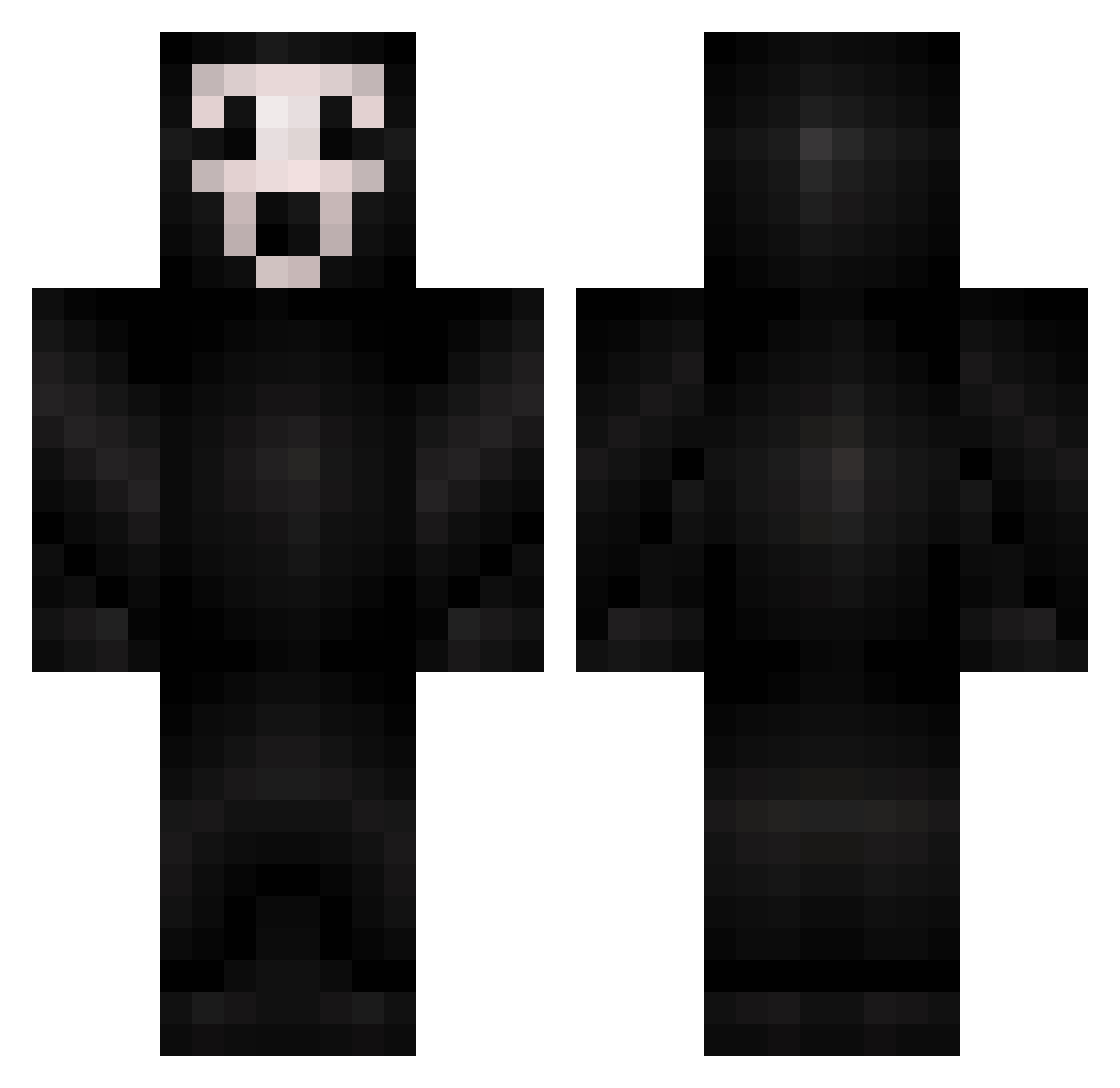
Current Minecraft skin of the player Typicalhydra, loaded from the official Mojang API. Rotate the 3D model with your mouse or finger, then download the skin as a PNG file and use it in Minecraft: Bedrock Edition or Java Edition for free. When Typicalhydra changes their skin, this page updates automatically and the old skin stays in the history below.
Other players with this skin (367)
Typicalhydra was the 297th player we have seen with this skin, first spotted on 30.10.2026. The same skin was seen on these players. Open a nickname to see their current skin and skin history.
 sapponen darkduckking chillyvxbes AAA_miao_ JushGar Plleakley Swift_Reaconz white4521 PraesidiumMC Esk33 Lensch_ Ares3558 WaltPiece GhostWhisper Oswaldo_Torres Inspahration DerkerJerker 0_0Squeak0_0 NiceBison420 MaxletsplayZ8 Krothalos lvlzZz xpt_a Lilipch tony1629 wildpuddle LIRUIO Ferokza TimmiesHotChoccy BIGBELLYRANDY dani45190 Llamacat24 SimpleSamples Elgomezzz YAHOBI AyoSlumped fleshpet xjayxbirdx MarMaMar xz56z JinYua KayXer000 Nyou3 mekkis1 exstroc sl1Ne JazzLazz R3ZEOrD3E achaoa nbby1420 Subwaykilla1 ManuPeroNu SagopaKajmer58 cmag18 valter3852 lzx1122 Psycho500 NukePebbles Etanolikarhu Malphas1122
More Ghostface Minecraft skins
How to install the Typicalhydra skin
- Press the Download button above to save the skin as a PNG file.
- Minecraft: Bedrock Edition (PE): open the Dressing Room from the main menu (or tap your character → Edit Character), go to Classic Skins → Owned, press the + (new skin) button, choose the downloaded PNG and pick the Classic (Steve) model. Works on PC and mobile; consoles cannot import custom skins.
- Minecraft: Java Edition: open the Minecraft Launcher, go to the Skins tab, click New Skin, load the PNG, pick the Classic (Steve) model and press Save & Use. You can also upload it at minecraft.net → Profile → Change Skin.
The skin does not show up after import - what should I do?
Restart Minecraft and open the Dressing Room again - imported skins sometimes appear only after a restart. Also make sure you selected the imported skin and picked the Classic (Steve) model.
Which model should I choose, Classic or Slim?
This skin is designed for the Classic (Steve) model. If you pick the wrong model, the arms of the skin will look stretched or squeezed.
Is the skin of Typicalhydra free to download?
Yes. Press Download, save the PNG file and use it in Minecraft: Bedrock Edition or Java Edition - no payment or registration needed. The skin also works on multiplayer servers and Realms.
More skins
Looking for more? Go back to all Minecraft skins and check the top skins of the week, month and all time, or find any player's skin by nickname.