
Current Minecraft skin of the player TwitchHeelPluga, loaded from the official Mojang API. Rotate the 3D model with your mouse or finger, then download the skin as a PNG file and use it in Minecraft: Bedrock Edition or Java Edition for free. When TwitchHeelPluga changes their skin, this page updates automatically and the old skin stays in the history below.
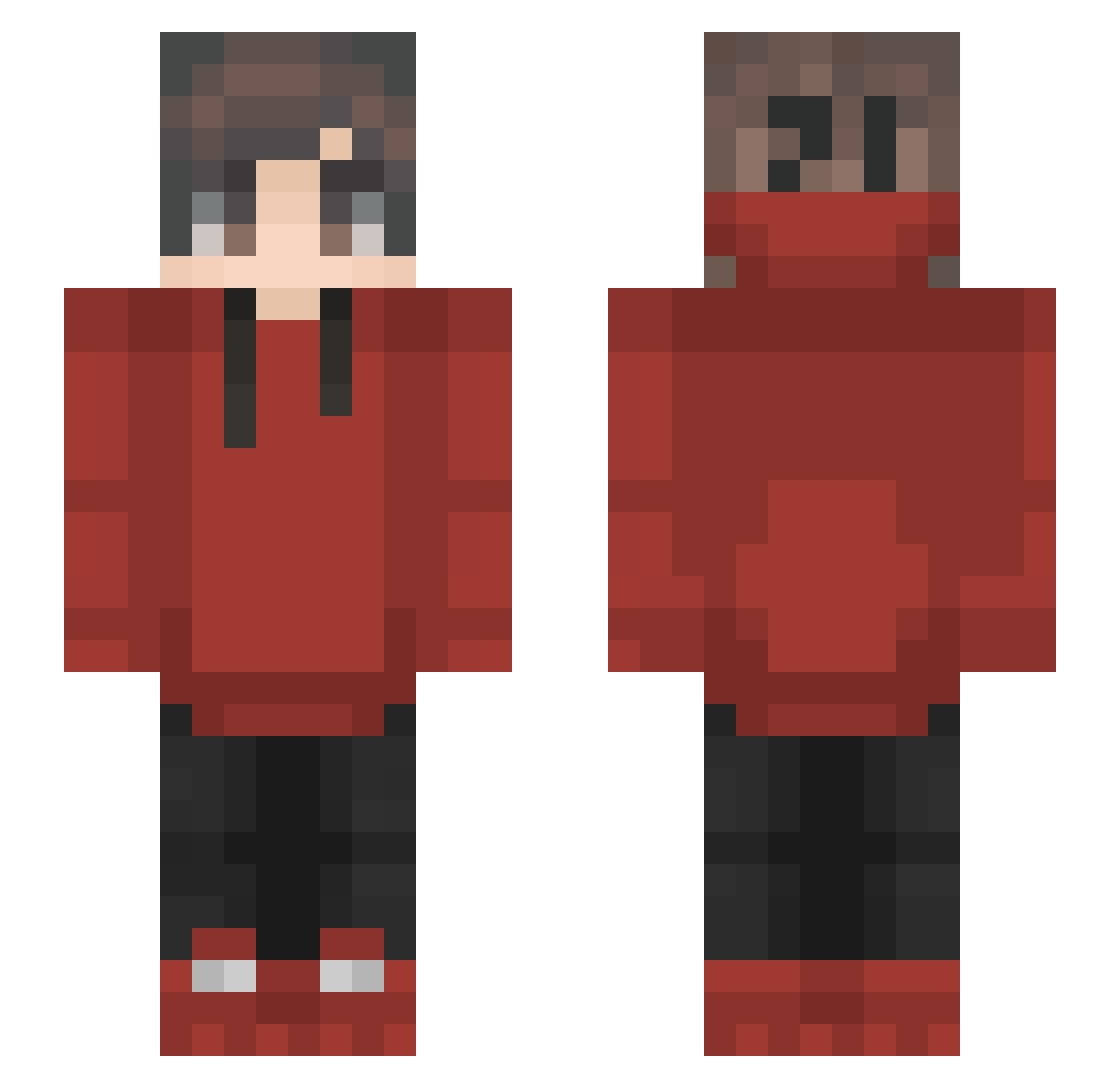
Other players with this skin (63)
The same skin was seen on these players. Open a nickname to see their current skin and skin history.
 ArttuuMc Zet4a markusdelopes Kenzo0607 NandoCacador Batman82168 NhatHa ronine Namtgp Gummiballboi IanAT1 KING_O12Q Endwayy Aduketci akasiseuy Eliemer Moonchild334 strizzler ColaTung Kexcil Mr_beast98 SoyNuub Wilkess mindeez Pedro1043 bshaven SKKNYLEG D3SRoz Yoanzuko JewTendencies AMUMUMUMU Bjoek Ben_gg5 rsmoxilol TheRandomXx Bully_Hunter24 Summer_Core B1ackgazebo izPrah InvictaSidera Harmony843 FakeErenlolYT JoshSmellsBadLOL nikolaimoon huarfu GonzaloGamer12 whohuengmyson Alsaya Jeck0239 Kesmen20 Thefallen55 Frans_Jaeger Saboolin ryzen33h AhmetOsmanTR thedarkwick_7 Lukastacio SkapiZ shifuka59 _Tyrion
How to install the TwitchHeelPluga skin
- Press the Download button above to save the skin as a PNG file.
- Minecraft: Bedrock Edition (PE): open the Dressing Room from the main menu (or tap your character → Edit Character), go to Classic Skins → Owned, press the + (new skin) button, choose the downloaded PNG and pick the Slim (Alex) model. Works on PC and mobile; consoles cannot import custom skins.
- Minecraft: Java Edition: open the Minecraft Launcher, go to the Skins tab, click New Skin, load the PNG, pick the Slim (Alex) model and press Save & Use. You can also upload it at minecraft.net → Profile → Change Skin.
The skin does not show up after import - what should I do?
Restart Minecraft and open the Dressing Room again - imported skins sometimes appear only after a restart. Also make sure you selected the imported skin and picked the Slim (Alex) model.
Which model should I choose, Classic or Slim?
This skin is designed for the Slim (Alex) model. If you pick the wrong model, the arms of the skin will look stretched or squeezed.
Is the skin of TwitchHeelPluga free to download?
Yes. Press Download, save the PNG file and use it in Minecraft: Bedrock Edition or Java Edition - no payment or registration needed. The skin also works on multiplayer servers and Realms.
More skins
Looking for more? Go back to all Minecraft skins and check the top skins of the week, month and all time, or find any player's skin by nickname.