
Twigor - Minecraft Skins & Skin History
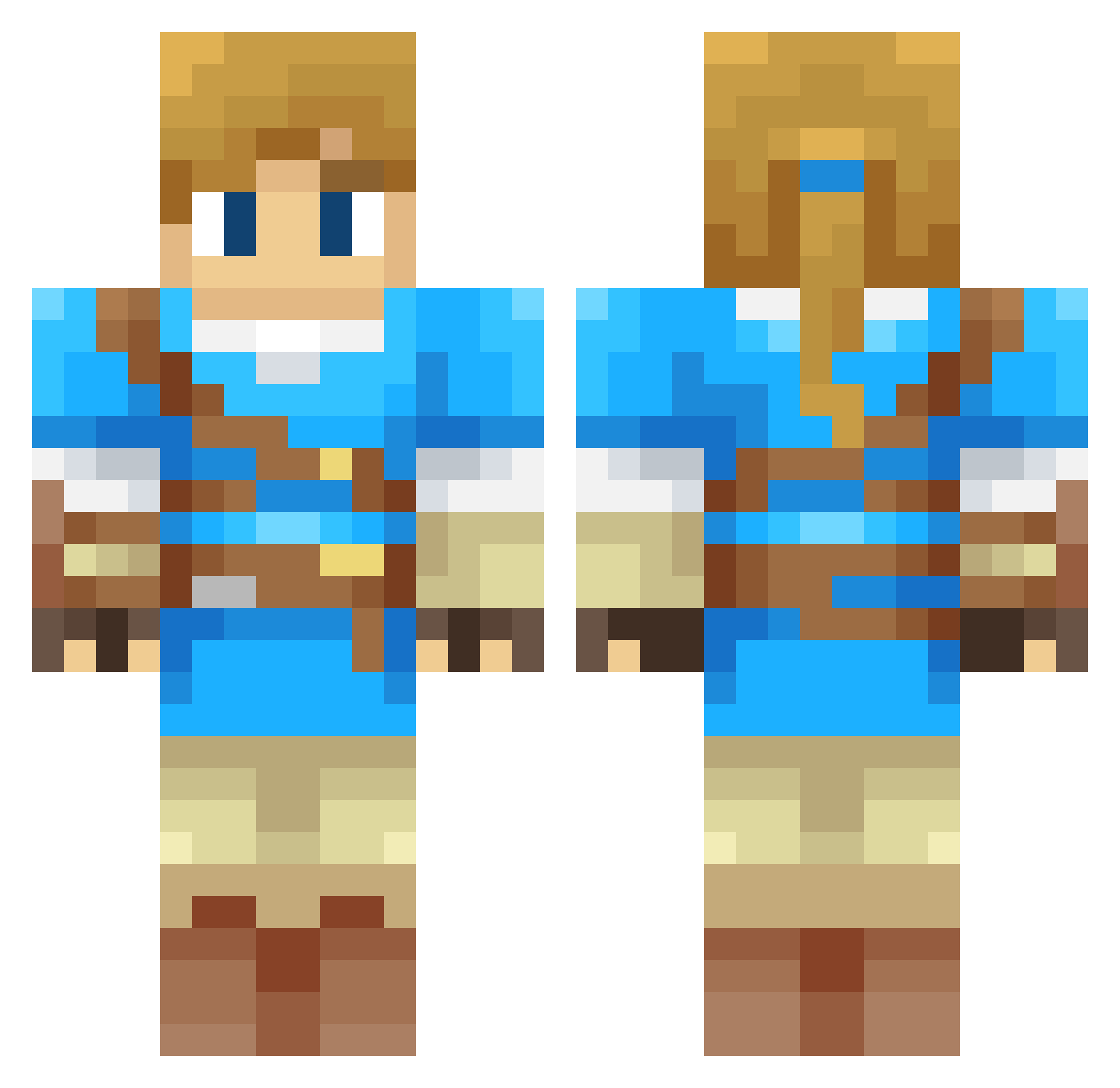
Current Minecraft skin of the player Twigor, loaded from the official Mojang API. Rotate the 3D model with your mouse or finger, then download the skin as a PNG file and use it in Minecraft: Bedrock Edition or Java Edition for free. When Twigor changes their skin, this page updates automatically and the old skin stays in the history below.
Other players with this skin (313)
Twigor was the 200th player we have seen with this skin, first spotted on 28.09.2026. The same skin was seen on these players. Open a nickname to see their current skin and skin history.
 peichin tribulaire BurakVibes BaddieBorgor XiangLai223 ARaines93 Arkhenstone Leonsen19 LegendDove dudeitsZer0 Lokuis cceht_ menglk03 AleSanchez11 elinen90 hanseol1224 LordMinning xGrayl_ Rikuninchen Magidoof77 Junwoo4232 ReadyPlayerXXX TatouRaphyB74 Kizo92 Di_Rex2020 Biggesturtle MajesticCucumber _LI3BE alextg02 JiggleMc P0wergenesis bluesquid7879 D4rkmiBossTmax DeliciousWudon OscarFace92 awesometrace AwesomeChair SmashKart FredStenberg GUMI_SARA Karanach MKLinkProZX2 gmanblock999 Khangx16 Xx_will07_xX Arthur_Dx Humetai GuiltyMax JMamie2005 Link10135 Diamond_King397 raf_kos Ez_Clap_12 Misterbat adrvapor r45c zHuguin24 SimoWano FionnThePaladin Vacielle
More Breath Of The Wild Minecraft skins
See all 154 Breath Of The Wild skins
How to install the Twigor skin
- Press the Download button above to save the skin as a PNG file.
- Minecraft: Bedrock Edition (PE): open the Dressing Room from the main menu (or tap your character → Edit Character), go to Classic Skins → Owned, press the + (new skin) button, choose the downloaded PNG and pick the Classic (Steve) model. Works on PC and mobile; consoles cannot import custom skins.
- Minecraft: Java Edition: open the Minecraft Launcher, go to the Skins tab, click New Skin, load the PNG, pick the Classic (Steve) model and press Save & Use. You can also upload it at minecraft.net → Profile → Change Skin.
The skin does not show up after import - what should I do?
Restart Minecraft and open the Dressing Room again - imported skins sometimes appear only after a restart. Also make sure you selected the imported skin and picked the Classic (Steve) model.
Which model should I choose, Classic or Slim?
This skin is designed for the Classic (Steve) model. If you pick the wrong model, the arms of the skin will look stretched or squeezed.
Is the skin of Twigor free to download?
Yes. Press Download, save the PNG file and use it in Minecraft: Bedrock Edition or Java Edition - no payment or registration needed. The skin also works on multiplayer servers and Realms.
More skins
Looking for more? Go back to all Minecraft skins and check the top skins of the week, month and all time, or find any player's skin by nickname.