
Tuneable27 - Minecraft Skins & Skin History
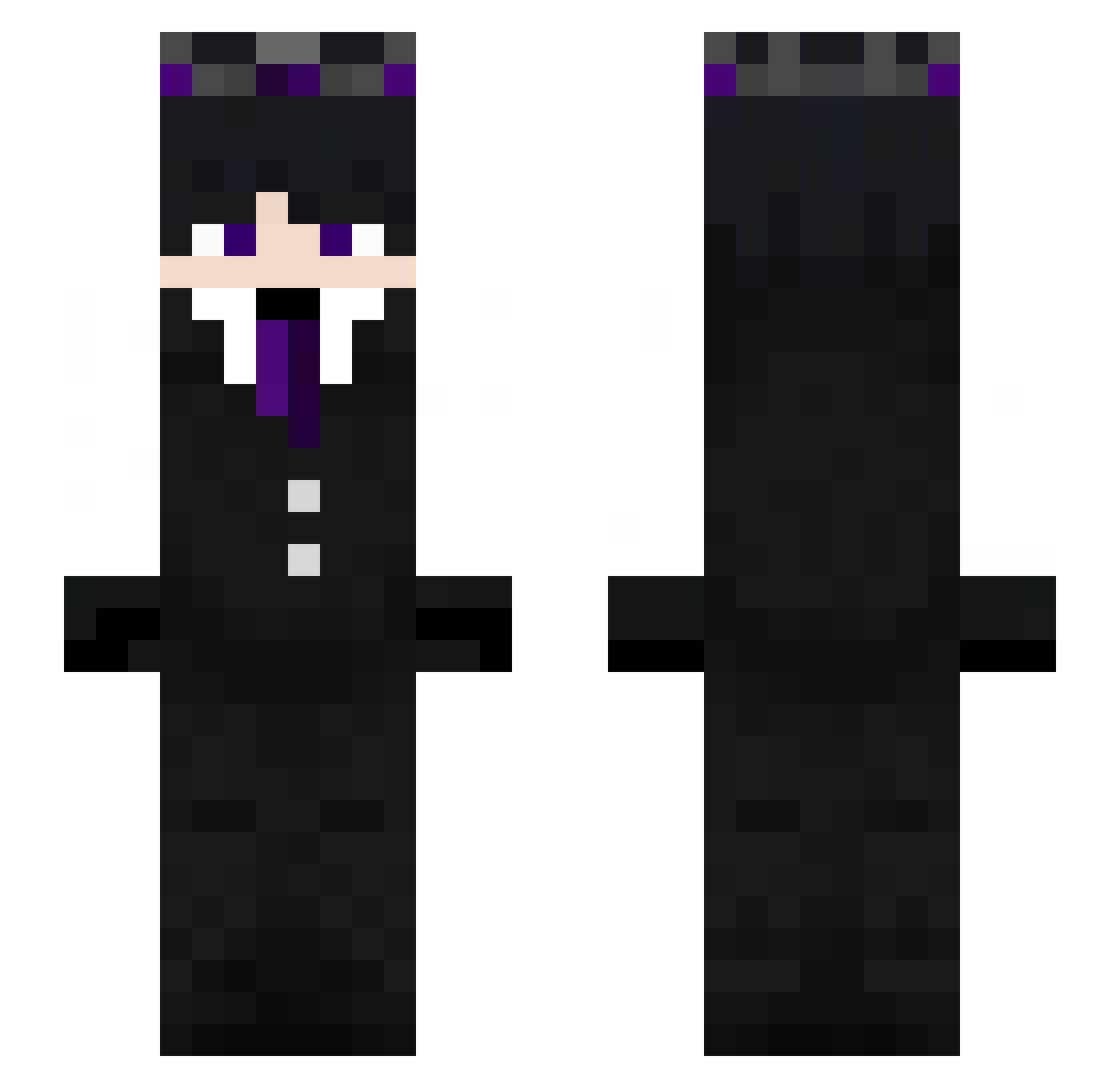
Current Minecraft skin of the player Tuneable27, loaded from the official Mojang API. Rotate the 3D model with your mouse or finger, then download the skin as a PNG file and use it in Minecraft: Bedrock Edition or Java Edition for free. When Tuneable27 changes their skin, this page updates automatically and the old skin stays in the history below.
Other players with this skin (272)
Tuneable27 was the 41st player we have seen with this skin, first spotted on 11.08.2026. The same skin was seen on these players. Open a nickname to see their current skin and skin history.
 Hvidsten08 GabrielBrasil26 Dark1314 _N3xz0 YungSmeagol RJ4WB xRacklezz shrkkodasher Itz_Bono boka_83
 Pitou1312_ De4thBr1nger Tolito05
 Minifastz muse_02 FMgamer08 slowrainzy kaaylow DarkarzomberXx Killerkeks8025 claudinn13 Lukaama Sunless667 jucepi91GG Yo0_ TraceXI Agent_108 Ryuksei
 K3ITHx2 exr0r LinhVale05wUwU zelaux Jonyboi15 pouletdu19 LivaaY_ LokitheBEST DexiZen Hyper_18rip Lupevo Rosa12018 loupgarrout Deenv1r LouqasColon BogdanDLP01 Tanai7 x8u_u ZEROX44 Jonas7474 NecroSword1 KotoroSusumaki ToxicHi1337 2Cool4You_99 Umbraeth andyrkz kanange ItzD3STR0Y3R sprttt_b7 FreezyFredHD matcheuzcabiludo Holyragdoll
More Ender King Minecraft skins
How to install the Tuneable27 skin
- Press the Download button above to save the skin as a PNG file.
- Minecraft: Bedrock Edition (PE): open the Dressing Room from the main menu (or tap your character → Edit Character), go to Classic Skins → Owned, press the + (new skin) button, choose the downloaded PNG and pick the Slim (Alex) model. Works on PC and mobile; consoles cannot import custom skins.
- Minecraft: Java Edition: open the Minecraft Launcher, go to the Skins tab, click New Skin, load the PNG, pick the Slim (Alex) model and press Save & Use. You can also upload it at minecraft.net → Profile → Change Skin.
The skin does not show up after import - what should I do?
Restart Minecraft and open the Dressing Room again - imported skins sometimes appear only after a restart. Also make sure you selected the imported skin and picked the Slim (Alex) model.
Which model should I choose, Classic or Slim?
This skin is designed for the Slim (Alex) model. If you pick the wrong model, the arms of the skin will look stretched or squeezed.
Is the skin of Tuneable27 free to download?
Yes. Press Download, save the PNG file and use it in Minecraft: Bedrock Edition or Java Edition - no payment or registration needed. The skin also works on multiplayer servers and Realms.
More skins
Looking for more? Go back to all Minecraft skins and check the top skins of the week, month and all time, or find any player's skin by nickname.