
Tufor - Minecraft Skins & Skin History
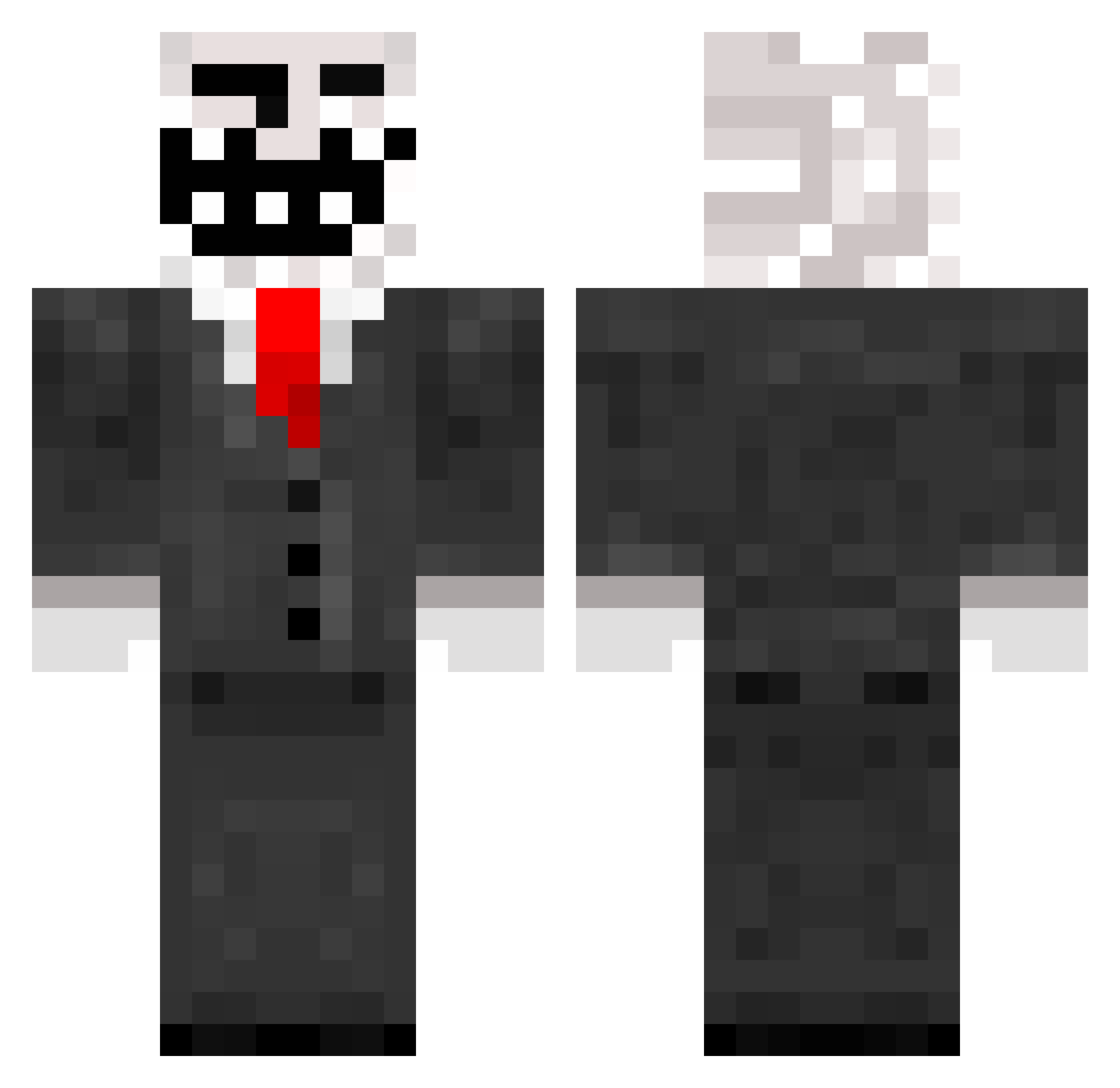
Current Minecraft skin of the player Tufor, loaded from the official Mojang API. Rotate the 3D model with your mouse or finger, then download the skin as a PNG file and use it in Minecraft: Bedrock Edition or Java Edition for free. When Tufor changes their skin, this page updates automatically and the old skin stays in the history below.
Other players with this skin (290)
Tufor was the 98th player we have seen with this skin, first spotted on 31.08.2026. The same skin was seen on these players. Open a nickname to see their current skin and skin history.
 oshrizak ShmickWBA96 dancing_ben gipson520 Ninjawz Dr__Swagger mcBrickbasher ToxicD57 Evolutiion_MC ImNotWealthy MrMinecraft06 rambo05100 Jaden_8 DWan91 BRP0702 0_0Jonathan0_0 xXbigdog2233Xx monkeyman7954 NovaNinja9977 Guitar_Guy2 medievil619 bradenoliver Tokushu monster_boy_02 madzzen Chris237225 danielpwnsu Huffis_pro SuperJoe2003 PacheIbeI Owenaldo10 haz6787 AhmeT_AgA mnems Libary NEXTHYPE123 Btran89 tawanneke lJigsawl ghjhjr7 Blex2002 xfdeviant mr_cook DarvidaTroll Myles9204 DaniMC18 Lagino76 Vzeel Rascalcat TechnoTurtleJ Puertoricofan yanks12 pavlik1824 dgunner567 EcksdeeitsHucky Gingerpoo6969 EasyE100 lbl00 ZimqixZ Golden_Rod
More Trollface Minecraft skins
How to install the Tufor skin
- Press the Download button above to save the skin as a PNG file.
- Minecraft: Bedrock Edition (PE): open the Dressing Room from the main menu (or tap your character → Edit Character), go to Classic Skins → Owned, press the + (new skin) button, choose the downloaded PNG and pick the Classic (Steve) model. Works on PC and mobile; consoles cannot import custom skins.
- Minecraft: Java Edition: open the Minecraft Launcher, go to the Skins tab, click New Skin, load the PNG, pick the Classic (Steve) model and press Save & Use. You can also upload it at minecraft.net → Profile → Change Skin.
The skin does not show up after import - what should I do?
Restart Minecraft and open the Dressing Room again - imported skins sometimes appear only after a restart. Also make sure you selected the imported skin and picked the Classic (Steve) model.
Which model should I choose, Classic or Slim?
This skin is designed for the Classic (Steve) model. If you pick the wrong model, the arms of the skin will look stretched or squeezed.
Is the skin of Tufor free to download?
Yes. Press Download, save the PNG file and use it in Minecraft: Bedrock Edition or Java Edition - no payment or registration needed. The skin also works on multiplayer servers and Realms.
More skins
Looking for more? Go back to all Minecraft skins and check the top skins of the week, month and all time, or find any player's skin by nickname.