
Tubso - Minecraft Skins & Skin History
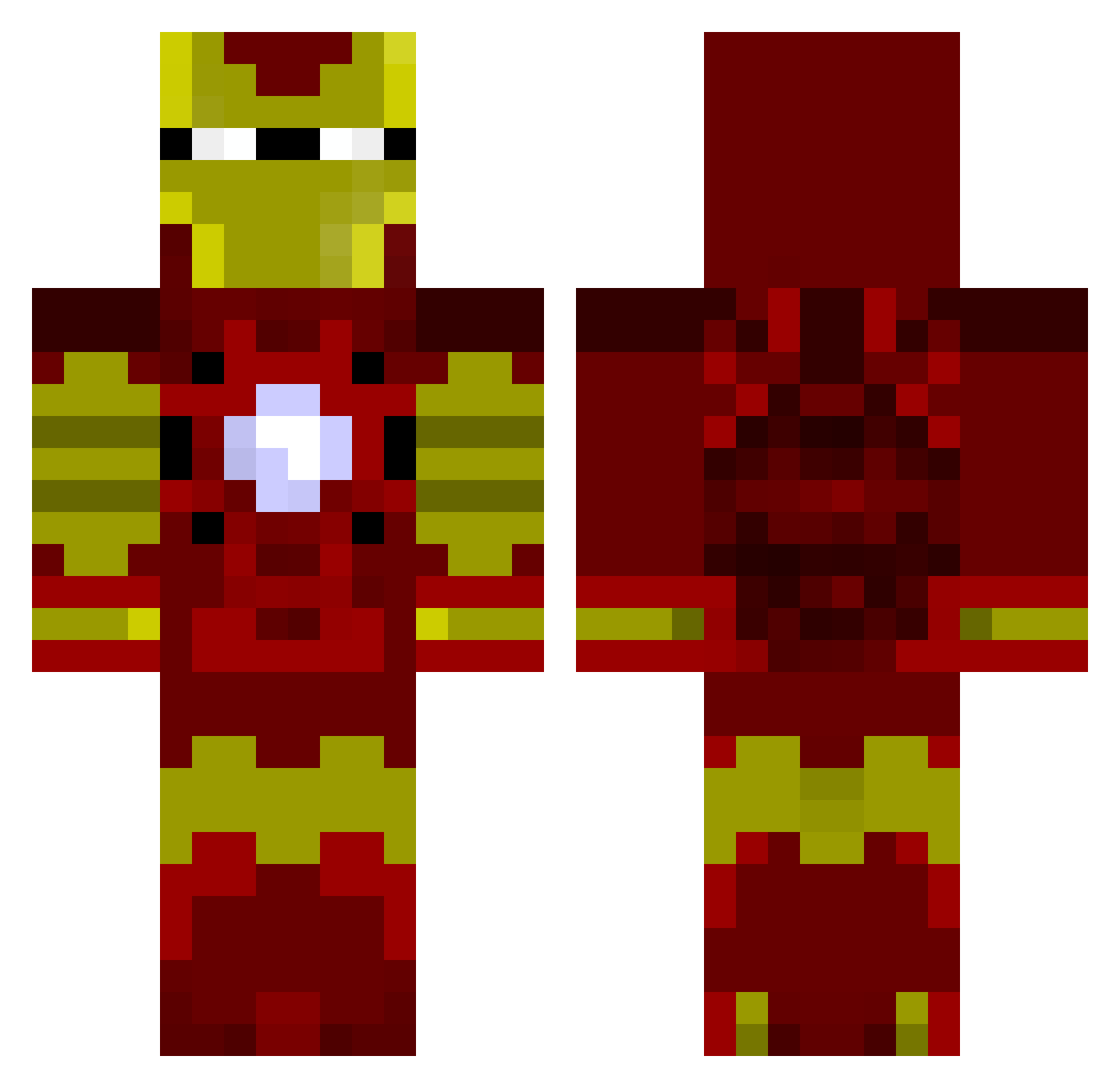
Current Minecraft skin of the player Tubso, loaded from the official Mojang API. Rotate the 3D model with your mouse or finger, then download the skin as a PNG file and use it in Minecraft: Bedrock Edition or Java Edition for free. When Tubso changes their skin, this page updates automatically and the old skin stays in the history below.
Other players with this skin (803)
Tubso was the 767th player we have seen with this skin, first spotted on 17.10.2026. The same skin was seen on these players. Open a nickname to see their current skin and skin history.
 DEEJAYJANKS Steelersboy101 Controllr1 chewly traitor0454 TinyyBunny xxRandalxx cobaxe nenesimon ScRewManHD Ciano16 Shendry foxtrot2442 chazza_1999 Houdeaniee BumbleJoke Indoow CallMeZake Maksim2009 pimpernelpue Superironman525 Joshuam2501 Celestial_Knight MarcusAragon For_No_Purpose KrazyChris1 MAGICzZxSHOTzZ SkyLazer1 liamoellis countiy stealth_tomzo george_bunn leeshadow27 DonHuan omerhangur GoHomePlease Rodney__McKay theking415246 timbermar ManOnTheMoon46 Legend_Dairy oskar_a11 gustanado thedarkalex76 RealPotatochip Molle1234 famizy_125 Sadoxi AnaiyaDominique Dcrypt69 Minehooligan Snikers97 PudinDeYuMo bigfish1313 CompactedShoe53 AceK14 MoeFukka Crispy_Square atsushi1094 wardyw
More Iron Man Minecraft skins
How to install the Tubso skin
- Press the Download button above to save the skin as a PNG file.
- Minecraft: Bedrock Edition (PE): open the Dressing Room from the main menu (or tap your character → Edit Character), go to Classic Skins → Owned, press the + (new skin) button, choose the downloaded PNG and pick the Classic (Steve) model. Works on PC and mobile; consoles cannot import custom skins.
- Minecraft: Java Edition: open the Minecraft Launcher, go to the Skins tab, click New Skin, load the PNG, pick the Classic (Steve) model and press Save & Use. You can also upload it at minecraft.net → Profile → Change Skin.
The skin does not show up after import - what should I do?
Restart Minecraft and open the Dressing Room again - imported skins sometimes appear only after a restart. Also make sure you selected the imported skin and picked the Classic (Steve) model.
Which model should I choose, Classic or Slim?
This skin is designed for the Classic (Steve) model. If you pick the wrong model, the arms of the skin will look stretched or squeezed.
Is the skin of Tubso free to download?
Yes. Press Download, save the PNG file and use it in Minecraft: Bedrock Edition or Java Edition - no payment or registration needed. The skin also works on multiplayer servers and Realms.
More skins
Looking for more? Go back to all Minecraft skins and check the top skins of the week, month and all time, or find any player's skin by nickname.