
TsugumiO - Minecraft Skins & Skin History
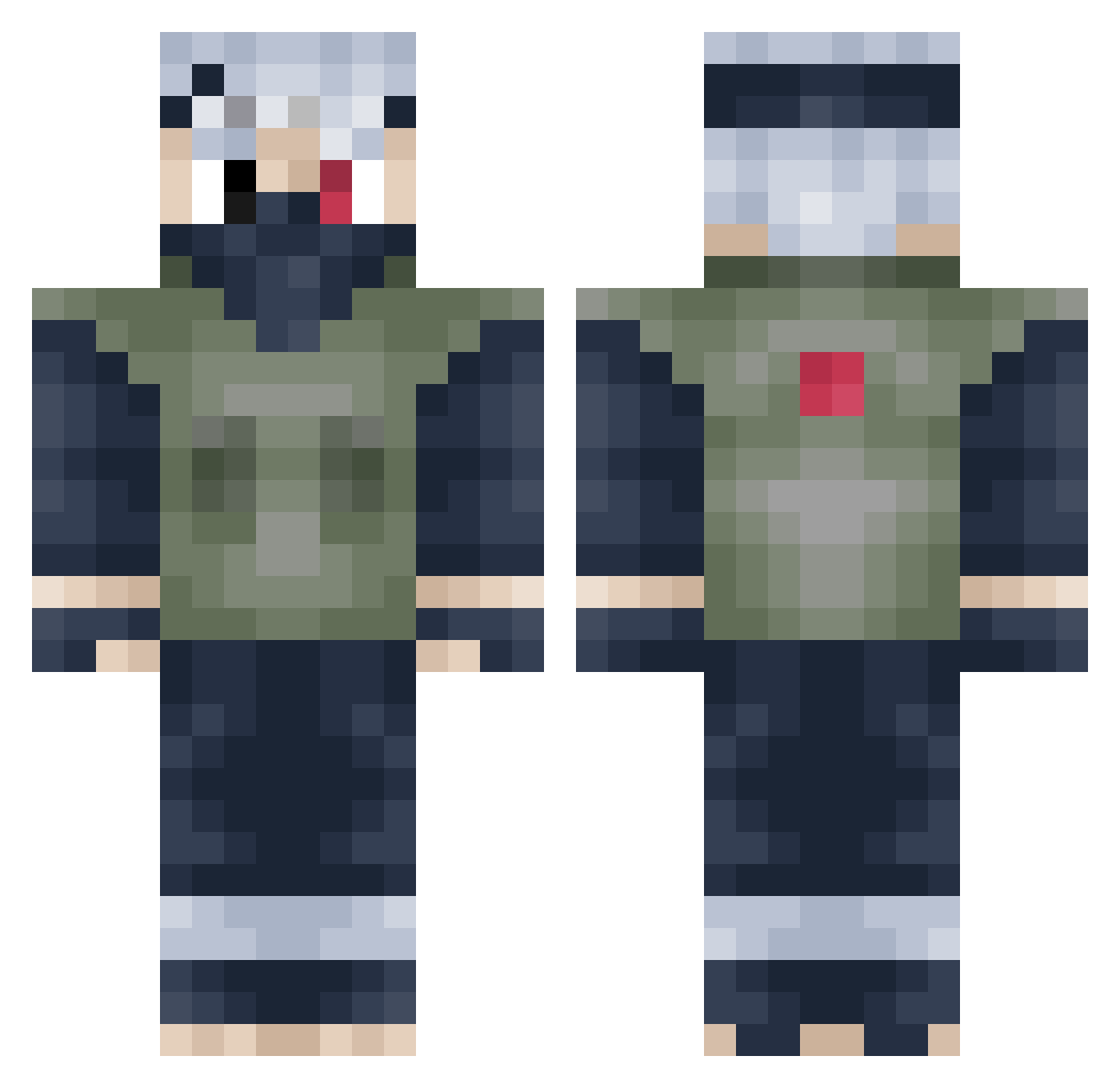
Current Minecraft skin of the player TsugumiO, loaded from the official Mojang API. Rotate the 3D model with your mouse or finger, then download the skin as a PNG file and use it in Minecraft: Bedrock Edition or Java Edition for free. When TsugumiO changes their skin, this page updates automatically and the old skin stays in the history below.
Other players with this skin (398)
TsugumiO was the 168th player we have seen with this skin, first spotted on 04.09.2026. The same skin was seen on these players. Open a nickname to see their current skin and skin history.
 NoahTh974 oceanmotion Himothy23 Lekstron Jerzzzy lichtvolleswesen ThatBoy_Angel bigbadman0121 MLino SooFlyy SeNNNZaTIoN bugid x_Kenai_x H0MERR Phrog6969 yoFlayy MOMOSHIKI999 compositionx3 Planelight69 Sn3azz KoinCZE youngturkey Killersquadron5 yjneoog666 _H4UNT3R_ K3v1ar chenqaq1122 M0SCKY vElastics KibaPlays mmr05 KritixE54 ayeyawn Squishyba eg060 jaymantogood Beaudius RastaWarrior1312 ShadowAP17 nedak3000 123Adrian456 Roachhhh MelkerHammar Largo94 DrWagnariaJr Zk_Cullen JollySquash xKing671 MikeySouls SasoriEz schneizi04 jusjosh8 MingYiching JoklMine Ajwo MDBANSHEE Taquero_ mimilafrite schultzeey DaJuul
More Kakashi Hatake Minecraft skins
See all 468 Kakashi Hatake skins
How to install the TsugumiO skin
- Press the Download button above to save the skin as a PNG file.
- Minecraft: Bedrock Edition (PE): open the Dressing Room from the main menu (or tap your character → Edit Character), go to Classic Skins → Owned, press the + (new skin) button, choose the downloaded PNG and pick the Classic (Steve) model. Works on PC and mobile; consoles cannot import custom skins.
- Minecraft: Java Edition: open the Minecraft Launcher, go to the Skins tab, click New Skin, load the PNG, pick the Classic (Steve) model and press Save & Use. You can also upload it at minecraft.net → Profile → Change Skin.
The skin does not show up after import - what should I do?
Restart Minecraft and open the Dressing Room again - imported skins sometimes appear only after a restart. Also make sure you selected the imported skin and picked the Classic (Steve) model.
Which model should I choose, Classic or Slim?
This skin is designed for the Classic (Steve) model. If you pick the wrong model, the arms of the skin will look stretched or squeezed.
Is the skin of TsugumiO free to download?
Yes. Press Download, save the PNG file and use it in Minecraft: Bedrock Edition or Java Edition - no payment or registration needed. The skin also works on multiplayer servers and Realms.
More skins
Looking for more? Go back to all Minecraft skins and check the top skins of the week, month and all time, or find any player's skin by nickname.