
TripleTungg - Minecraft Skins & Skin History
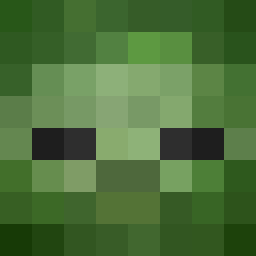
Current Minecraft skin of the player TripleTungg, loaded from the official Mojang API. Rotate the 3D model with your mouse or finger, then download the skin as a PNG file and use it in Minecraft: Bedrock Edition or Java Edition for free. When TripleTungg changes their skin, this page updates automatically and the old skin stays in the history below.

Other players with this skin (13390)
TripleTungg was the 5823rd player we have seen with this skin, first spotted on 12.09.2026. The same skin was seen on these players. Open a nickname to see their current skin and skin history.
 GreyBo_ andrebznsmsk
 evioo Fashionableape Mokush why_hype Arthur_Morgan_34 Belord boogington Dxrq jayspongee shadow_saber_ pizzachef300 FrujIP StrayGenesis AntonySearle AILLO_ lilpupu Velstrix DaFreightTrain Unity12895 RIN751469 Genkat731 WinglessTea7437 uninfused The0_du_57 _Ruh_ sadexa ASCENDER_LOOKX sama3373 ellegoat dedpsi pikuxe camong Puristic alpaca134 SaltyKitten9409 Hawesko 4861809 TrueChain MARIOISOP Xofazz GeorgeWKush76 Nevuvio Bagi_me Blodorag D2D2D2 lewsky Aslannd feiKand Albert53534 Kiawrii M3nnii ajs_racer09 afloat Adamos31 GataLeMoine theiozyurt Markovskidjj gonzalolo
How to install the TripleTungg skin
- Press the Download button above to save the skin as a PNG file.
- Minecraft: Bedrock Edition (PE): open the Dressing Room from the main menu (or tap your character → Edit Character), go to Classic Skins → Owned, press the + (new skin) button, choose the downloaded PNG and pick the Classic (Steve) model. Works on PC and mobile; consoles cannot import custom skins.
- Minecraft: Java Edition: open the Minecraft Launcher, go to the Skins tab, click New Skin, load the PNG, pick the Classic (Steve) model and press Save & Use. You can also upload it at minecraft.net → Profile → Change Skin.
The skin does not show up after import - what should I do?
Restart Minecraft and open the Dressing Room again - imported skins sometimes appear only after a restart. Also make sure you selected the imported skin and picked the Classic (Steve) model.
Which model should I choose, Classic or Slim?
This skin is designed for the Classic (Steve) model. If you pick the wrong model, the arms of the skin will look stretched or squeezed.
Is the skin of TripleTungg free to download?
Yes. Press Download, save the PNG file and use it in Minecraft: Bedrock Edition or Java Edition - no payment or registration needed. The skin also works on multiplayer servers and Realms.
More skins
Looking for more? Go back to all Minecraft skins and check the top skins of the week, month and all time, or find any player's skin by nickname.