
Triguinho - Minecraft Skins & Skin History
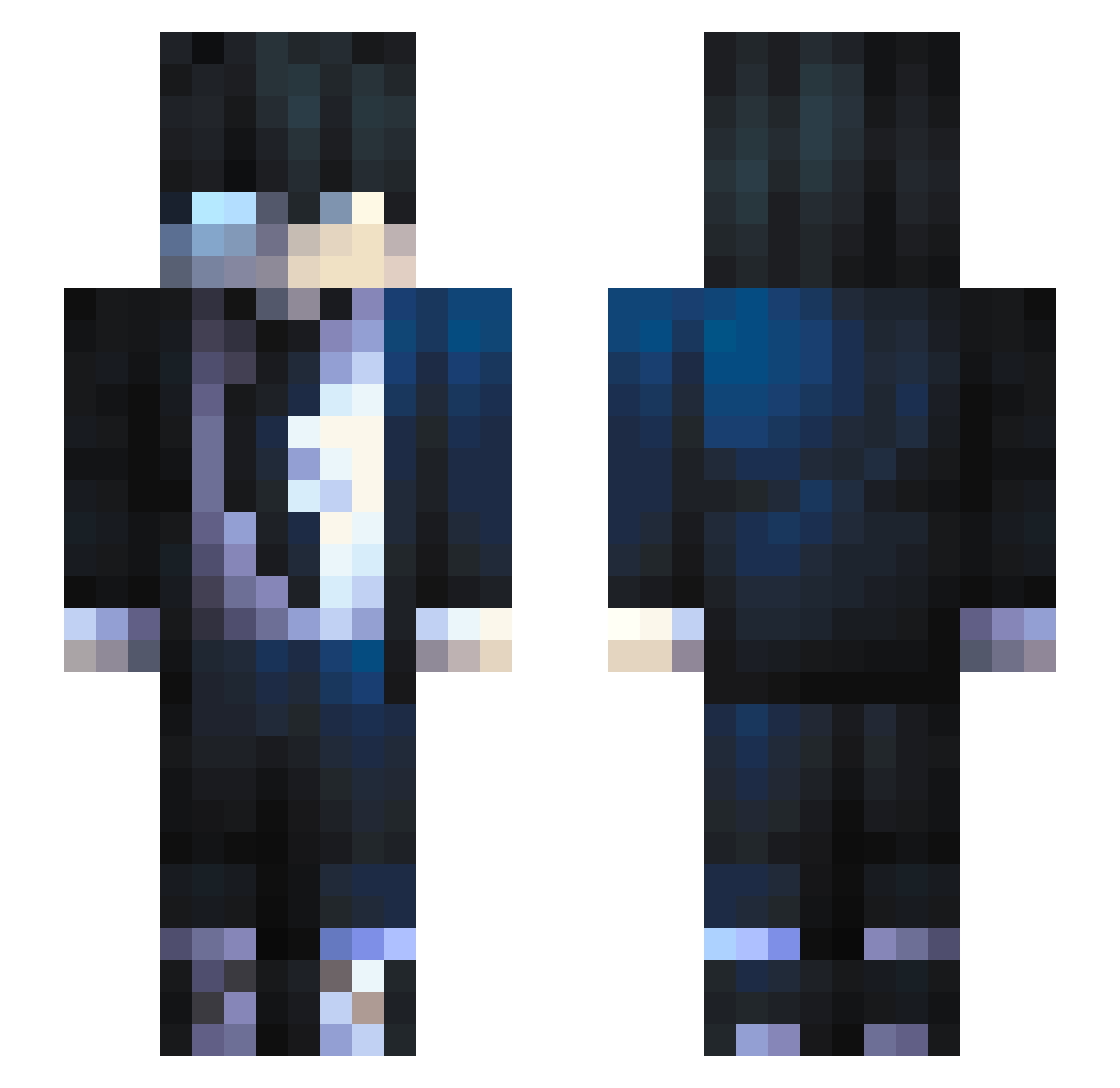
Current Minecraft skin of the player Triguinho, loaded from the official Mojang API. Rotate the 3D model with your mouse or finger, then download the skin as a PNG file and use it in Minecraft: Bedrock Edition or Java Edition for free. When Triguinho changes their skin, this page updates automatically and the old skin stays in the history below.
Other players with this skin (800)
Triguinho was the 783rd player we have seen with this skin, first spotted on 17.11.2026. The same skin was seen on these players. Open a nickname to see their current skin and skin history.
 zedeus1 Melvocrafter Themanfrommonaco Grunton iDangers Mcdonite209 EtheralSword MrTuffnStuff erpang06 Evil_Akuma66 Darkhammer47 GRIGORIGO _kyle__ AZIZ6586 Husgo_ macandbobbi Ashborn_100 CptHell SpBraydou OETTAMER Samkiiz_ skex9 SnizzyKung Thurder ManLikeMark Harpie_Off FrancoDAce Xigerno BANC902 silverfoxhound7 Kitomolo fIashzz CraneV2 Raelfe Am0_4U Doudou59 Caspro6969 Mathzeira Espi1985 Xelem_ FrankoderAkuma zeven2021 jeapeax Maviay5353 GabisEsfolaGroot Zcythe9 ORIONIPER WyzeenHp Donovanth Lie58 etwrnity Universalle DorVeS Ouwari Y3C3 ConH0f dim_96 Daddy_Define XahoyGaming Corazon_R
How to install the Triguinho skin
- Press the Download button above to save the skin as a PNG file.
- Minecraft: Bedrock Edition (PE): open the Dressing Room from the main menu (or tap your character → Edit Character), go to Classic Skins → Owned, press the + (new skin) button, choose the downloaded PNG and pick the Slim (Alex) model. Works on PC and mobile; consoles cannot import custom skins.
- Minecraft: Java Edition: open the Minecraft Launcher, go to the Skins tab, click New Skin, load the PNG, pick the Slim (Alex) model and press Save & Use. You can also upload it at minecraft.net → Profile → Change Skin.
The skin does not show up after import - what should I do?
Restart Minecraft and open the Dressing Room again - imported skins sometimes appear only after a restart. Also make sure you selected the imported skin and picked the Slim (Alex) model.
Which model should I choose, Classic or Slim?
This skin is designed for the Slim (Alex) model. If you pick the wrong model, the arms of the skin will look stretched or squeezed.
Is the skin of Triguinho free to download?
Yes. Press Download, save the PNG file and use it in Minecraft: Bedrock Edition or Java Edition - no payment or registration needed. The skin also works on multiplayer servers and Realms.
More skins
Looking for more? Go back to all Minecraft skins and check the top skins of the week, month and all time, or find any player's skin by nickname.