
Trexy5880 - Minecraft Skins & Skin History
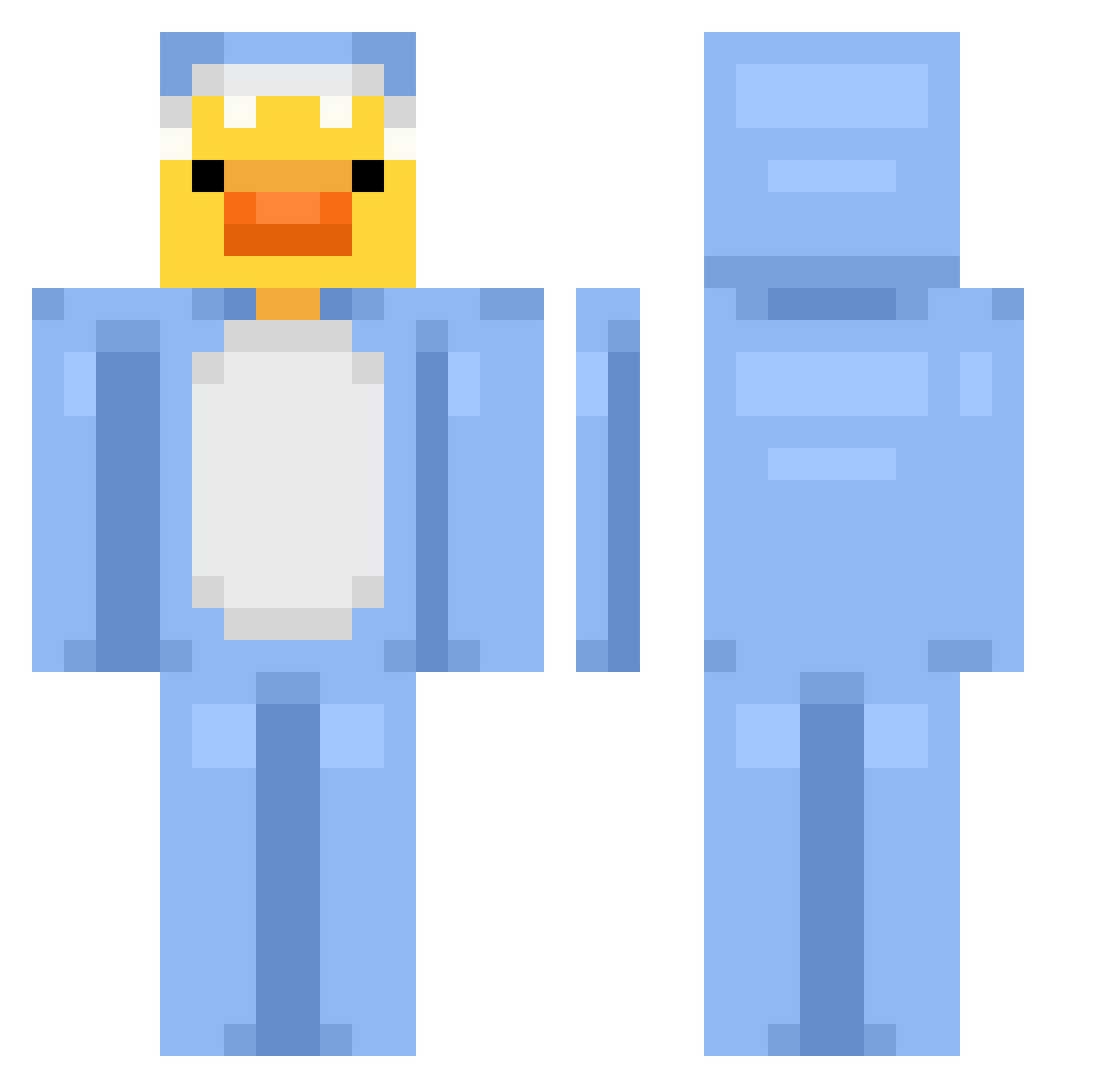
Current Minecraft skin of the player Trexy5880, loaded from the official Mojang API. Rotate the 3D model with your mouse or finger, then download the skin as a PNG file and use it in Minecraft: Bedrock Edition or Java Edition for free. When Trexy5880 changes their skin, this page updates automatically and the old skin stays in the history below.
Other players with this skin (864)
Trexy5880 was the 822nd player we have seen with this skin, first spotted on 05.11.2026. The same skin was seen on these players. Open a nickname to see their current skin and skin history.
 sss1008 VeronicaGrace25 zPratta_ glutenfreegrape darklns jcchannel5 Not_infamous ruxa1 Why1243 yxqwer gigibird07 Prettyi wilson2427 Rasseruffe Zowpe Chani_Mon Xyro777 Kim_Toilet_paper decopin2 Rxpz_ Kerem316931 JunHyoungzzzang Evdacrusha46 GokdenizWizer SITKI_ ReadonReal PhoenixRetro AriYT spookyquaso Hao0824 Fallinw SvXey Bilelkkb mskcfn yulisilveira peperon0007 SadboiHAPPY coolshark921 NemLor Titanduck fmc0 T0adJuice Giorgioalmeida TonkaMonka Cheng051212 Maximiliano03 lilneek I_am_Sharky Shakeraaa Puncn panda654321 Na_kne DetestedStew666 LexiRze ARONSK rekkariini ling_ling006 So__1 cowgirlcheri xZaqqx
More Onesie Minecraft skins
How to install the Trexy5880 skin
- Press the Download button above to save the skin as a PNG file.
- Minecraft: Bedrock Edition (PE): open the Dressing Room from the main menu (or tap your character → Edit Character), go to Classic Skins → Owned, press the + (new skin) button, choose the downloaded PNG and pick the Classic (Steve) model. Works on PC and mobile; consoles cannot import custom skins.
- Minecraft: Java Edition: open the Minecraft Launcher, go to the Skins tab, click New Skin, load the PNG, pick the Classic (Steve) model and press Save & Use. You can also upload it at minecraft.net → Profile → Change Skin.
The skin does not show up after import - what should I do?
Restart Minecraft and open the Dressing Room again - imported skins sometimes appear only after a restart. Also make sure you selected the imported skin and picked the Classic (Steve) model.
Which model should I choose, Classic or Slim?
This skin is designed for the Classic (Steve) model. If you pick the wrong model, the arms of the skin will look stretched or squeezed.
Is the skin of Trexy5880 free to download?
Yes. Press Download, save the PNG file and use it in Minecraft: Bedrock Edition or Java Edition - no payment or registration needed. The skin also works on multiplayer servers and Realms.
More skins
Looking for more? Go back to all Minecraft skins and check the top skins of the week, month and all time, or find any player's skin by nickname.