
Trauttenberg - Minecraft Skins & Skin History
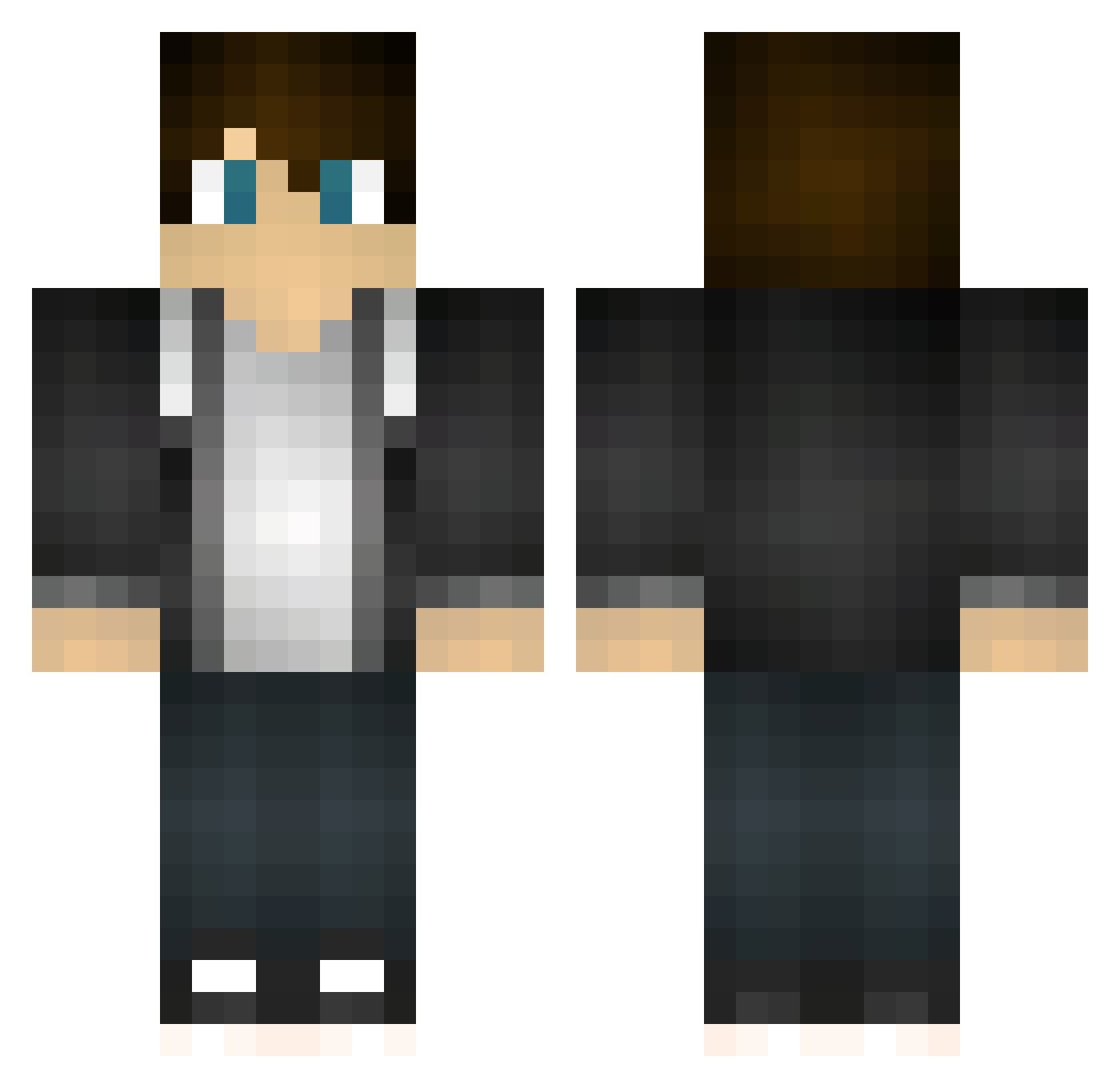
Current Minecraft skin of the player Trauttenberg, loaded from the official Mojang API. Rotate the 3D model with your mouse or finger, then download the skin as a PNG file and use it in Minecraft: Bedrock Edition or Java Edition for free. When Trauttenberg changes their skin, this page updates automatically and the old skin stays in the history below.
Other players with this skin (137)
Trauttenberg was the 20th player we have seen with this skin, first spotted on 11.08.2026. The same skin was seen on these players. Open a nickname to see their current skin and skin history.
 samislief d0o0b Iamsinkman123 mister_huang LonelyYan siro102 zero198602 xuanshaoah LegoYoda999 donbstgk Hjing207 rowanmcintyre7 Ra55ukka mrtaisho DaztanTTV Map1e03 Kolkkaaja Nartin56 Gluttonymg ohbson1234 Endersword15 Sjoerd1812 CodyBear333 TheEnterTainter TeLunSu999 Shortymaniac ChumbleChan Rom_s Merx081 baile463 ZynSynsa JordanRider _HacQuanVu Xumillion Mr_Cuprum konkahyang TheDeadSea kemiy08 Vlaand _0x01 ElectricSam9 Prophate Kieyes huige2 Mo_huai Sakel_ Bigmouse293 Zack9078 Barry_Maker _Magy Nilcial Trumlschruml Barrenwood xiaokai_666 y3rk0 CWanGe XIAOXUAN426 ffuitw Pheno84 yaoye9985
How to install the Trauttenberg skin
- Press the Download button above to save the skin as a PNG file.
- Minecraft: Bedrock Edition (PE): open the Dressing Room from the main menu (or tap your character → Edit Character), go to Classic Skins → Owned, press the + (new skin) button, choose the downloaded PNG and pick the Classic (Steve) model. Works on PC and mobile; consoles cannot import custom skins.
- Minecraft: Java Edition: open the Minecraft Launcher, go to the Skins tab, click New Skin, load the PNG, pick the Classic (Steve) model and press Save & Use. You can also upload it at minecraft.net → Profile → Change Skin.
The skin does not show up after import - what should I do?
Restart Minecraft and open the Dressing Room again - imported skins sometimes appear only after a restart. Also make sure you selected the imported skin and picked the Classic (Steve) model.
Which model should I choose, Classic or Slim?
This skin is designed for the Classic (Steve) model. If you pick the wrong model, the arms of the skin will look stretched or squeezed.
Is the skin of Trauttenberg free to download?
Yes. Press Download, save the PNG file and use it in Minecraft: Bedrock Edition or Java Edition - no payment or registration needed. The skin also works on multiplayer servers and Realms.
More skins
Looking for more? Go back to all Minecraft skins and check the top skins of the week, month and all time, or find any player's skin by nickname.