
Traume - Minecraft Skins & Skin History
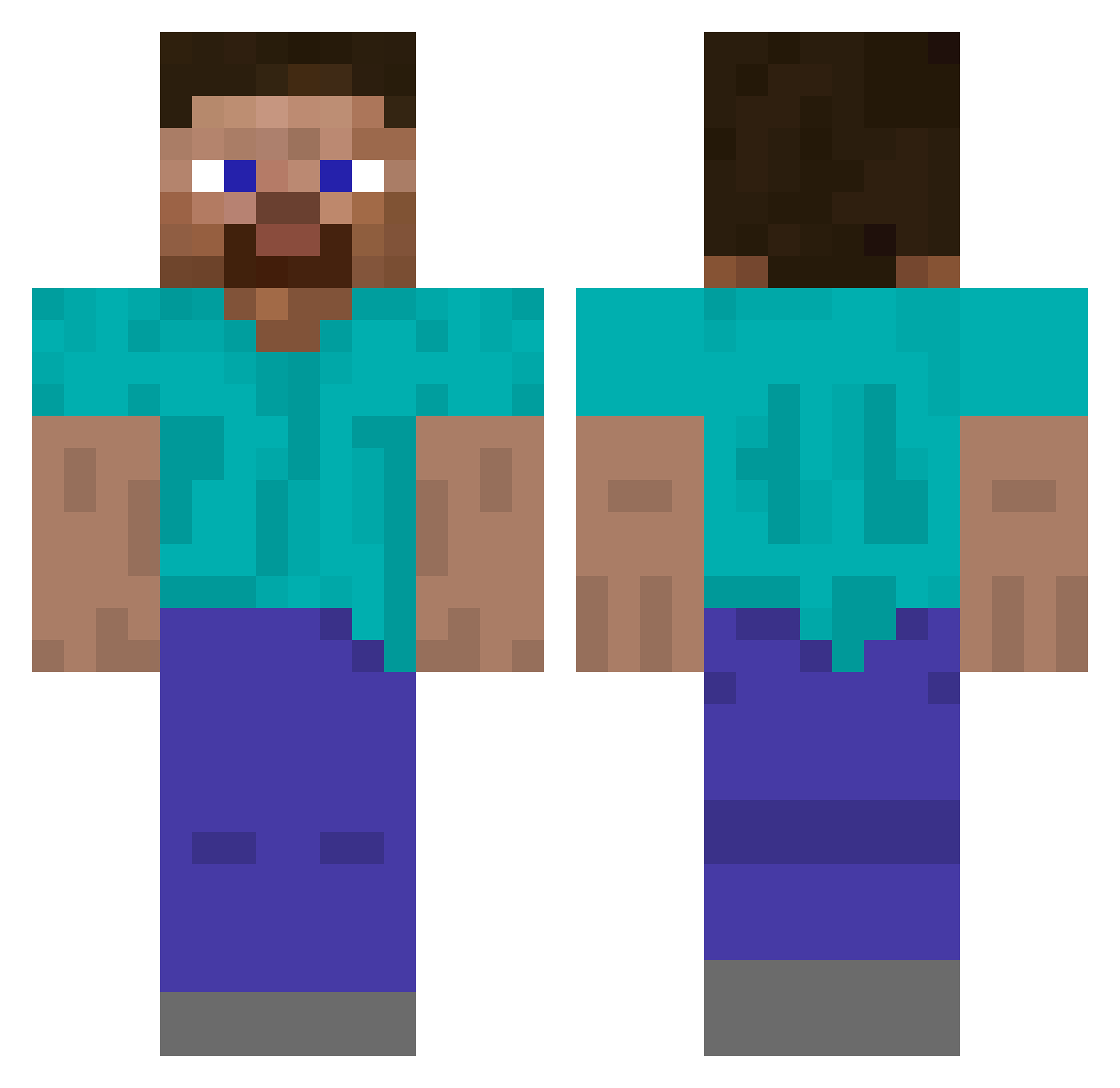
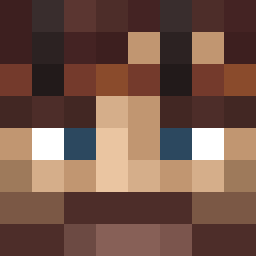
Current Minecraft skin of the player Traume, loaded from the official Mojang API. Rotate the 3D model with your mouse or finger, then download the skin as a PNG file and use it in Minecraft: Bedrock Edition or Java Edition for free. When Traume changes their skin, this page updates automatically and the old skin stays in the history below.
Other players with this skin (488)
Traume was the 75th player we have seen with this skin, first spotted on 09.08.2026. The same skin was seen on these players. Open a nickname to see their current skin and skin history.
 norpy11 EagerPegasus11 keybi1327 Chioakgrove klimma1508 d371 Aurele_ Mushy_Socket9 DownGamer Deko____ NamelessNP HogginDog ee_dave LargoMC
 stary_exe
 _Pajamas stannik2 Minebomber909 PurpleLightning9 GunnerBomb
 Spellcrafter54 Vis_la_Vie ChoppyMan nattyboy8162 117legend Crobber SwagLikeThat Otaske boopsieoopsie TheBroken_Record Butters0809 MRL_k robster2111 LeCaydenWasTaken HW108 Ringua Blisticsquid850 RobotJones12
 Salted_Pumpkiin Slugy
 MIGHT3Y NakaaGG GavotteEnRondeau thekacper133 Bubuzyana farsight321 LocketWice SaycoJoker__ ZoneP_ F4TD0GG shiro1319 TheGuy27s Badali5 UrAvgTherapist Fyrstikk_eske FTWFuZioN fronkxii Beefjeef sethp1228 HurtzPlayz
How to install the Traume skin
- Press the Download button above to save the skin as a PNG file.
- Minecraft: Bedrock Edition (PE): open the Dressing Room from the main menu (or tap your character → Edit Character), go to Classic Skins → Owned, press the + (new skin) button, choose the downloaded PNG and pick the Classic (Steve) model. Works on PC and mobile; consoles cannot import custom skins.
- Minecraft: Java Edition: open the Minecraft Launcher, go to the Skins tab, click New Skin, load the PNG, pick the Classic (Steve) model and press Save & Use. You can also upload it at minecraft.net → Profile → Change Skin.
The skin does not show up after import - what should I do?
Restart Minecraft and open the Dressing Room again - imported skins sometimes appear only after a restart. Also make sure you selected the imported skin and picked the Classic (Steve) model.
Which model should I choose, Classic or Slim?
This skin is designed for the Classic (Steve) model. If you pick the wrong model, the arms of the skin will look stretched or squeezed.
Is the skin of Traume free to download?
Yes. Press Download, save the PNG file and use it in Minecraft: Bedrock Edition or Java Edition - no payment or registration needed. The skin also works on multiplayer servers and Realms.
More skins
Looking for more? Go back to all Minecraft skins and check the top skins of the week, month and all time, or find any player's skin by nickname.