
Trackhawkk - Minecraft Skins & Skin History
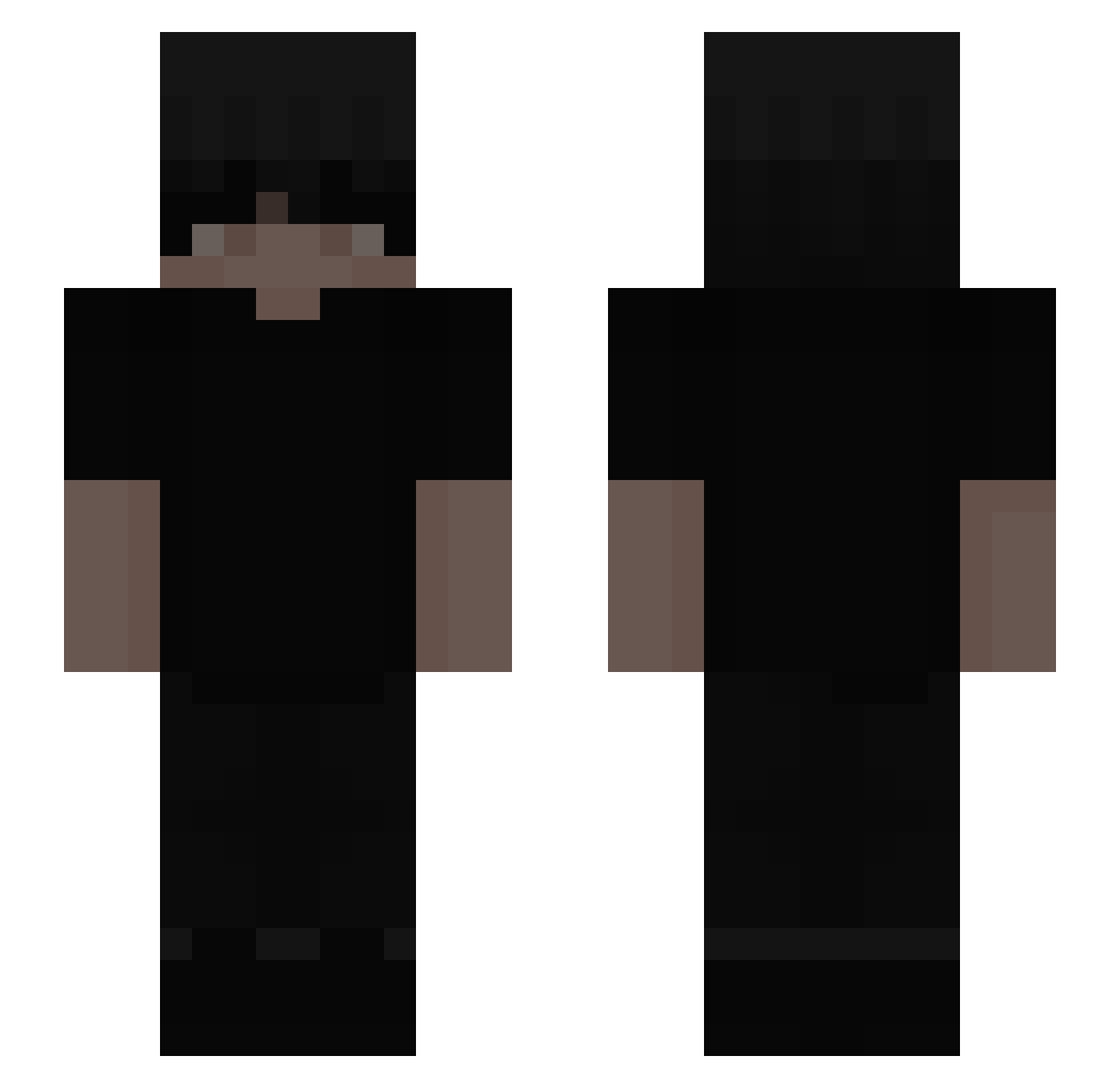
Current Minecraft skin of the player Trackhawkk, loaded from the official Mojang API. Rotate the 3D model with your mouse or finger, then download the skin as a PNG file and use it in Minecraft: Bedrock Edition or Java Edition for free. When Trackhawkk changes their skin, this page updates automatically and the old skin stays in the history below.
Other players with this skin (286)
Trackhawkk was the 214th player we have seen with this skin, first spotted on 13.10.2026. The same skin was seen on these players. Open a nickname to see their current skin and skin history.
 Shlopy Fliqz07 nomalfoy Shootalot aspecttii Mommy1226 69isbest oSkibidiGooner X_MrMustafa TruTiger DrzPhantomzYT ElSpoon Moeezfortnite92 Synfuly DAYxLAP sheartedsoul arzzza_ Terehomes 10Soap10 CqrlosX xJohn7 Sadece_Emir stelai Chboi Rnzinnnnnn MCQUEEN_1 ItsAlex42 Asi_777 respect_mo ItsSiicko SpiderDrippy CodeNameAjPyscho zachariyn Dejw422 helka4322 KittTaken Taq_wx pokoraa Maiknque AI69 Schlingel67 ITz_Mark_US Hippo_Razor darkfr0_st DavidNguYen182 iM6Ri altairez Anexmo Blimeyy Kubusiek098 HYS4912 ynnjins su8k miistidc Andressgl Fluuce ilovejessy Vyncszz n6a4 _Sventastc
More Emo Minecraft skins
How to install the Trackhawkk skin
- Press the Download button above to save the skin as a PNG file.
- Minecraft: Bedrock Edition (PE): open the Dressing Room from the main menu (or tap your character → Edit Character), go to Classic Skins → Owned, press the + (new skin) button, choose the downloaded PNG and pick the Slim (Alex) model. Works on PC and mobile; consoles cannot import custom skins.
- Minecraft: Java Edition: open the Minecraft Launcher, go to the Skins tab, click New Skin, load the PNG, pick the Slim (Alex) model and press Save & Use. You can also upload it at minecraft.net → Profile → Change Skin.
The skin does not show up after import - what should I do?
Restart Minecraft and open the Dressing Room again - imported skins sometimes appear only after a restart. Also make sure you selected the imported skin and picked the Slim (Alex) model.
Which model should I choose, Classic or Slim?
This skin is designed for the Slim (Alex) model. If you pick the wrong model, the arms of the skin will look stretched or squeezed.
Is the skin of Trackhawkk free to download?
Yes. Press Download, save the PNG file and use it in Minecraft: Bedrock Edition or Java Edition - no payment or registration needed. The skin also works on multiplayer servers and Realms.
More skins
Looking for more? Go back to all Minecraft skins and check the top skins of the week, month and all time, or find any player's skin by nickname.