
ToptenNoam - Minecraft Skins & Skin History
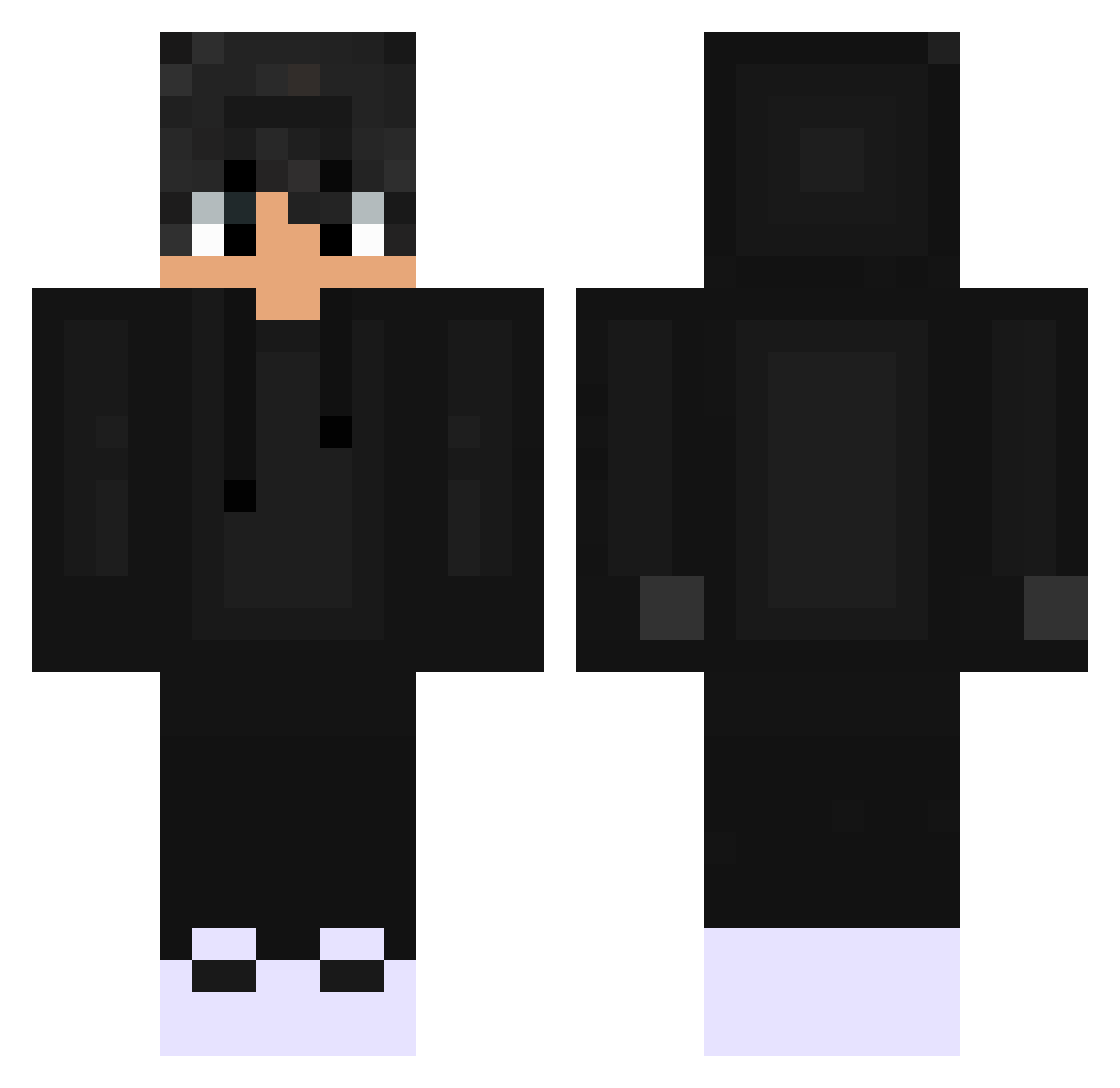
Current Minecraft skin of the player ToptenNoam, loaded from the official Mojang API. Rotate the 3D model with your mouse or finger, then download the skin as a PNG file and use it in Minecraft: Bedrock Edition or Java Edition for free. When ToptenNoam changes their skin, this page updates automatically and the old skin stays in the history below.
Other players with this skin (529)
ToptenNoam was the 395th player we have seen with this skin, first spotted on 11.10.2026. The same skin was seen on these players. Open a nickname to see their current skin and skin history.
 cmpcGeorge123 GoldenTC Ruisux12 MyClip _ShadowForge_ Takegawa56 Dalfyx ilyhenryyy SMAXINHO _Nicc__ izoka13 TANTANth Aussen96 Rickerdd BatLito7709 itz_Lucky_OP Korrozion ObXOD_BANA HoldmyToast HARYUG39 devil270308 cutesygierl123 ShotzSteve dinoskay sdpengdori Bladeboy811 LyxisGHG WARRIORGAMES1K caetanx TuRee_7896 skeeoo kiki5156 CordlessBog4012 SalamliEkmek01 goldofredo Icwzin Omerican_ Destritoh BuraaakK woodcraftworld B4zs1X _Blaze245 Mlowex imex28 Nazdo egetaninmis whilluw Notx___ Sukll_ Fe4RLess1942 Scarface13 af2_z Zzzach3262 Xispirito_ zFox__ FreakyLaurin ELSHADOWGG Cal_VR piske229 Squixx_
How to install the ToptenNoam skin
- Press the Download button above to save the skin as a PNG file.
- Minecraft: Bedrock Edition (PE): open the Dressing Room from the main menu (or tap your character → Edit Character), go to Classic Skins → Owned, press the + (new skin) button, choose the downloaded PNG and pick the Classic (Steve) model. Works on PC and mobile; consoles cannot import custom skins.
- Minecraft: Java Edition: open the Minecraft Launcher, go to the Skins tab, click New Skin, load the PNG, pick the Classic (Steve) model and press Save & Use. You can also upload it at minecraft.net → Profile → Change Skin.
The skin does not show up after import - what should I do?
Restart Minecraft and open the Dressing Room again - imported skins sometimes appear only after a restart. Also make sure you selected the imported skin and picked the Classic (Steve) model.
Which model should I choose, Classic or Slim?
This skin is designed for the Classic (Steve) model. If you pick the wrong model, the arms of the skin will look stretched or squeezed.
Is the skin of ToptenNoam free to download?
Yes. Press Download, save the PNG file and use it in Minecraft: Bedrock Edition or Java Edition - no payment or registration needed. The skin also works on multiplayer servers and Realms.
More skins
Looking for more? Go back to all Minecraft skins and check the top skins of the week, month and all time, or find any player's skin by nickname.