
Topsy_Kretts - Minecraft Skins & Skin History
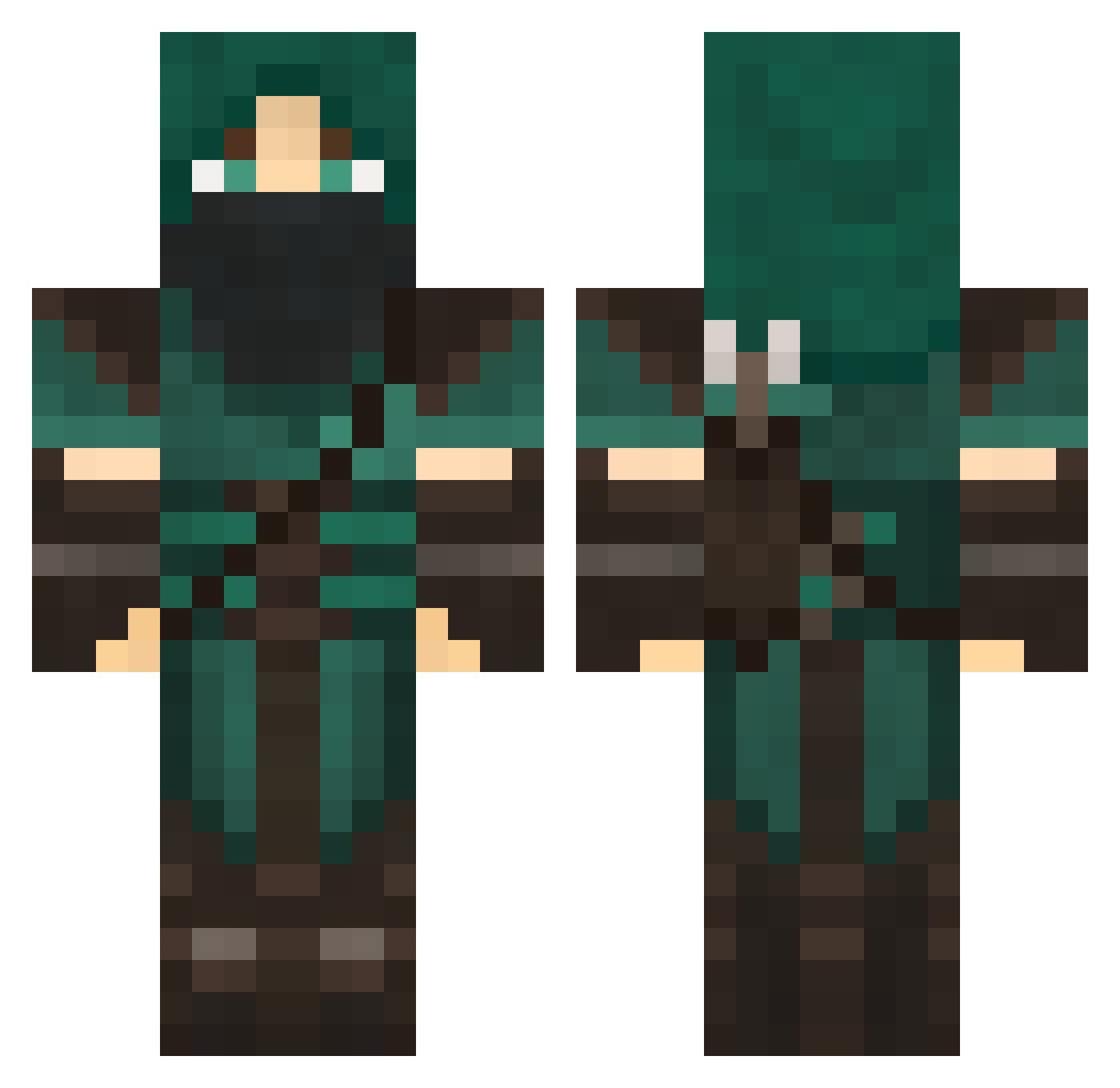
Current Minecraft skin of the player Topsy_Kretts, loaded from the official Mojang API. Rotate the 3D model with your mouse or finger, then download the skin as a PNG file and use it in Minecraft: Bedrock Edition or Java Edition for free. When Topsy_Kretts changes their skin, this page updates automatically and the old skin stays in the history below.
Other players with this skin (707)
Topsy_Kretts was the 514th player we have seen with this skin, first spotted on 10.10.2026. The same skin was seen on these players. Open a nickname to see their current skin and skin history.
 burping davis00 torgl AymanSch sketcheds mijasti Seruphin Jetsmillion CalumChis BlackFire157 maskedskullkid MikHailAzov decly56 TEHTaylor Afroboo clw999 Septimus13 Cro24 Eldii23 Tohrion bonbonraf PudgeyMonkey Kilkullen Rowenjp Carlos787 Elusive_Fantasy Jacolopolis Xzion_Kosetsu Sontaron ellibelli4 Bobo2500 BooYah007 sebayon123 OldMake Shogunate_K virusase621 Premo cakor jeremy1226 tkcut purkboy Jazz0400 ElusiveFear Schriver Andy_archer naffire28 progamerlildrew dmitriparadise nldragon eXxoDio JaydaCat Mill_Wilkinson suicidalhobbit Rhaile TjumsLife Deathjaw123 zanethedestroyer ak47lowry owightman97 tentofawesome
More Rogue Minecraft skins
How to install the Topsy_Kretts skin
- Press the Download button above to save the skin as a PNG file.
- Minecraft: Bedrock Edition (PE): open the Dressing Room from the main menu (or tap your character → Edit Character), go to Classic Skins → Owned, press the + (new skin) button, choose the downloaded PNG and pick the Classic (Steve) model. Works on PC and mobile; consoles cannot import custom skins.
- Minecraft: Java Edition: open the Minecraft Launcher, go to the Skins tab, click New Skin, load the PNG, pick the Classic (Steve) model and press Save & Use. You can also upload it at minecraft.net → Profile → Change Skin.
The skin does not show up after import - what should I do?
Restart Minecraft and open the Dressing Room again - imported skins sometimes appear only after a restart. Also make sure you selected the imported skin and picked the Classic (Steve) model.
Which model should I choose, Classic or Slim?
This skin is designed for the Classic (Steve) model. If you pick the wrong model, the arms of the skin will look stretched or squeezed.
Is the skin of Topsy_Kretts free to download?
Yes. Press Download, save the PNG file and use it in Minecraft: Bedrock Edition or Java Edition - no payment or registration needed. The skin also works on multiplayer servers and Realms.
More skins
Looking for more? Go back to all Minecraft skins and check the top skins of the week, month and all time, or find any player's skin by nickname.