
TopLearner86534 - Minecraft Skins & Skin History
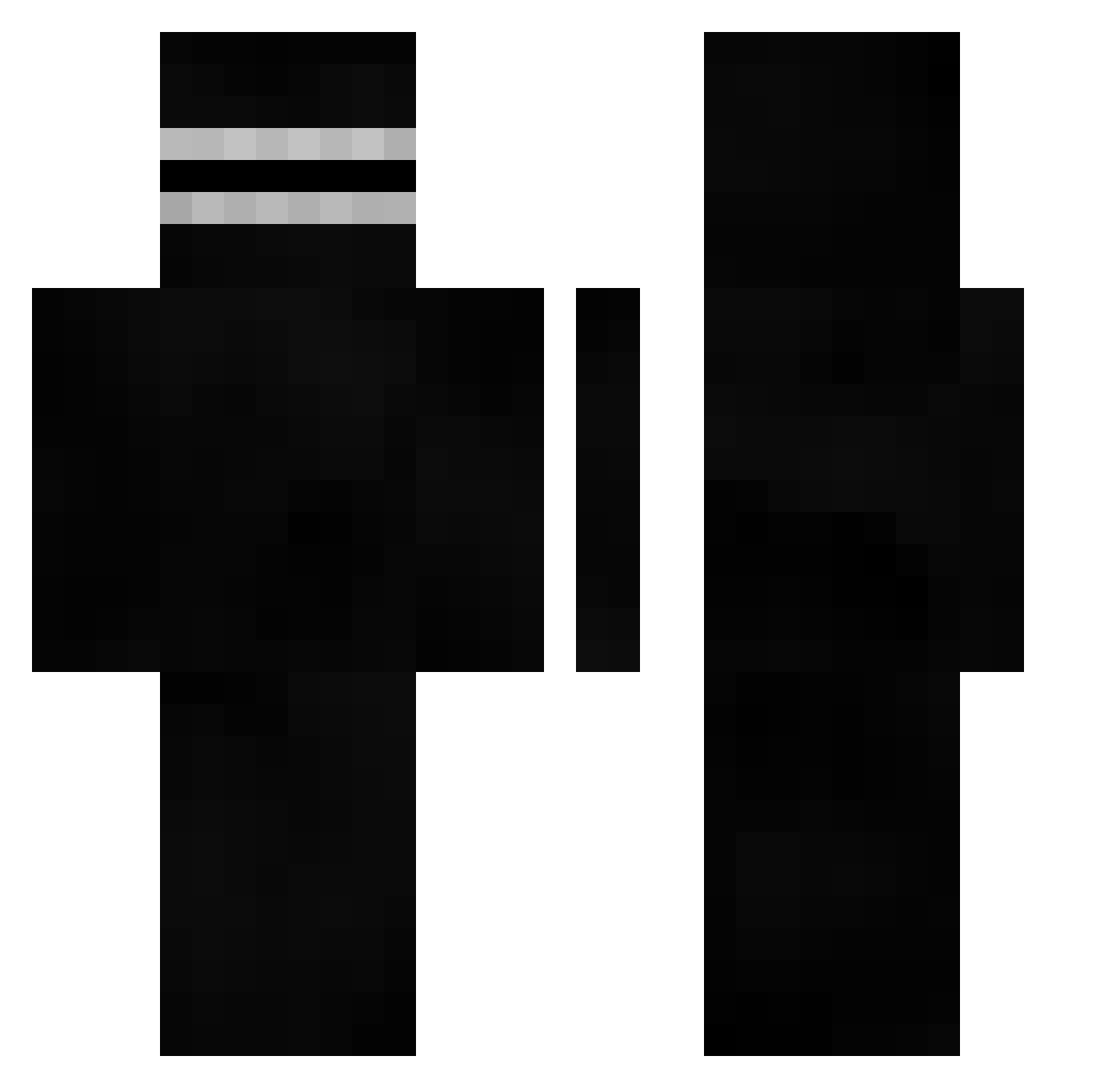
Current Minecraft skin of the player TopLearner86534, loaded from the official Mojang API. Rotate the 3D model with your mouse or finger, then download the skin as a PNG file and use it in Minecraft: Bedrock Edition or Java Edition for free. When TopLearner86534 changes their skin, this page updates automatically and the old skin stays in the history below.
Other players with this skin (402)
TopLearner86534 was the 25th player we have seen with this skin, first spotted on 30.07.2026. The same skin was seen on these players. Open a nickname to see their current skin and skin history.
 Rxme__ Omenes993
 freshy232323 glutenfreebr3ad BigWoofs gek_yume _offrip NesteaZitrone Bortatron senxiual Pepsiiiiiiiii TAZANEIEI The_Juming Metondo b_szeto Defraciure BeanWorldTour KrolikMorski Sandwichces GuettoBoy Kinopla Szymon_Bone goozilla Redbull35 TankLess604 Abo_ZedaN Terendah lexfelixnl MikkelSoeMor VamZoo
 efunn Crazyus Paco24 bac1u ADRIZAP Shadoxfighter Chelovecheski vicbittencourt DUH_BEEF_CHIEF MizuideKotaro Trolltet123 NSP_ bounce66 sen0412 FIUUUM
 blirk
blirk direngay
 kyutzz PCkTM1337 hipcomp Tomy_13200
 Hazano
 TRLVV alpereno61 Waifu__Overlord LaC0uillDr0ite Civillian_ 1SNT_ karlitooooo Ztydox
How to install the TopLearner86534 skin
- Press the Download button above to save the skin as a PNG file.
- Minecraft: Bedrock Edition (PE): open the Dressing Room from the main menu (or tap your character → Edit Character), go to Classic Skins → Owned, press the + (new skin) button, choose the downloaded PNG and pick the Classic (Steve) model. Works on PC and mobile; consoles cannot import custom skins.
- Minecraft: Java Edition: open the Minecraft Launcher, go to the Skins tab, click New Skin, load the PNG, pick the Classic (Steve) model and press Save & Use. You can also upload it at minecraft.net → Profile → Change Skin.
The skin does not show up after import - what should I do?
Restart Minecraft and open the Dressing Room again - imported skins sometimes appear only after a restart. Also make sure you selected the imported skin and picked the Classic (Steve) model.
Which model should I choose, Classic or Slim?
This skin is designed for the Classic (Steve) model. If you pick the wrong model, the arms of the skin will look stretched or squeezed.
Is the skin of TopLearner86534 free to download?
Yes. Press Download, save the PNG file and use it in Minecraft: Bedrock Edition or Java Edition - no payment or registration needed. The skin also works on multiplayer servers and Realms.
More skins
Looking for more? Go back to all Minecraft skins and check the top skins of the week, month and all time, or find any player's skin by nickname.