
Tomstr2409 - Minecraft Skins & Skin History
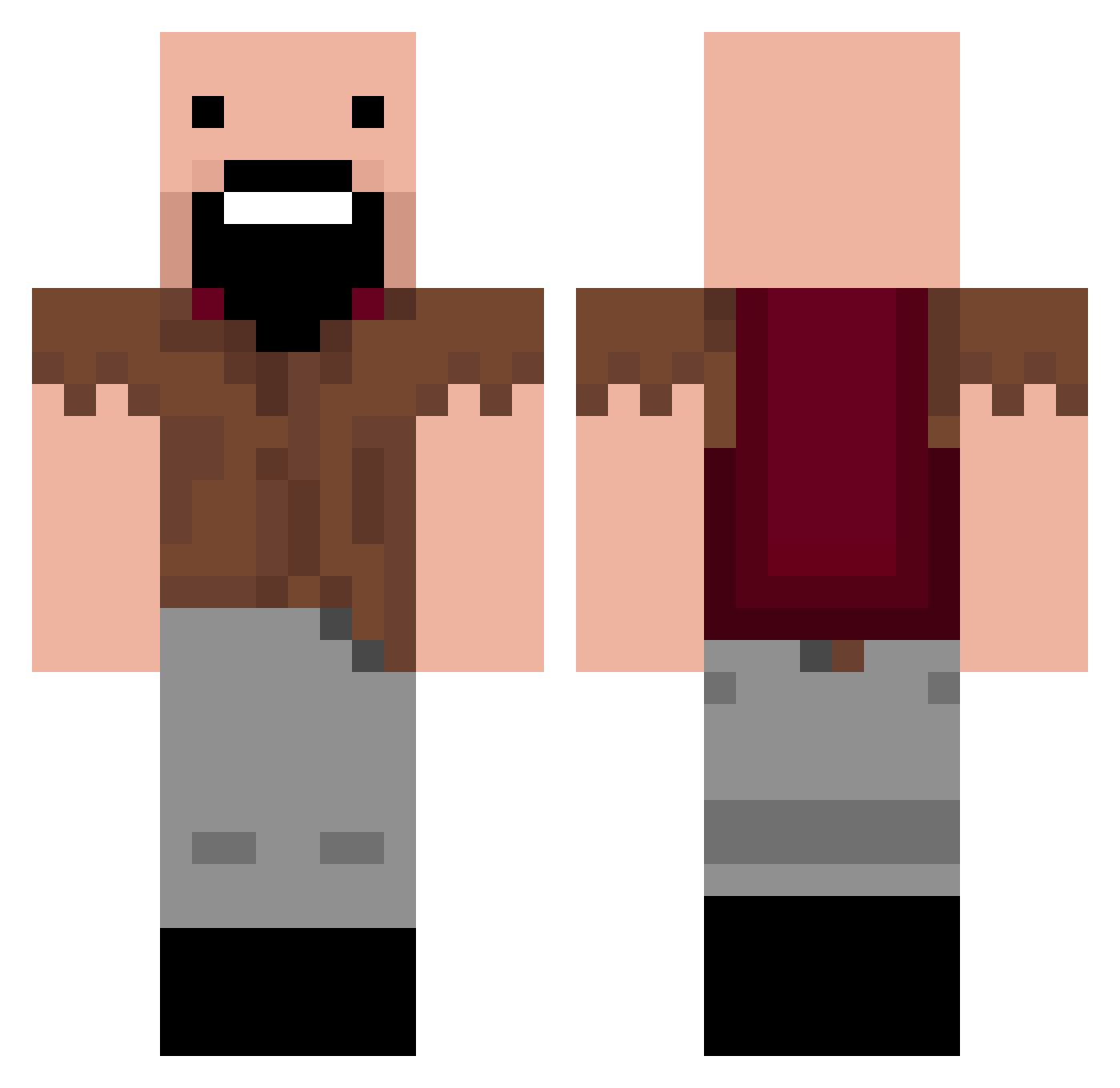
Current Minecraft skin of the player Tomstr2409, loaded from the official Mojang API. Rotate the 3D model with your mouse or finger, then download the skin as a PNG file and use it in Minecraft: Bedrock Edition or Java Edition for free. When Tomstr2409 changes their skin, this page updates automatically and the old skin stays in the history below.
Other players with this skin (296)
Tomstr2409 was the 279th player we have seen with this skin, first spotted on 11.11.2026. The same skin was seen on these players. Open a nickname to see their current skin and skin history.
 iLegittzz TheNochtgamer BluePhoenix882 PAKUNJA KiokiNFTW JuryRaindrop19 EuropaUser atlanqq KombuchaRob Tien_Shinhan PalmTopWeeb StreetVibes carvajal_12 CrisantoMC dqdizzy Lynaut TONNO00 Kimddukddak1048 nov1c STOMove ar1z0na_ sky242 OzCatGirl Coolxp51 minecraft_Libra Ocirs FakeSenS NoFearCPVP TongKeun nick_kalugin Velar1945 Zlavek rypns gomer67 Elliot87 jjinnit Lungy1 Faygoyas Flaymni00 Granics Azzshanks ZeuruM zylark Evol519 Fuse_ID x12Emilian ChambaSoup lap93 Sugargoo shl111 konnor77 Luming810 _wk_18 obirb MineUnwind zizonmugug1226 jujugoated Nikodev1 k6s_msmc_bnr Hardingsoft
More Notch Minecraft skins
How to install the Tomstr2409 skin
- Press the Download button above to save the skin as a PNG file.
- Minecraft: Bedrock Edition (PE): open the Dressing Room from the main menu (or tap your character → Edit Character), go to Classic Skins → Owned, press the + (new skin) button, choose the downloaded PNG and pick the Classic (Steve) model. Works on PC and mobile; consoles cannot import custom skins.
- Minecraft: Java Edition: open the Minecraft Launcher, go to the Skins tab, click New Skin, load the PNG, pick the Classic (Steve) model and press Save & Use. You can also upload it at minecraft.net → Profile → Change Skin.
The skin does not show up after import - what should I do?
Restart Minecraft and open the Dressing Room again - imported skins sometimes appear only after a restart. Also make sure you selected the imported skin and picked the Classic (Steve) model.
Which model should I choose, Classic or Slim?
This skin is designed for the Classic (Steve) model. If you pick the wrong model, the arms of the skin will look stretched or squeezed.
Is the skin of Tomstr2409 free to download?
Yes. Press Download, save the PNG file and use it in Minecraft: Bedrock Edition or Java Edition - no payment or registration needed. The skin also works on multiplayer servers and Realms.
More skins
Looking for more? Go back to all Minecraft skins and check the top skins of the week, month and all time, or find any player's skin by nickname.