
TommyCollen - Minecraft Skins & Skin History
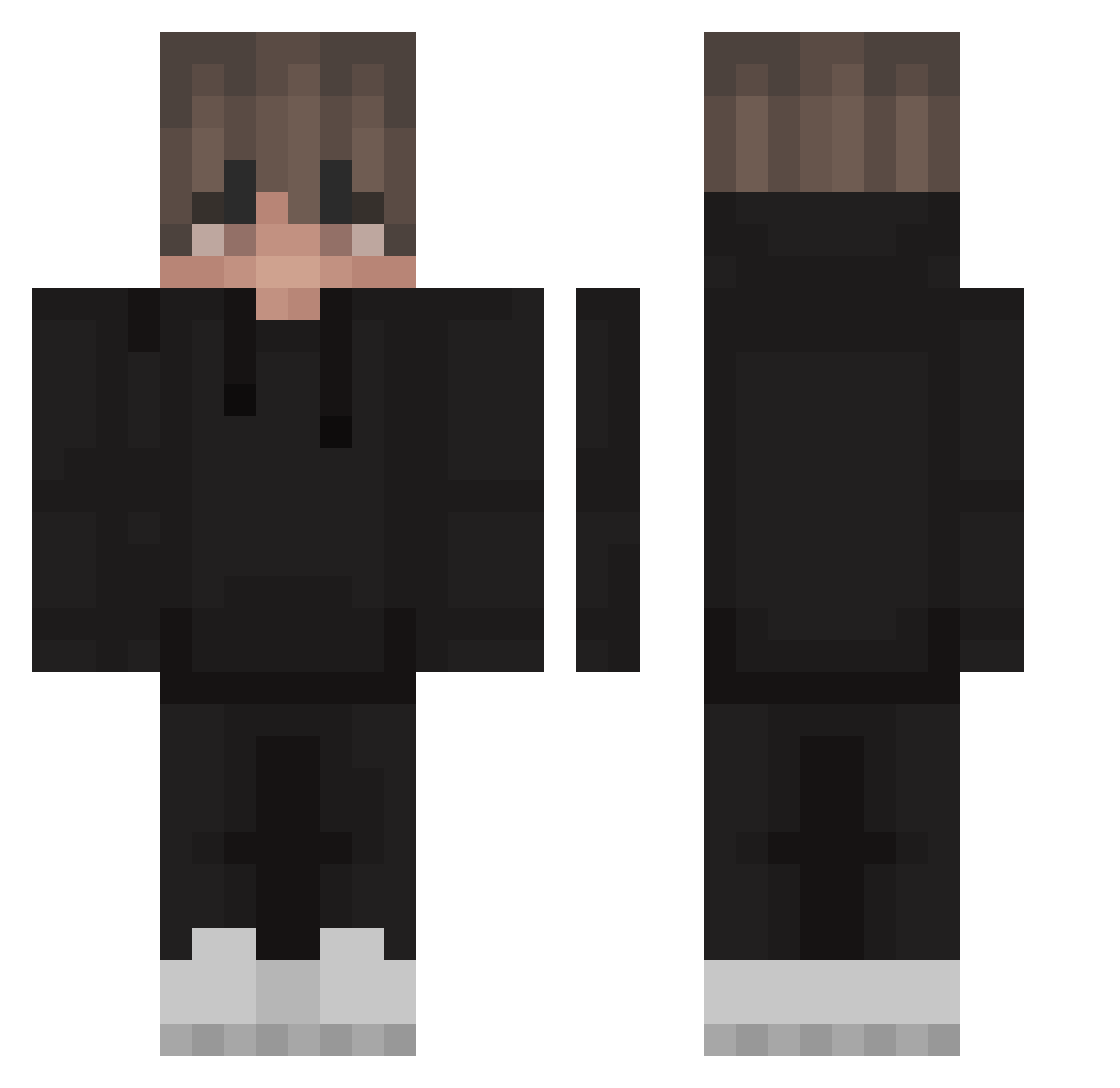
Current Minecraft skin of the player TommyCollen, loaded from the official Mojang API. Rotate the 3D model with your mouse or finger, then download the skin as a PNG file and use it in Minecraft: Bedrock Edition or Java Edition for free. When TommyCollen changes their skin, this page updates automatically and the old skin stays in the history below.
Other players with this skin (220)
TommyCollen was the 173rd player we have seen with this skin, first spotted on 06.10.2026. The same skin was seen on these players. Open a nickname to see their current skin and skin history.
 blynk34 Custifier Pillar_H Velocira RaChaPro Canzorro zoukintv1220 kamilos1145 JASONHEIHEI Blynk35 dbuchi Lelofy ReapavonIsTrash unnamedgaming VanGoghan PythonReality 35Pluto yeahyeahskitz TH3DOOM Filipian209 KaySee2 PancakesC0 boxxer21 ZerrichLp mduck21 aBari9l_mo3ra New4399 Kargol_ 7Mau7 ODGnas TbonedByHondaCRV RoweQ Misiu11200 Pris_ing jonasmmams AceBicycle36263 Saadsheeeeesh luckybotbg Guie24 dilzvlog Alfievour URmind Nikos01 Jedwabiak2137 BossRyLee rex789 Bambixoxo mi_nyung Mbdsgns q7END Moooncakes orkoorko qxyth _wooden_pc_ Sageof13Blades ctk_philip victorsatori Krystek420 Willus07 Zandeeneo
How to install the TommyCollen skin
- Press the Download button above to save the skin as a PNG file.
- Minecraft: Bedrock Edition (PE): open the Dressing Room from the main menu (or tap your character → Edit Character), go to Classic Skins → Owned, press the + (new skin) button, choose the downloaded PNG and pick the Classic (Steve) model. Works on PC and mobile; consoles cannot import custom skins.
- Minecraft: Java Edition: open the Minecraft Launcher, go to the Skins tab, click New Skin, load the PNG, pick the Classic (Steve) model and press Save & Use. You can also upload it at minecraft.net → Profile → Change Skin.
The skin does not show up after import - what should I do?
Restart Minecraft and open the Dressing Room again - imported skins sometimes appear only after a restart. Also make sure you selected the imported skin and picked the Classic (Steve) model.
Which model should I choose, Classic or Slim?
This skin is designed for the Classic (Steve) model. If you pick the wrong model, the arms of the skin will look stretched or squeezed.
Is the skin of TommyCollen free to download?
Yes. Press Download, save the PNG file and use it in Minecraft: Bedrock Edition or Java Edition - no payment or registration needed. The skin also works on multiplayer servers and Realms.
More skins
Looking for more? Go back to all Minecraft skins and check the top skins of the week, month and all time, or find any player's skin by nickname.