
TomStar200809HG - Minecraft Skins & Skin History
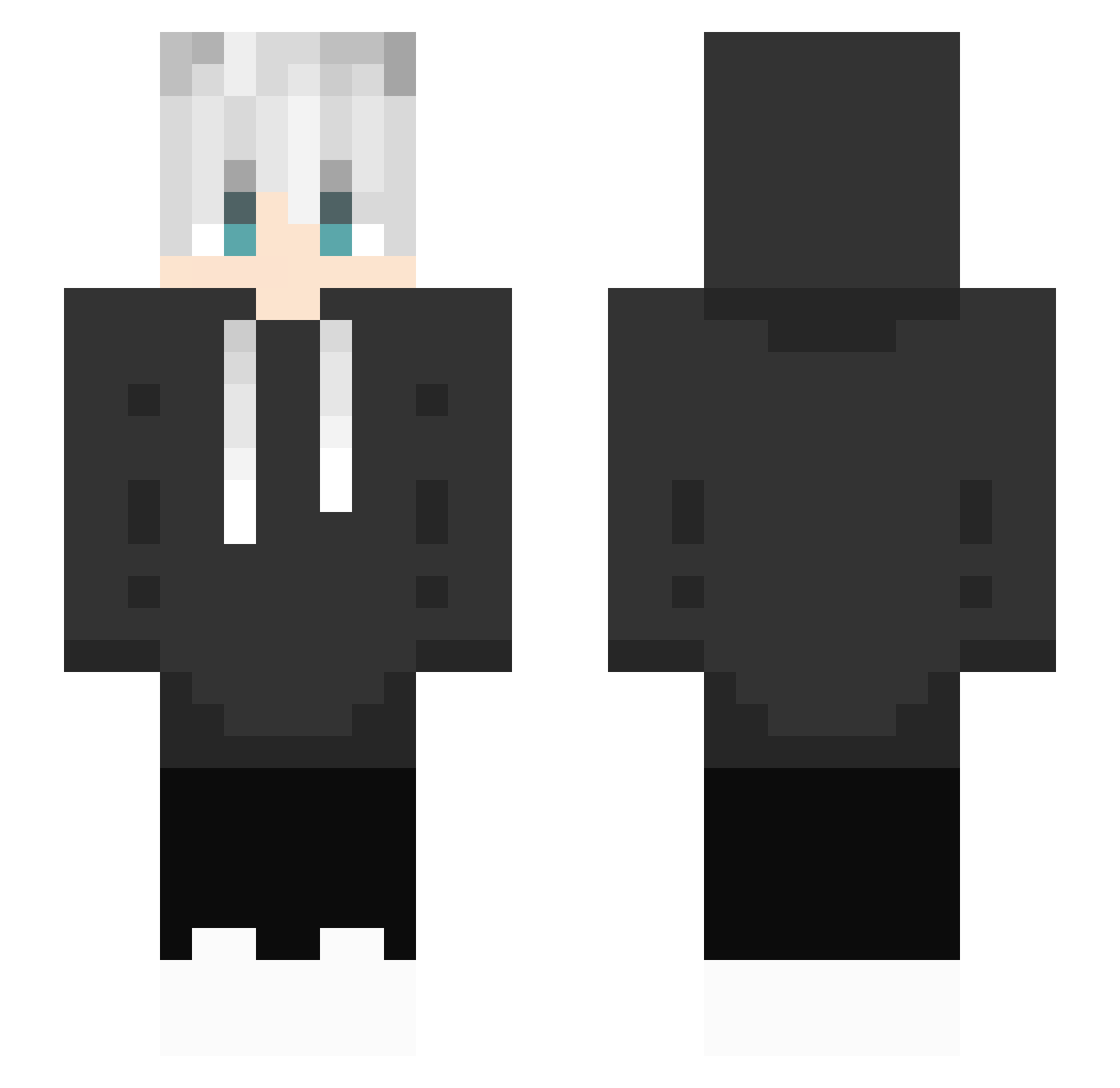
Current Minecraft skin of the player TomStar200809HG, loaded from the official Mojang API. Rotate the 3D model with your mouse or finger, then download the skin as a PNG file and use it in Minecraft: Bedrock Edition or Java Edition for free. When TomStar200809HG changes their skin, this page updates automatically and the old skin stays in the history below.
Other players with this skin (334)
TomStar200809HG was the 301st player we have seen with this skin, first spotted on 01.11.2026. The same skin was seen on these players. Open a nickname to see their current skin and skin history.
 SquirrelKay taomonji kobayan73 koich0341 Crimson_Kun CartridgeMaster Super1998 watshii Painkiller9096 Rainless07 7seao jineeb TomSoneAravim Crumbee qqqhr JS_hwan tansanmelon LEVERAGE2025 Vilczy Nowkky BlackWolf_A GamePancake9334 Lelouch_1205 kermyth0 ChoyakuHD Eli_999_ mattOuO _Andre_Y Toffyinwza popolli1996 rezz3x moonpu alexisiv01 Alha_108 DoutorPanda_ Agusxpee SeokDolE Zweeg15 HuaJicow_rz8kupi _sunwoo_ kinuya_kinu Mert20017 TooSneakyy memocanHD Nickytomato lilycozi_ _XuXin_ ballbuster25 LoadinggNoEx Qualityreal DUKON01 Vodka311 DRAGONDRAGONJ NeckokunJr Doctornoop YuKi9805 DionTamvan nniceeee Nagi__sama YukiyaZero
How to install the TomStar200809HG skin
- Press the Download button above to save the skin as a PNG file.
- Minecraft: Bedrock Edition (PE): open the Dressing Room from the main menu (or tap your character → Edit Character), go to Classic Skins → Owned, press the + (new skin) button, choose the downloaded PNG and pick the Slim (Alex) model. Works on PC and mobile; consoles cannot import custom skins.
- Minecraft: Java Edition: open the Minecraft Launcher, go to the Skins tab, click New Skin, load the PNG, pick the Slim (Alex) model and press Save & Use. You can also upload it at minecraft.net → Profile → Change Skin.
The skin does not show up after import - what should I do?
Restart Minecraft and open the Dressing Room again - imported skins sometimes appear only after a restart. Also make sure you selected the imported skin and picked the Slim (Alex) model.
Which model should I choose, Classic or Slim?
This skin is designed for the Slim (Alex) model. If you pick the wrong model, the arms of the skin will look stretched or squeezed.
Is the skin of TomStar200809HG free to download?
Yes. Press Download, save the PNG file and use it in Minecraft: Bedrock Edition or Java Edition - no payment or registration needed. The skin also works on multiplayer servers and Realms.
More skins
Looking for more? Go back to all Minecraft skins and check the top skins of the week, month and all time, or find any player's skin by nickname.