
TokenFTW - Minecraft Skins & Skin History
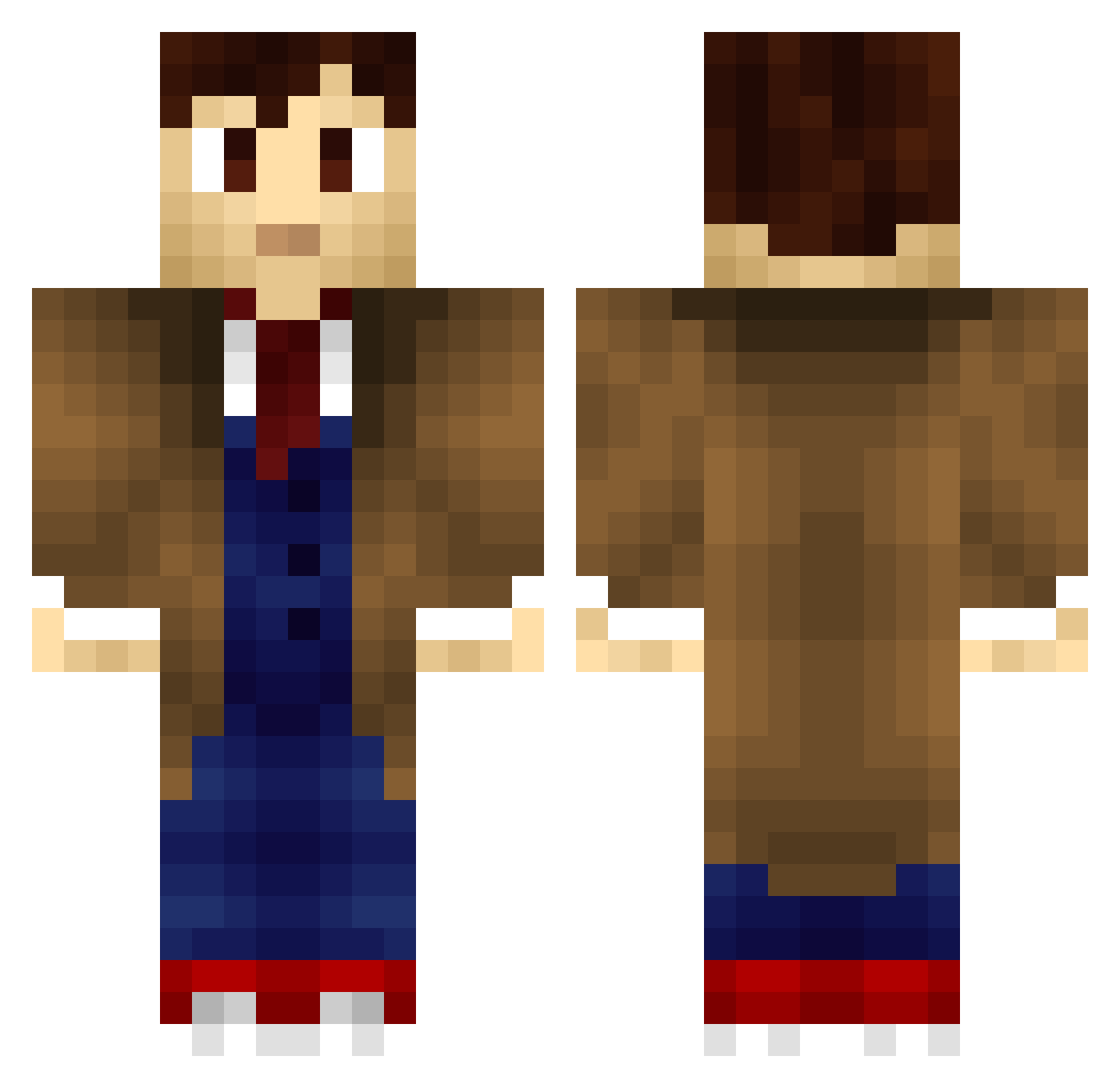
Current Minecraft skin of the player TokenFTW, loaded from the official Mojang API. Rotate the 3D model with your mouse or finger, then download the skin as a PNG file and use it in Minecraft: Bedrock Edition or Java Edition for free. When TokenFTW changes their skin, this page updates automatically and the old skin stays in the history below.
Other players with this skin (705)
TokenFTW was the 680th player we have seen with this skin, first spotted on 27.10.2026. The same skin was seen on these players. Open a nickname to see their current skin and skin history.
 vnvn7 Erkolik DaltorOfWestland Senor_Toro D0CT0R_WHO ShortstopSamurai Noodlesforty5 knuwgljung korendoge XxShadowRose Taliesinwoods Cinematicinema kola132 ErnestWorthing vjsmyth MetricCandy lillaney123 Bob_the_Bat CakeEater91 m0raca NeilMcNeil jack_joes Sir_Isaac_Newto FamousHastorian Viblinist thebadgerpro Minecraft_Yen dsplus ZenAkuShadowLord IanBeale Starkita Mostaris Bramwell_Ambrose angelserenity blackburst65 ManhattanMurder makssof TimeyWimeyStuffs Rasmo71 Nandou jackd3 BlakeWrecks AdamiZzeRe LucasBrink GerritB94 savic25 Superioq26 DanDanYoung victor516 SZ2013 KrisTheGuy elektronikus666 Tomfiend craftzone01 moxsure Arrggee Evitor tracyallenparks fanguurl WilstonCakes
More Timelord Minecraft skins
How to install the TokenFTW skin
- Press the Download button above to save the skin as a PNG file.
- Minecraft: Bedrock Edition (PE): open the Dressing Room from the main menu (or tap your character → Edit Character), go to Classic Skins → Owned, press the + (new skin) button, choose the downloaded PNG and pick the Classic (Steve) model. Works on PC and mobile; consoles cannot import custom skins.
- Minecraft: Java Edition: open the Minecraft Launcher, go to the Skins tab, click New Skin, load the PNG, pick the Classic (Steve) model and press Save & Use. You can also upload it at minecraft.net → Profile → Change Skin.
The skin does not show up after import - what should I do?
Restart Minecraft and open the Dressing Room again - imported skins sometimes appear only after a restart. Also make sure you selected the imported skin and picked the Classic (Steve) model.
Which model should I choose, Classic or Slim?
This skin is designed for the Classic (Steve) model. If you pick the wrong model, the arms of the skin will look stretched or squeezed.
Is the skin of TokenFTW free to download?
Yes. Press Download, save the PNG file and use it in Minecraft: Bedrock Edition or Java Edition - no payment or registration needed. The skin also works on multiplayer servers and Realms.
More skins
Looking for more? Go back to all Minecraft skins and check the top skins of the week, month and all time, or find any player's skin by nickname.