
Toejam1969 - Minecraft Skins & Skin History
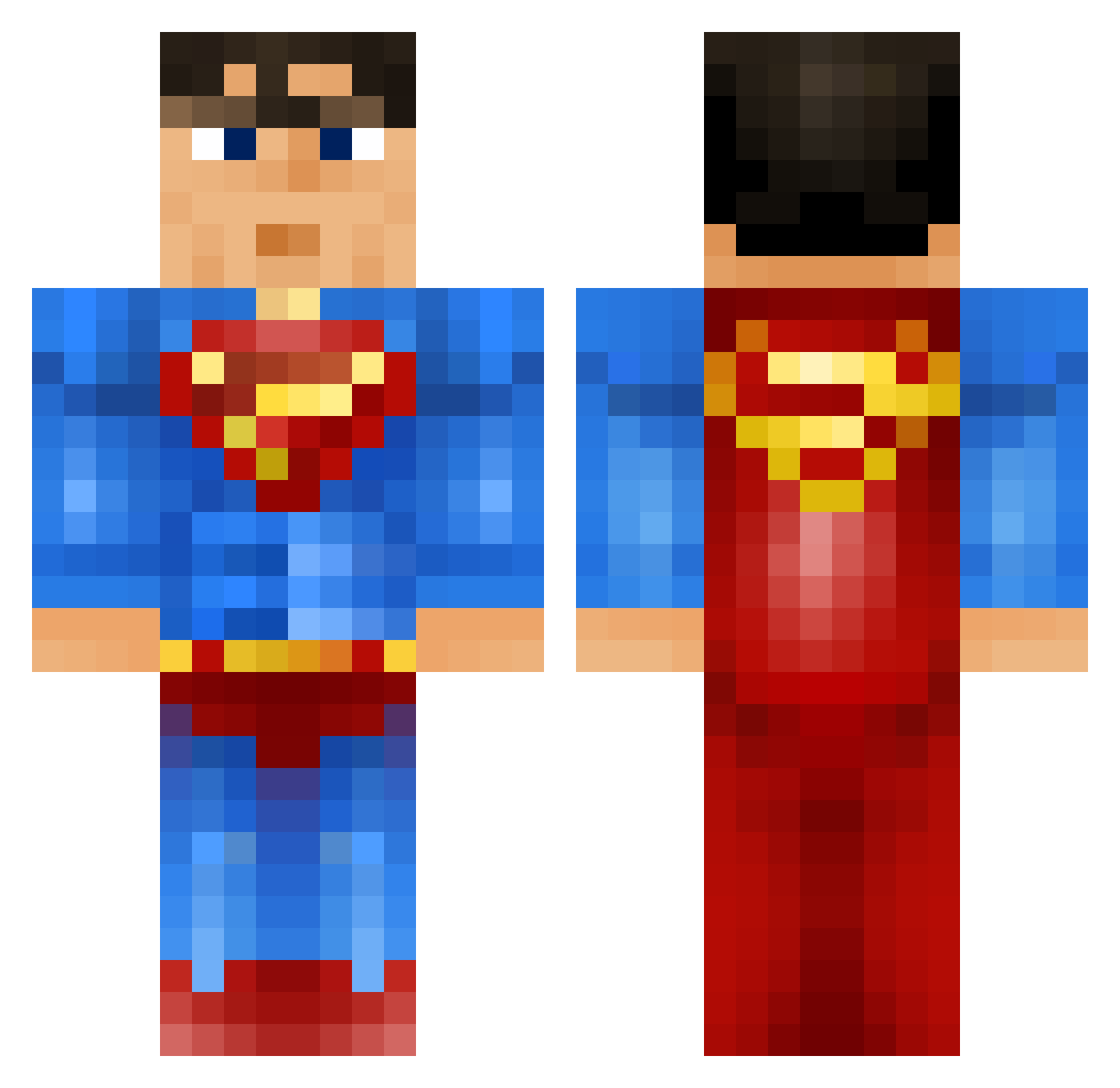
Current Minecraft skin of the player Toejam1969, loaded from the official Mojang API. Rotate the 3D model with your mouse or finger, then download the skin as a PNG file and use it in Minecraft: Bedrock Edition or Java Edition for free. When Toejam1969 changes their skin, this page updates automatically and the old skin stays in the history below.
Other players with this skin (1118)
Toejam1969 was the 1071st player we have seen with this skin, first spotted on 14.11.2026. The same skin was seen on these players. Open a nickname to see their current skin and skin history.
 Braulioko Keelanbub ObooKing Youngwavii1 Woody1972 XxMunzexX _Tammu_ Drosak Hamiwanaconobi ruben12233 Etuaghs tomk67 Stampey2 Aimpro_BHOP Ebbon YenteEeckhaudt persadam mojuku09 Jeecey67 Sanj01 MoFun4me Nick_the_kid Ghostwhipp BADASSJOSH1234 Bweger sauerballs7 SuperNellyGo Zarple Figo311 AweVicinity TravMischewski yonatanhorowitz bitdancer Cortescdo johnny4man jacobplaysMC54 Tilde05j yell123 bosco50 NateDoggyDawg Freddie2015 LeonardCohen KJFR cadupesteves RizzleMahNizzlez Davvemannet mendezrobert afterlife42 Athelstin Sam_Hardman Cj_3000 Zander128 Valmetti Macho_Nacho77 Archer0003 DomiinzTV THEBigFatPanda17 Finley03 Sjgotswag Captaintennis
More Superman Minecraft skins
How to install the Toejam1969 skin
- Press the Download button above to save the skin as a PNG file.
- Minecraft: Bedrock Edition (PE): open the Dressing Room from the main menu (or tap your character → Edit Character), go to Classic Skins → Owned, press the + (new skin) button, choose the downloaded PNG and pick the Classic (Steve) model. Works on PC and mobile; consoles cannot import custom skins.
- Minecraft: Java Edition: open the Minecraft Launcher, go to the Skins tab, click New Skin, load the PNG, pick the Classic (Steve) model and press Save & Use. You can also upload it at minecraft.net → Profile → Change Skin.
The skin does not show up after import - what should I do?
Restart Minecraft and open the Dressing Room again - imported skins sometimes appear only after a restart. Also make sure you selected the imported skin and picked the Classic (Steve) model.
Which model should I choose, Classic or Slim?
This skin is designed for the Classic (Steve) model. If you pick the wrong model, the arms of the skin will look stretched or squeezed.
Is the skin of Toejam1969 free to download?
Yes. Press Download, save the PNG file and use it in Minecraft: Bedrock Edition or Java Edition - no payment or registration needed. The skin also works on multiplayer servers and Realms.
More skins
Looking for more? Go back to all Minecraft skins and check the top skins of the week, month and all time, or find any player's skin by nickname.