
Tobiaslove - Minecraft Skins & Skin History
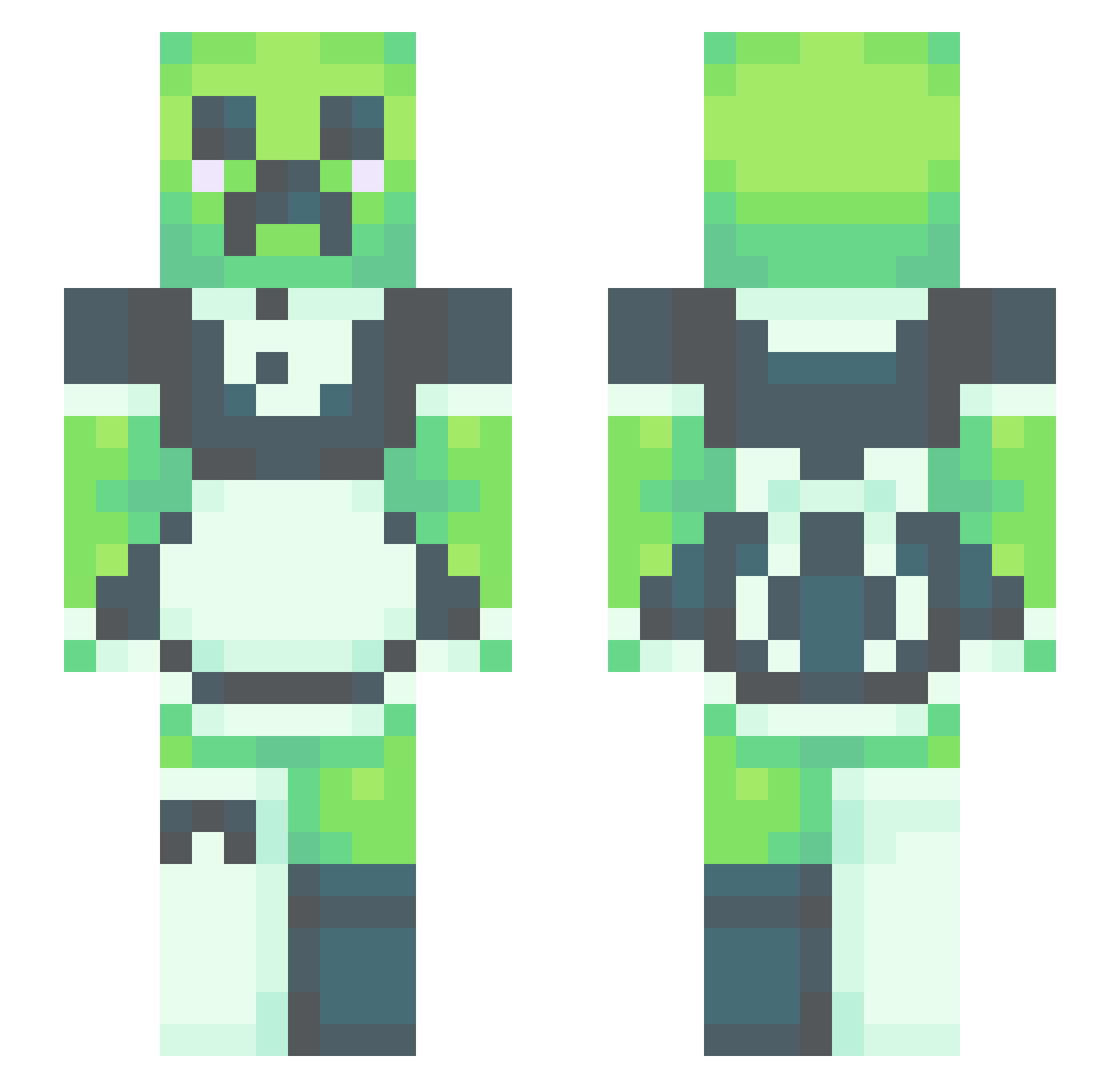
Current Minecraft skin of the player Tobiaslove, loaded from the official Mojang API. Rotate the 3D model with your mouse or finger, then download the skin as a PNG file and use it in Minecraft: Bedrock Edition or Java Edition for free. When Tobiaslove changes their skin, this page updates automatically and the old skin stays in the history below.
Other players with this skin (531)
Tobiaslove was the 319th player we have seen with this skin, first spotted on 02.10.2026. The same skin was seen on these players. Open a nickname to see their current skin and skin history.
 fishllure PartTimeOtaku13 Ellamaya Krett0 Kaisahimi urmum9023 Badonkadonker coconutsweetpope GetClipon AnniBunns bigt1tt1esnod1ck wizazaps WorriedOrange Kamikadze_uber Blooodymassacre ElToastSandwich Beaniebad Melchelly BandyAidz soysaucegoblinL V00d0oo ternstyle YOUNGpahan SpecialCorre Pee_consumer TheEjdmCZ WillowEve2706 ori73 xlxApotheosisxlx polle27809 SlowStone Sebanu32 im_not_SSibdeong Longlegjhonathon Mylissa12 Ezrageoffor akmor21 KaiRi_6 corjita Badoopadoop MrDemcheeks Fatty_Shett MaxTheHunter12 Oceanstar166 superjwatchkar longanesa Trigger16066969 Himligar LTDansLegs2 SadSoup Rustyplate123 Creepycreepx skdz4 N_ekowo JojoDaBomb Willowton11 LameTown benny19968 snoot_rs CMG4696
More Maid Minecraft skins
How to install the Tobiaslove skin
- Press the Download button above to save the skin as a PNG file.
- Minecraft: Bedrock Edition (PE): open the Dressing Room from the main menu (or tap your character → Edit Character), go to Classic Skins → Owned, press the + (new skin) button, choose the downloaded PNG and pick the Slim (Alex) model. Works on PC and mobile; consoles cannot import custom skins.
- Minecraft: Java Edition: open the Minecraft Launcher, go to the Skins tab, click New Skin, load the PNG, pick the Slim (Alex) model and press Save & Use. You can also upload it at minecraft.net → Profile → Change Skin.
The skin does not show up after import - what should I do?
Restart Minecraft and open the Dressing Room again - imported skins sometimes appear only after a restart. Also make sure you selected the imported skin and picked the Slim (Alex) model.
Which model should I choose, Classic or Slim?
This skin is designed for the Slim (Alex) model. If you pick the wrong model, the arms of the skin will look stretched or squeezed.
Is the skin of Tobiaslove free to download?
Yes. Press Download, save the PNG file and use it in Minecraft: Bedrock Edition or Java Edition - no payment or registration needed. The skin also works on multiplayer servers and Realms.
More skins
Looking for more? Go back to all Minecraft skins and check the top skins of the week, month and all time, or find any player's skin by nickname.