
ToastedBread275 - Minecraft Skins & Skin History
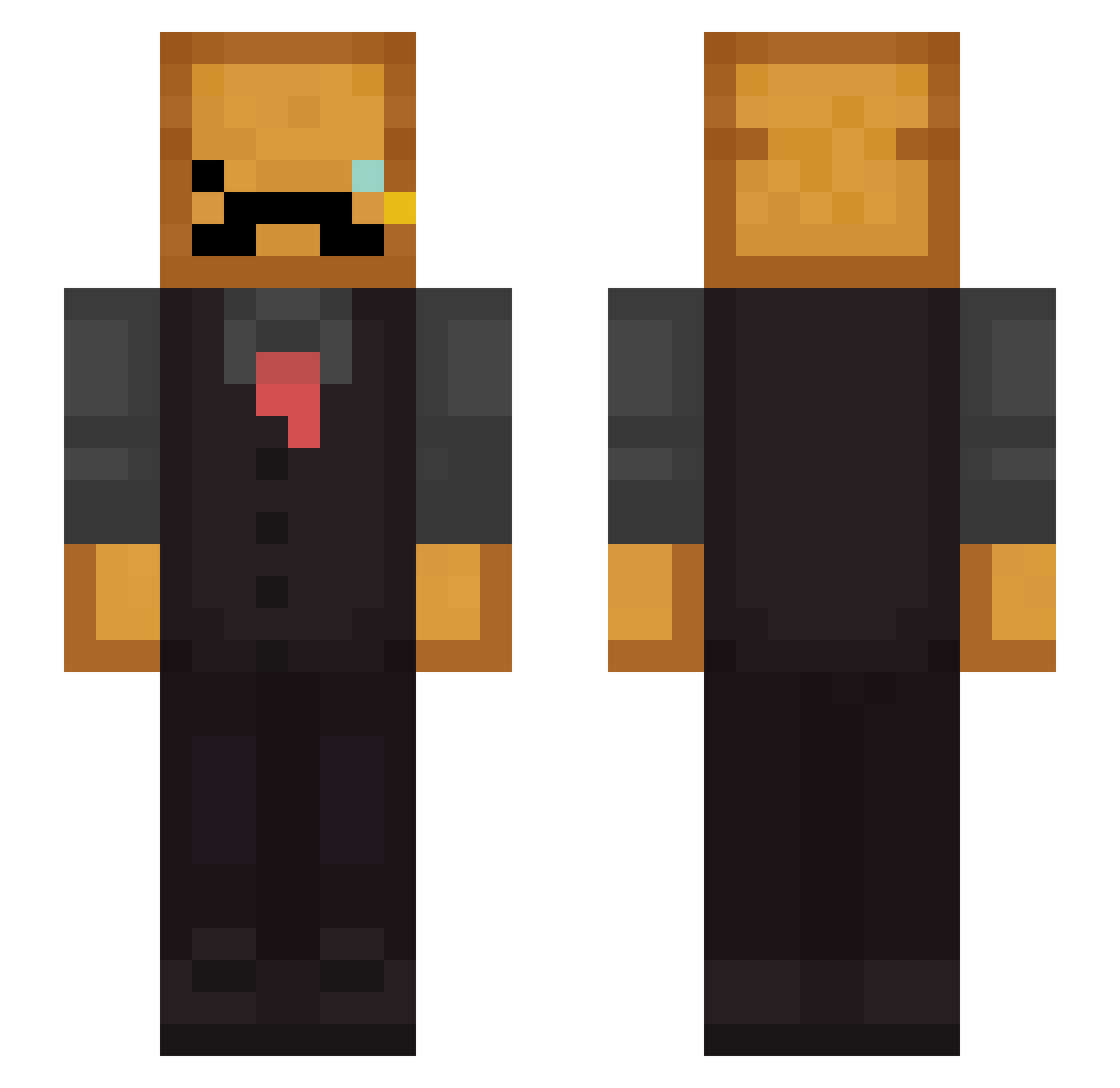
Current Minecraft skin of the player ToastedBread275, loaded from the official Mojang API. Rotate the 3D model with your mouse or finger, then download the skin as a PNG file and use it in Minecraft: Bedrock Edition or Java Edition for free. When ToastedBread275 changes their skin, this page updates automatically and the old skin stays in the history below.
Other players with this skin (276)
ToastedBread275 was the 71st player we have seen with this skin, first spotted on 21.08.2026. The same skin was seen on these players. Open a nickname to see their current skin and skin history.
 ZeroPole0 Frenchbagel65 klownet frfrmeow _Breadthegoat Jeffrey0816 Loaffo eclerchic _zanark_ GettinTheBread ADDMoustache BangKropCheese wolfadam17 Canekk34 StrangePelican XNox1N Bread_InSuit DepressoEspr3ss0 frihug0 sanicss sebasanzep Korpido ralxi30YT E60D bysidbob beebobi DevonJD CroutonPMW3 elpepe1532 babiji FluffyyBoar PatoUnicornio Rexayt_ king_fat_boy Xelan99 Nertond qaunty Otakuz realamplify LDfool Allos3 MilostiII2075 Jaikk HeinzToaster96 Toasterero LegendaryBread1 JustLr PlayerT123 FawnHunter Xquixa_ Toaster_93 MasterTrousse timberpunch future_bald_man TheAntwoord HuntingToast1 Guava_banana _AmmA_ beaml chjef
More Toast Minecraft skins
How to install the ToastedBread275 skin
- Press the Download button above to save the skin as a PNG file.
- Minecraft: Bedrock Edition (PE): open the Dressing Room from the main menu (or tap your character → Edit Character), go to Classic Skins → Owned, press the + (new skin) button, choose the downloaded PNG and pick the Slim (Alex) model. Works on PC and mobile; consoles cannot import custom skins.
- Minecraft: Java Edition: open the Minecraft Launcher, go to the Skins tab, click New Skin, load the PNG, pick the Slim (Alex) model and press Save & Use. You can also upload it at minecraft.net → Profile → Change Skin.
The skin does not show up after import - what should I do?
Restart Minecraft and open the Dressing Room again - imported skins sometimes appear only after a restart. Also make sure you selected the imported skin and picked the Slim (Alex) model.
Which model should I choose, Classic or Slim?
This skin is designed for the Slim (Alex) model. If you pick the wrong model, the arms of the skin will look stretched or squeezed.
Is the skin of ToastedBread275 free to download?
Yes. Press Download, save the PNG file and use it in Minecraft: Bedrock Edition or Java Edition - no payment or registration needed. The skin also works on multiplayer servers and Realms.
More skins
Looking for more? Go back to all Minecraft skins and check the top skins of the week, month and all time, or find any player's skin by nickname.