
ToMuchPotato - Minecraft Skins & Skin History
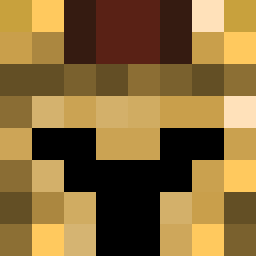
Current Minecraft skin of the player ToMuchPotato, loaded from the official Mojang API. Rotate the 3D model with your mouse or finger, then download the skin as a PNG file and use it in Minecraft: Bedrock Edition or Java Edition for free. When ToMuchPotato changes their skin, this page updates automatically and the old skin stays in the history below.

Other players with this skin (11349)
ToMuchPotato was the 1085th player we have seen with this skin, first spotted on 03.08.2026. The same skin was seen on these players. Open a nickname to see their current skin and skin history.
 nobody_699 Pouch13069 Merkuse Pumuckll Sky_draconian mgarvey23 tonyboyman Regal_Rhea lostmypepsi cdbecar youkuli scot4403 huyn4452 dxff8 FlandersFinest Eternelis Ethanvolcano05 wippis1337 HUKAAS etnavs1 1234_5678 2LH
 Komadreja iknowyeah12 Scout_Dingers MaxiRoblox ahmetsa TENGU753 slaurd98 Marocain batuien _Axsus artemli Jerg_0FF OLES3N stardrink Darsd HabDieHoseVoll Hellbbak snipedHunt Drifty25 Rodeneef
 ALLRIGHT_24_ gaby3
 BatmanHero TriangElite
 kitn123 Feabx AncientIngot73 Cariloup I__lllllll__I Sowonnie samupobra
 Dzoltowski
 Domingos2016
 M00nPe0ple lontong2000 EvilSaunaMan Wardiaper xXGodGhostXx
How to install the ToMuchPotato skin
- Press the Download button above to save the skin as a PNG file.
- Minecraft: Bedrock Edition (PE): open the Dressing Room from the main menu (or tap your character → Edit Character), go to Classic Skins → Owned, press the + (new skin) button, choose the downloaded PNG and pick the Classic (Steve) model. Works on PC and mobile; consoles cannot import custom skins.
- Minecraft: Java Edition: open the Minecraft Launcher, go to the Skins tab, click New Skin, load the PNG, pick the Classic (Steve) model and press Save & Use. You can also upload it at minecraft.net → Profile → Change Skin.
The skin does not show up after import - what should I do?
Restart Minecraft and open the Dressing Room again - imported skins sometimes appear only after a restart. Also make sure you selected the imported skin and picked the Classic (Steve) model.
Which model should I choose, Classic or Slim?
This skin is designed for the Classic (Steve) model. If you pick the wrong model, the arms of the skin will look stretched or squeezed.
Is the skin of ToMuchPotato free to download?
Yes. Press Download, save the PNG file and use it in Minecraft: Bedrock Edition or Java Edition - no payment or registration needed. The skin also works on multiplayer servers and Realms.
More skins
Looking for more? Go back to all Minecraft skins and check the top skins of the week, month and all time, or find any player's skin by nickname.